
Smart meeting room technology is becoming a bigger part of workplace infrastructure as offices adopt AI-powered cameras, occupancy sensors, and automated environmental controls. On September 21, 2026, the National Institute of Standards and Technology (NIST) released draft cybersecurity guidance that expands its attention to building automation systems. The development highlights an important challenge for businesses: making connected workspaces more intelligent also means managing additional security and operational risks.
Modern conference rooms are evolving beyond basic cameras, microphones, and displays. They can automatically frame speakers, detect whether a room is occupied, adjust connected equipment, and report technical problems to IT administrators. These capabilities may improve hybrid collaboration, but successful deployment depends on reliable infrastructure, privacy protections, and equipment that can adapt as workplace requirements change.
What Is Smart Meeting Room Technology?
Smart meeting room technology combines connected audiovisual equipment, sensors, software, and automation to improve how people use conference rooms. It supports communication between in-person attendees and colleagues joining remotely.
A conventional meeting room may require participants to configure cameras, select microphones, and manually connect a laptop. An intelligent room can simplify some of these tasks through automated device controls and integrated conferencing software.
Common components include AI-enabled cameras, microphone arrays, room-booking systems, occupancy sensors, environmental monitors, and centralized management platforms. Some systems also connect to lighting and building climate controls.
The goal isn’t to remove human participation from meetings. It is to reduce avoidable technical interruptions and make collaboration more accessible.
How AI-Powered Cameras Improve Hybrid Meetings
One of the most visible applications involves intelligent video framing. Traditional conference cameras often capture a fixed, wide-angle view of everyone sitting around a table. Remote participants may struggle to identify speakers or observe facial expressions.
AI-powered cameras use computer vision to identify people within the camera’s field of view. Depending on the system, software can adjust the composition, follow an active speaker, or present individual participants in separate video frames.
Some systems combine multiple cameras to provide different perspectives. A wide-angle camera may capture the entire room, while another focuses on individual participants or the speaker.
These techniques can make video meetings easier to follow. However, their effectiveness depends on room size, camera positioning, lighting, and the number of participants.
AI framing also has limitations. People can be temporarily obscured, speakers may move outside thecamera’ss view, and recognition algorithms may struggle in crowded environments. Automatic camera movement can become distracting when multiple people speak simultaneously.
Framing-based computer vision does not necessarily require facial recognition or identity verification. Organizations should review what visual information is processed and whether they retain any images.
Intelligent Audio and Automated Noise Reduction
Clear audio often matters more than video quality during hybrid meetings. Participants need to understand speakers regardless of where they sit or whether they join remotely.
Smart conference rooms may use microphone arrays and digital signal processing to improve speech capture. Beamforming technology can emphasize sound arriving from selected directions while reducing unwanted background noise.
AI-based audio processing may help suppress keyboard sounds, ventilation noise, and other distractions. Acoustic echo cancellation reduces the possibility that sound from room speakers will return through the microphones.
These functions can improve communication, but software cannot completely compensate for poor room acoustics. Hard surfaces, excessive reverberation, and incorrectly positioned microphones can still reduce speech clarity.
Businesses should assess audio performance with several people speaking from different positions. Testing only a single participant near the equipment may conceal problems that appear during actual meetings.
How Meeting Room Occupancy Sensors Work
Occupancy detection is another important application of smart meeting room technology. Sensors can help determine whether a room is being used and support automated control of connected equipment.
Passive infrared sensors detect changes in infrared radiation associated with movement. Other systems may use ultrasonic, radar-based, or camera-assisted methods to identify activity.
When connected to a booking platform, occupancy information can help identify reservations where nobody arrives. A company may configure its system to release an unused room after a defined period, allowing another employee to book it.
These arrangements can also provide data on how frequently rooms are occupied. Facilities teams may use aggregated measurements to compare meeting-room demand with available space.
However, motion detection is not the same as reliable people counting. Some sensors may miss a stationary participant, while movement outside the intended area could create a false occupancy signal.
The U.S. Department of Energy recommends occupancy-based lighting controls as one way to reduce unnecessary office energy consumption. The same general detection principle can support connected workplace automation.
Environmental Sensors and Automated Climate Control
Modern conference rooms may include sensors measuring temperature, humidity, carbon dioxide, and other environmental conditions. These measurements can help facilities teams identify uncomfortable or poorly ventilated spaces.
For example, carbon dioxide levels often rise when a room has insufficient outdoor air for the number of occupants. A building management system may use suitable sensor information to adjust ventilation.
However, carbon dioxide measurements do not fully assess indoor air quality. The Centers for Disease Control and Prevention explains in its ventilation guidance that CO2 readings can provide useful information but cannot independently determine infection risk or overall ventilation effectiveness.
Sensor placement, calibration, airflow, and room layout affect measurement reliability. A wall-mounted device may report conditions that differ from those experienced elsewhere in the room.
Automated environmental controls also require compatible building systems. Installing a room sensor does not mean the heating, ventilation, and air-conditioning equipment can respond to its readings.
Why On-Device AI Processing Matters
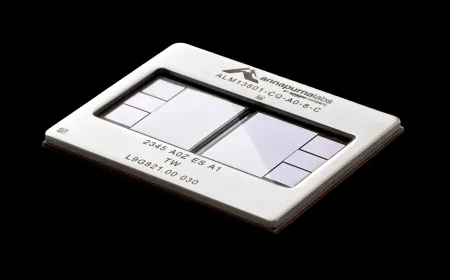
Some intelligent meeting-room equipment performs AI calculations directly on an integrated processor rather than sending every operation to a remote server.
This approach, often called edge AI, can support tasks such as participant framing, camera movement, and certain audio enhancements while reducing reliance on cloud processing.
Local processing may also reduce network traffic and let selected features keep working during connectivity issues. However, it does not guarantee offline operation for the conferencing platform itself.
Hardware capability is an important consideration. More demanding AI functions require sufficient processing performance, memory, and thermal management. Equipment purchased for current workloads may struggle with future software requirements.
Cloud processing remains useful for features such as meeting transcription, translation, and certain AI-assisted summaries. Businesses should understand which functions operate locally and which require remote services.
TechAmerica.ai has previously covered the development of AI-powered workplace applications, including meeting assistance and automated productivity tools. These developments show why meeting-room infrastructure needs to support evolving software capabilities.
Centralized Management for Enterprise Meeting Rooms
Managing a few conference rooms is relatively straightforward. Maintaining dozens or hundreds of connected rooms across multiple offices creates additional responsibilities for IT teams.
Centralized management platforms let administrators check device status, monitor connectivity, distribute supported software updates, and investigate equipment failures.
For example, an administrator may receive an alert when a room camera becomes disconnected or a conferencing device fails to complete an update. Remote diagnostics can help determine whether an on-site visit is necessary.
Standardized configurations also make room support more predictable. Employees benefit when meeting controls and connection procedures remain consistent between locations.
Interoperability is a significant concern. Equipment may depend on particular operating systems, conferencing services, connectors, or certification requirements. Supporting multiple meeting platforms can reduce friction, but organizations should test compatibility rather than assume it.
Organizations should also evaluate maintenance support, replacement parts, software-update policies, and device lifecycles before committing to a large deployment.
Privacy and Cybersecurity Risks in Connected Meeting Rooms
Smart conference rooms introduce additional cybersecurity concerns because cameras, microphones, sensors, and room controllers may connect to corporate networks and cloud management services.
An improperly secured device could expose meeting information, create unauthorized network access, or allow unwanted changes to equipment settings.
NIST’s September 2026 operational technology security draft specifically addresses risks associated with connected systems that monitor or control physical environments. Building automation falls within its scope, although not every conferencing device should be classified as operational technology.
Organizations should maintain an inventory of connected equipment, apply supported security updates, restrict administrative permissions, and, where appropriate, separate sensitive systems.
Privacy considerations extend beyond cybersecurity. Camera-based occupancy systems, meeting recordings, and automated transcripts may collect information about employee activities or conversations.
Businesses should establish clear policies covering recording consent, access restrictions, retention periods, and the use of occupancy data. Aggregated room-utilization measurements may be sufficient for facilities planning without identifying individual employees.
Accessibility and the Hybrid Meeting Experience
Effective meeting-room technology should account for different communication needs. Better camera framing and audio pickup can help remote participants follow conversations, but accessibility involves more than image and sound quality.
Live captions, accessible controls, and appropriately designed content sharing can support people with hearing, visual, or other disabilities.
The World Wide Web Consortium’s remote meeting accessibility guidance identifies considerations for captions, shared documents, and accessible participation. It also recognizes that automatic speech recognition may produce errors requiring additional support.
Companies should test meeting-room systems with real users and different accessibility needs. Automated features should complement, rather than replace, appropriate accommodations.
A Practical Roadmap for Smart Meeting Room Deployment
Businesses can approach intelligent conference-room upgrades in phases. The goal is to improve meeting reliability without introducing unnecessary equipment costs or operational complexity.
1. Assess Existing Rooms and Collaboration Needs
Review room sizes, acoustic conditions, network connectivity, and existing audiovisual equipment. Identify recurring problems such as poor audio, unreliable connections, and underused meeting spaces.
Consult employees, facilities managers, and IT teams before selecting technology. Different rooms may require different configurations.
2. Choose Compatible Hardware and Infrastructure
Evaluate cameras, microphones, displays, processing capabilities, and sensor requirements. Confirm compatibility with the organization’s conferencing platforms and network infrastructure.
Consider long-term software support, energy consumption, repairability, and replacement costs. Equipment that can be updated or serviced may offer better lifecycle value than systems requiring frequent replacement.
3. Configure Security, Privacy and Management
Establish access controls, update procedures, device monitoring, and appropriate network protections. Define policies for recording, transcripts, and workplace sensor data.
Test whether administrators can diagnose failures remotely and restore basic meeting functions when automated features malfunction.
4. Measure Performance and Improve Room Design
Begin with a limited group of rooms before expanding deployment. Collect feedback about audio clarity, video framing, meeting setup, and reliability.
Use aggregated utilization data to assess whether the room configuration matches actual demand. Review equipment performance and update settings when employee needs change.
Measure successful deployment through practical outcomes, including fewer meeting disruptions, manageable support costs, and more effective participation.
The Future of Smart Meeting Room Technology
Future conference rooms may use more advanced on-device AI, improved spatial audio, and closer integration with building management systems. Connected devices could coordinate camera positioning, lighting, environmental controls, and room availability.
More flexible hardware and software interoperability may also help businesses avoid expensive upgrades whenever collaboration platforms introduce new features.
However, greater automation does not automatically improve workplace productivity. Benefits depend on accurate sensing, reliable networking, accessible design, and the ability to maintain equipment over time.
Smart meeting room technology can make physical offices more responsive to hybrid work. Its long-term value will come from reducing technical friction, improving collaboration, and supporting responsible management of connected workplace infrastructure.