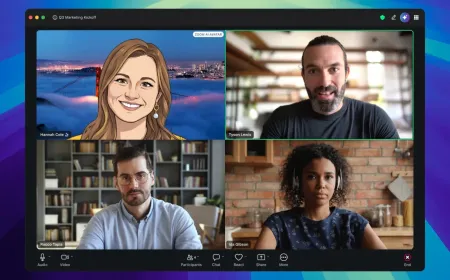

A project manager joins a video meeting from home and sees a strange combination of symptoms. The shared presentation loads instantly, a speed test reports a fast connection, yet a colleague’s face freezes every few seconds. Some words arrive late or disappear altogether. The problem is not necessarily the total amount of internet capacity available. It may be how reliably small pieces of audio and video reach the other end.
Video conferencing packet loss occurs when some data packets carrying a live call don’t arrive in time to be used. Unlike a downloaded file, a conversation cannot pause indefinitely while the application retrieves missing information. The person speaking has already moved on, and the listener expects the next sound or image immediately.
Keeping a call usable therefore requires several coordinated systems. The application compresses media, measures network conditions, adjusts how much it sends and decides whether missing information can be recovered. Those techniques can reduce interruptions, but they cannot make an overloaded or disconnected network behave as though nothing happened.
A Video Call Cannot Wait for Perfect Delivery.
Downloading a document and participating in a meeting put different demands on a network. A file transfer can request missing information again and deliver an exact copy once every byte arrives. Waiting longer may be acceptable because the reader does not need to interact with the file while it downloads.
A live conversation is different. If a word arrives after the next sentence has started, playing it may make the conversation harder to follow. A video frame delivered too late may be discarded because the screen should already be showing a newer frame.
Real-time systems aim for a workable balance among clarity, delay and continuity. The appropriate choice is not always maximum image quality. During a weak connection, a smaller picture with uninterrupted speech can be more useful than a sharp picture that repeatedly stops.
The Internet standards requirements for interactive media recognize this constraint: applications need low delay and congestion control, while accepting that some data may become useless if delivered too late.
What Video Conferencing Packet Loss Actually Means
A camera records a series of images while a microphone captures sound. The application encodes those signals, divides the resulting media into packets and transmits them across a network. A receiver collects enough information to decode and play the media.
Packet loss occurs when information does not reach its intended destination. It can arise from an overloaded router, an unreliable wireless link, faulty equipment or other network disruptions. The receiver may report a missing packet even when it was delayed beyond a useful playback deadline rather than permanently destroyed.
Not every missing packet has the same visible effect. An audio packet might correspond to a short sound segment. A video packet could contain information used to reconstruct part of an image or a frame that later frames depend on. Compression format and recovery behavior determine how severe the damage becomes.
A loss percentage is useful but incomplete. Video conferencing packet loss can arrive in isolated gaps or in short bursts that remove many consecutive packets. Two calls with the same average loss may therefore feel very different.
Bandwidth, Latency and Jitter Are Separate Problems
Bandwidth is the rate at which data can pass through a connection. Latency is the time it takes for information to travel between points. Jitter is variation in packet arrival timing. Packet loss measures data that does not arrive successfully. These metrics influence each other but are not interchangeable.
A household could have ample download bandwidth and still suffer from unstable Wi-Fi near a crowded apartment building. A distant participant may experience noticeable delay even when every packet arrives intact. Upload congestion can damage the video being sent while incoming media remains clear.
A basic speed test often emphasizes sustained download and upload capacity over a short interval. A meeting depends on conditions that vary from second to second, particularly when video, audio and other household applications compete for the same connection.
TechAmerica.ai’s coverage of broadband speed benchmarks addresses a different question: how access services are classified. For a live call, consistent delivery and low delay can matter more than the headline access speed.
Real-Time Transport Carries Media in Ordered Streams
Many interactive media architectures use the Real-time Transport Protocol, or RTP, to carry timed audio and video packets. RTP supports sequence numbers and timestamps that help receivers detect gaps and organize playback. Companion control messages can provide reception and timing information.
The RTP specification for Web Real-Time Communication describes media transport, recovery and adaptation requirements for browser-based systems. Proprietary meeting applications can use different implementations, so the standard should not be mistaken for a description of every product’s internal code.
A basic constraint shapes transport decisions: retransmitting everything can increase delay. A packet that would be valuable for a file download may no longer be useful after its scheduled playback time.
That does not mean live media ignores reliability. It means reliability is selective, based on the likely effect of the missing information and whether a recovery attempt has enough time to succeed.
How a Jitter Buffer Smooths Uneven Delivery
Network packets rarely arrive with perfectly even spacing. A router may briefly queue traffic, a wireless device may wait for access to the channel, or a network route may change. The receiver needs a way to absorb modest variations before sending audio to the speaker or video to the display.
A jitter buffer holds a short amount of incoming media and releases it in the intended order. The buffer can hide minor arrival irregularities, reducing small gaps and crackling that would otherwise be audible.
Increasing the buffer gives packets more time to arrive, but it also adds delay. A buffer that is too large can make participants interrupt each other because they hear responses later. A buffer that is too small exposes every brief network fluctuation.
Systems may adjust buffering to observed conditions rather than use a single fixed delay. The goal is to absorb common variation without making the conversation feel as though it is taking place through a long-distance relay.
Why Audio Often Takes Priority Over Video
People can usually follow a meeting with a reduced frame rate or a softer image. Losing several consecutive words is often more disruptive. For that reason, a meeting application may protect audio continuity and reduce video traffic when bandwidth becomes scarce.
Audio and video encoders have different requirements. Speech codecs can operate at comparatively modest data rates, while moving pictures may require substantially more bandwidth depending on resolution, motion and compression. A single call can also contain screen sharing, which creates another media demand.
Prioritization does not make audio invulnerable. High loss, extreme delay or overloaded device processing can still produce robotic speech and missing syllables. If the connection deteriorates far enough, audio-only mode may offer the most dependable way to continue.
TechAmerica.ai’s explainer on streaming speech and audio buffering examines a related timing problem. Generated speech and live meetings are different applications, but both expose the cost of arriving too late for natural conversation.
Feedback Helps the Sender Decide When to Slow Down
A sender cannot assume that the network will always support the video quality selected at the beginning of a call. Available capacity changes when other devices begin uploads, cellular radio conditions shift, or a shared link becomes congested.
Receivers can send feedback about packet arrival, loss and timing. The sender uses this information to estimate whether its current rate is sustainable. A congestion controller can then reduce the amount of media being transmitted instead of repeatedly overwhelming the connection.
The IETF congestion-feedback specification defines a way to report fine-grained reception information for interactive RTP traffic. A standard feedback format does not mandate one particular rate-control algorithm or guarantee that an application will make the optimal decision. The network itself delays feedback. Sudden congestion can cause some damage before the sender reacts, and an overly aggressive recovery may create new congestion. Stable control behavior is as important as reacting quickly.
Adaptive Bitrate Can Change Resolution and Frame Rate
Video encoders can reduce the amount of data produced by lowering resolution, reducing frame rate, changing compression settings or limiting visual detail. These choices allow a call to continue when the available path cannot sustain the original stream.
Resolution describes the number of pixels in an image. Frame rate determines how often the system sends new images. Lower resolution can make text and fine details harder to see, while a lower frame rate can make gestures look less smooth. Neither outcome necessarily means the connection has stopped working.
Layered video techniques can offer multiple quality levels, allowing a receiver or forwarding server to use an appropriate layer. Support and behavior depend on the codec, endpoint capabilities and conferencing architecture. Not every application implements the same adaptation strategy.
A well-designed system should avoid constant oscillation between sharp and blurry video. Frequent changes can be distracting, especially when the software reacts to a brief fluctuation as though it were a lasting capacity loss.
When Retransmitting a Lost Packet Is Worthwhile
If a receiver detects a missing packet, it may request a retransmission using a negative acknowledgment. The sender can then decide whether it can deliver the packet in time before the information is no longer useful.
For example, recovering an important piece of a video frame may prevent visible damage across subsequent pictures. But sending an old packet on a highly congested connection can compete with new media and make the next moments worse.
The decision depends on round-trip time, the packet’s importance and the decoder’s current state. A long network path makes late recovery less attractive. Some errors are better handled by waiting for a clean reference frame or using another repair technique.
Internet media standards explicitly caution against unthinkingly retransmitting every missing packet. Selective recovery is an engineering decision, not a promise that a live meeting will reconstruct every lost bit.
Forward Error Correction Trades Extra Data for Resilience
Forward error correction adds redundant information to a transmission. Under suitable conditions, the receiver can reconstruct some lost data without waiting for the sender to retransmit it. This helps when round-trip delays make retries impractical.
The trade-off is extra bandwidth and processing. If the network is already congested, too much redundancy may worsen the problem that the protection was intended to solve. The benefit depends on the type and pattern of loss.
Isolated packet gaps are different from losing a large burst of consecutive packets. A protection scheme that can repair one missing portion may not recover an entire disrupted sequence. Stronger protection also consumes more of the transmission budget.
Real-time transport guidance treats forward error correction and retransmission as options, not universal fixes. Applications need to select techniques that fit their latency targets and available capacity.
Why a Strong Wi-Fi Signal May Still Produce a Bad Call
A device can show full wireless signal bars while competing with dozens of nearby networks. Signal strength doesn’t reveal how much airtime is available, how many transmissions must be repeated, or how other devices are using the channel.
Uploads can be especially important. A household backup or large file transfer may fill the outgoing connection and cause packets from a meeting microphone or camera to queue behind other traffic. A user may hear colleagues clearly while their own voice breaks up.
Local equipment also matters. Old firmware, overloaded routers, weak mesh backhaul and busy wireless channels can create variability before data reaches the internet provider. Moving closer to an access point may help a weak link, but it won’t fix a saturated broadband connection.
For troubleshooting, compare a stable wired connection with Wi-Fi when practical, pause heavy transfers, and review the router’s behavior. These tests isolate possible causes; they do not prove that every call-quality problem originates in the home network.
Mobile Handovers Add Another Source of Disruption
A participant on a cellular connection may move between radio cells or pass through buildings that weaken reception. The device and network work to maintain service, but changes in signal quality and routing can briefly affect media delivery.
International travel introduces another layer. A data connection may use a roaming arrangement, and the path to an application server may be less direct than the nearest cell tower suggests. The number shown beside a mobile signal icon doesn’t guarantee end-to-end quality.
TechAmerica.ai’s guide to global eSIM connectivity explains how subscriptions, roaming and routing affect mobile data. The same basic limitations influence meetings when participants rely on cellular connections.
Switching from mobile data to a local Wi-Fi network can help or hurt, depending on the conditions of each path. Applications should handle interface changes and reconnections without assuming every session can continue uninterrupted.
Large Meetings Need More Than One Media Route
A two-person call may move media differently from a meeting with dozens of participants. Sending a separate high-resolution stream directly to every viewer can consume substantial upload bandwidth and device processing capacity.
Conferencing services may use media servers to receive participants’ streams and forward appropriate versions to others. Some systems can select layers rather than decode and rebuild every picture. Others use different combinations of mixing and forwarding depending on the call.
Architecture affects performance, privacy and scaling. Routing through a server can improve distribution and manage varying receiver needs, but it also creates dependencies on server availability and geographic placement. A distant media server may add delay even when the local connection is healthy.
Meeting quality should therefore be evaluated separately for individual calls, small groups and large conferences. A configuration that works well with two participants may behave differently when the screen fills with live video tiles.
Screen Sharing Is Not the Same as Camera Video
A camera stream contains continuous motion, facial detail and changing lighting. A screen-sharing stream often contains text, windows and cursor movement. The most useful encoding choices differ because a small text label must remain readable even when the picture is otherwise still.
Reducing resolution may make presentation slides illegible. Dropping some frames may be acceptable for a static document but disastrous when demonstrating animation or a fast-changing application. A system should account for what the presenter is showing.
Screen sharing can also compete with camera video and audio for upload capacity. In a crowded connection, prioritizing the slide or the voice may make more sense than maintaining the presenter’s full-resolution camera feed.
Measure quality against the task. A video stream that looks smooth in a test chart can still fail a meeting if participants cannot read the shared spreadsheet or follow the speaker’s instructions.
Encryption Protects Media but Does Not Repair It
Live meetings can use encrypted media transport to protect content against unauthorized access in transit. The Secure Real-time Transport Protocol specification describes mechanisms for confidentiality, message authentication and replay protection for RTP traffic.
Encryption does not prevent wireless interference, congestion or dropped packets. A securely encrypted video stream can still freeze, and a stable connection can still have privacy weaknesses if identities, permissions or recording controls are poorly managed.
Security architecture also matters when servers process media. Transport encryption and end-to-end encryption are not interchangeable descriptions. Whether a service provider can access content depends on its key management and media-processing design.
Organizations should evaluate meeting security and quality as separate requirements. Improving one does not automatically solve the other, and neither should be used to make unsupported guarantees about the system as a whole.
How to Diagnose a Call That Keeps Freezing
Start by separating symptoms. Is the problem limited to one participant? Does incoming audio fail while outgoing audio remains clear? Does screen sharing freeze while camera video continues? These observations help distinguish a shared service problem from a local network or device issue.
To diagnose video conferencing packet loss, collect latency, jitter, bitrate and resolution metrics during the failure, not just after the meeting ends. Compare sender and receiver views where available. A long-term average may hide a brief burst that caused a noticeable interruption.
Device performance needs its own check. A camera driver failure or a processor saturated by background applications can create a frozen picture without significant network packet loss. Troubleshooting should distinguish encoding and rendering problems from transport problems.
Test one change at a time, such as switching to a wired connection, reducing video quality, or turning off a heavy background upload. Record whether the problem changes under comparable conditions. This is more reliable than assuming a faster broadband subscription will automatically repair the call.
What Better Video Conferencing Quality Really Measures
Video conferencing packet loss is one reason a conversation can feel unreliable, but it is not the only measure of quality. Users also notice excessive delay, distorted speech, unreadable shared material, unexpected disconnections and a system that fails to recover after conditions improve.
Engineers need test scenarios that resemble normal work: home Wi-Fi, mobile connections, busy office networks, large meetings and variable upload traffic. Results should include poor moments and slower participants, not only a median measured on an ideal connection.
A robust design adapts rather than pretending that network capacity is constant. It can reduce video traffic, protect intelligible audio and use recovery mechanisms when they are likely to help. When the connection becomes too weak, an accurate status message and a workable fallback are better than a misleading claim of perfect quality.
For users, the test is simple: can everyone hear, respond and understand what is being shared? For engineers, answering that question requires more than a speed test. It requires observing the complete media path and recognizing which compromise best preserves the conversation.