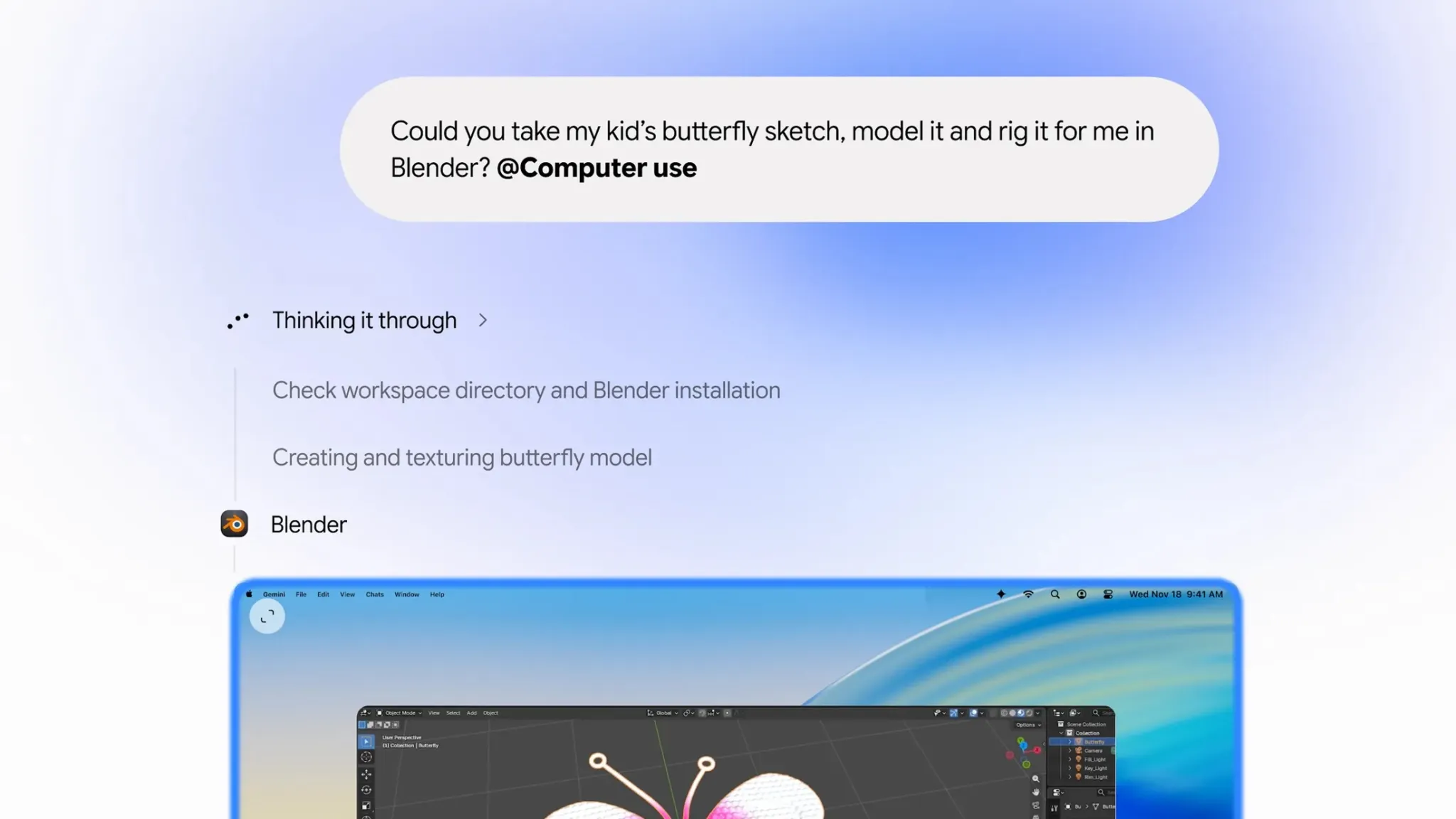
Gemini on Mac now lets Google’s AI assistant operate desktop applications, manage files, and browse websites. The feature launched November 19, bringing automated workflows to the Gemini desktop app for macOS.
Users can assign tasks through natural-language instructions while continuing their normal work. Gemini performs the requested actions in a separate background environment.
Gemini computer use on Mac automates desktop tasks
The new capability lets Gemini complete multistep tasks across local files, applications and websites.
Google says the assistant can fill out forms, organize documents and perform repetitive operations across multiple files. It can also create presentations using local materials or information from online dashboards.
Gemini displays its activity through a live preview inside the conversation. Users can monitor progress without surrendering control of their screen or cursor.
They can also pause or stop execution and approve actions before they occur.
TechAmerica.ai previously covered Google’s earlier Gemini expansion on macOS, including integration with files and connected applications.
Google introduces controls for AI desktop access
Computer-use agents require access to applications and information that traditional chatbots may never handle directly.
Google’s approval controls aim to give users oversight of automated actions. However, users should review permissions carefully before granting access to sensitive files or accounts.
TechAmerica.ai recently examined Apple’s updated Mac security controls, which introduce more selective permissions for AI agents.
Gemini computer use launches for US subscribers
The feature initially supports English-language users in the United States. It requires the Gemini app for Mac and a Google AI Plus, Pro or Ultra subscription.
Google has not announced availability dates for additional countries or operating systems.
The launch places Gemini alongside other desktop assistants offering computer-use capabilities. TechAmerica.ai has also explained how AI agents operate across applications and browsers.
Gemini’s new capability moves beyond answering questions toward completing tasks directly on a computer. Its usefulness will depend on execution accuracy, application compatibility and effective permission controls.