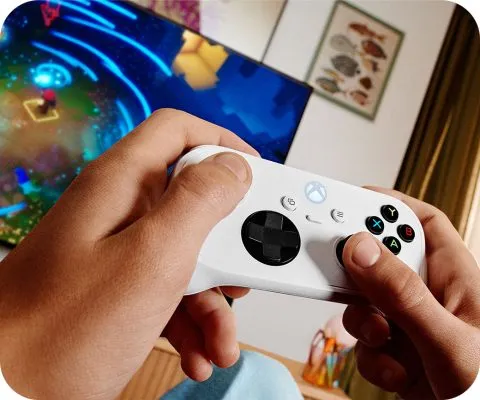
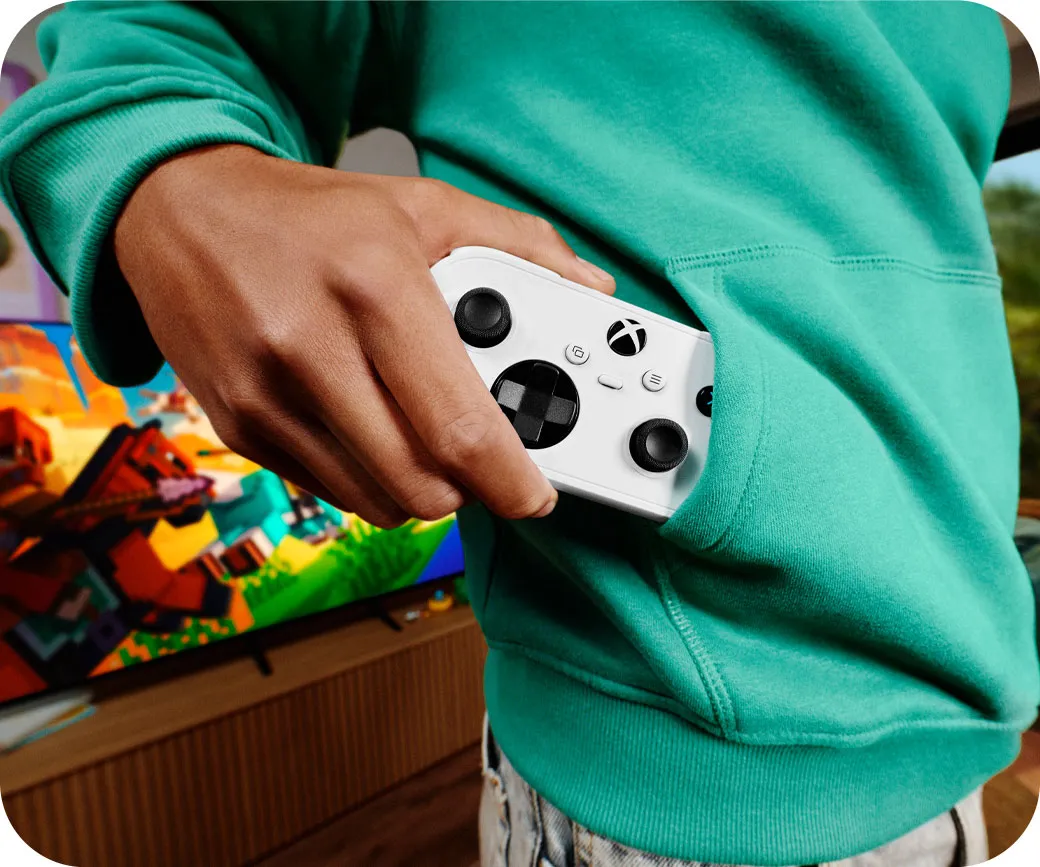
Xbox Nano Controller Cloud Connect is now available in a limited U.S. preview. Microsoft confirmed the feature on November 4, 2026, introducing direct Wi-Fi connectivity for its compact gamepad. The technology aims to reduce input latency when streaming games through Xbox Cloud Gaming.
Unlike conventional Bluetooth connections, Cloud Connect sends controller inputs directly to Microsoft’s cloud gaming servers over Wi-Fi. This removes one communication stage through the local device. However, Microsoft has not published independent latency measurements, and the feature remains experimental.
How Xbox Nano Controller Cloud Connect Works
Traditional cloud gaming involves several communication steps. A controller sends commands to a television, computer or streaming device. That device then forwards the inputs to a remote gaming server.
Cloud Connect changes this arrangement. The Xbox Nano connects to a local Wi-Fi network and communicates directly with the cloud gaming session. The television or browser still displays the streamed game.
Microsoft confirmed the capability in its November 4 announcement. The company says bypassing the local Bluetooth connection may improve responsiveness.
This approach resembles the technology Google used with its Stadia Controller. Amazon’s Luna Controller also supports direct cloud connectivity. The broader concept is therefore established, although Microsoft’s implementation is new to Xbox.
Reducing controller latency could benefit racing games, platformers and fast-paced action titles. However, overall responsiveness still depends on network stability and server performance. Display processing and streaming delays also remain important factors.
How to Set Up Cloud Connect on Xbox Nano
Microsoft has provided setup instructions for U.S. players participating in the preview. The feature currently supports selected smart TVs and web-based Xbox Cloud Gaming experiences.
Users need the Xbox beta app for Android or the Xbox Accessories app on Windows PCs. PC setup also requires Xbox Insider enrollment.
After opening the appropriate app, players can configure their controller’s Wi-Fi connection. They must then sign in to a supported cloud gaming experience using the same Xbox account.
The controller connects through Cloud Connect when the service and device support the feature. Microsoft warns that some games and platforms remain incompatible during testing.
The company has not announced a general availability date. It also has not confirmed when the feature will expand beyond the United States.
Why Cloud Connect Matters for the $49.99 Xbox Nano
Microsoft introduced the Xbox Nano Controller in October as its smallest official gamepad. The device measures slightly more than five inches across and weighs approximately 101 grams.
The controller costs $49.99 in the United States. It includes 18 standard gameplay inputs, a rechargeable battery and a programmable Action Button. Its compact design targets younger players and people who prefer portable controllers.
TechAmerica.ai’s Xbox Nano Controller review examines its ergonomics, connectivity and limitations. Those include missing vibration feedback and potential discomfort for players with larger hands.
Cloud Connect gives the controller another practical advantage. Players can use it for cloud gaming without routing inputs through a Bluetooth-connected television.
However, direct Wi-Fi connectivity does not eliminate the controller’s physical compromises. Its smaller buttons and limited grip space may still affect comfort during extended sessions.
The new feature also does not replace Xbox Cloud Gaming access requirements. Players still need an eligible game, a supported device and the appropriate streaming entitlement.
Microsoft Is Also Testing Phone Controllers for Smart TVs
Cloud Connect is part of a broader Xbox Cloud Gaming update. Microsoft also introduced a separate preview that lets smartphones act as controllers on supported smart TVs.
The phone-controller feature works through a mobile web browser. Players can use supported Android or iOS phones without purchasing a separate gamepad.
To enable it, users activate Preview Features under Settings and Account. When launching a supported game, the television can offer a phone-controller option.
Unlike Nano Cloud Connect, this preview is rolling out across supported Xbox Cloud Gaming markets. Availability depends on television compatibility and individual games.
The development builds on Microsoft’s efforts to expand cloud gaming beyond consoles. TechAmerica.ai previously reported on Xbox Cloud Gaming’s expansion to TCL televisions and the company’s changing streaming access plans.
Both previews address different problems. The smartphone option reduces the need for dedicated hardware. Cloud Connect instead aims to improve controller responsiveness.
Cloud Gaming Latency Remains a Technical Challenge
Direct Wi-Fi connectivity removes a potential source of delay, but it cannot solve every cloud gaming limitation. Inputs must still travel through the internet to a remote server. The resulting video must then return to the player’s screen.
Wi-Fi interference, network congestion and distance from Microsoft servers can affect performance. As a result, Cloud Connect may deliver different results across households and devices.
Windows CCentral’scoverage explains how the controller bypasses the conventional Bluetooth input stage. However, Microsoft’s preview announcement does not provide a standardized latency reduction figure.
Independent testing will be needed to establish the practical difference. Comparisons should measure the same games and network conditions using Bluetooth and Cloud Connect.
Microsoft is collecting feedback through its Xbox Accessories and mobile applications. Those results may influence future compatibility improvements and the wider rollout.
What Xbox Nano Cloud Connect Means for Players
Cloud Connect gives Microsoft’s $49.99 controller a feature that could improve its value for streaming enthusiasts. Its direct Wi-Fi connection addresses a real limitation of conventional cloud gaming setups.
However, the technology remains in preview and supports only selected experiences. Microsoft has not demonstrated a consistent performance advantage across different networks and games.
For eligible U.S. players, the preview offers an opportunity to test a potentially useful upgrade. Others should not purchase the Nano solely for Cloud Connect without checking regional and device compatibility.
The technology represents another step toward more responsive cloud gaming. Whether it becomes a standard Xbox controller feature will depend on testing, compatibility and Microsoft’s future rollout plans.