
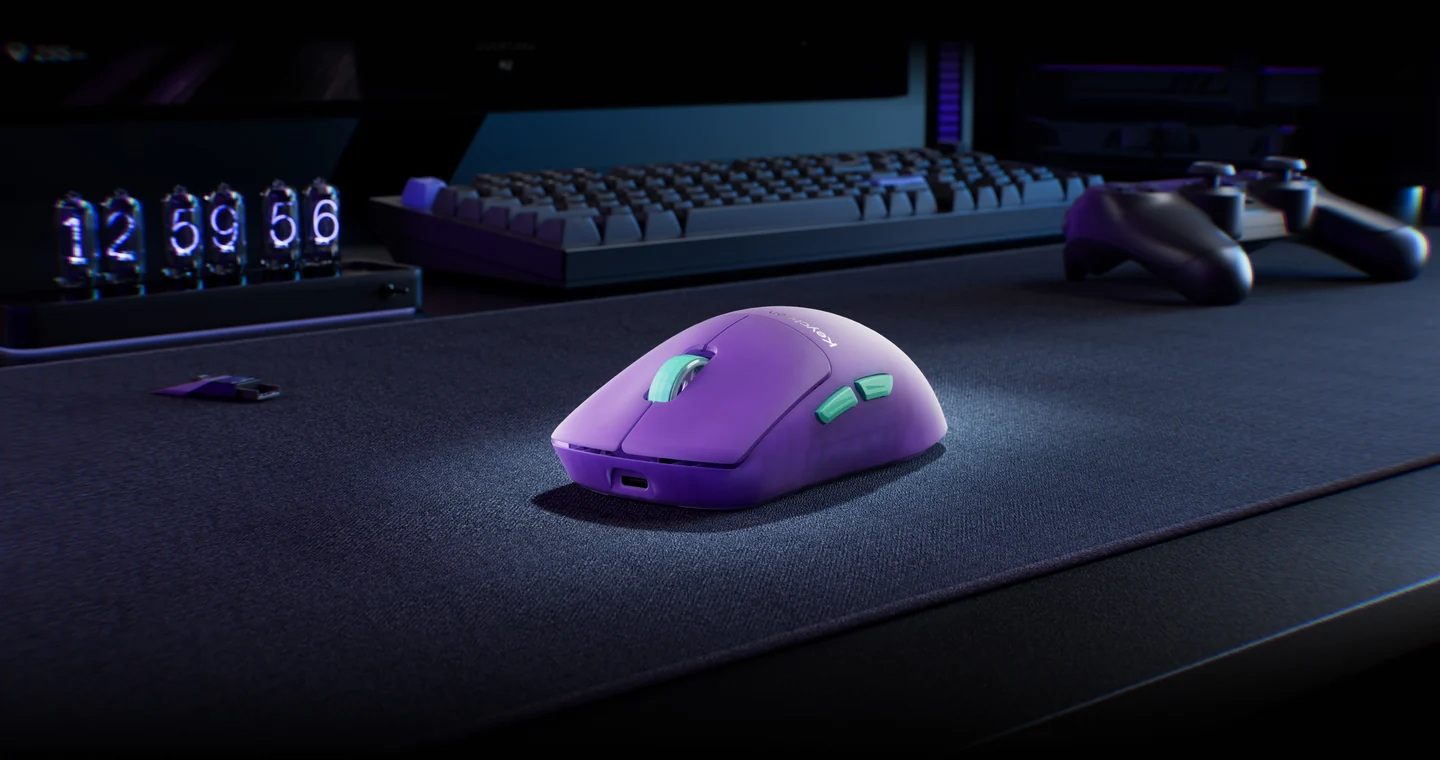
The Keychron G6 HE review reveals an unusual problem with an otherwise promising gaming mouse. Keychron’s new MagOptic switches let players adjust when a click registers, but the physical click doesn’t always match that setting. This creates a noticeable disconnect between what users feel and what the mouse sends to their computer.
The G6 HE starts at $74.99 and offers features typically found in more expensive gaming mice. These include 8,000Hz polling, a lightweight design, adjustable actuation, and a removable-battery version. Its specifications are competitive, but the clicking experience raises questions about the value of its main innovation.
Keychron G6 HE Review Highlights: MagOptic Switch Limitations
The G6 HE introduces Keychron’s proprietary MagOptic switches, which combine magnetic Hall effect sensing with optical technology.
Unlike conventional mouse buttons, which generally have a fixed actuation point, MagOptic switches allow users to customize how far a button must travel before registering an input.
According to Keychron’s official specifications, the mouse supports 12 actuation settings and Rapid Trigger functionality. Players can adjust these settings through the company’s browser-based configuration tool.
However, independent hands-on testing published November 27 identified a significant limitation.
The mouse retains a conventional physical clicking mechanism. Its tactile feedback does not move with the electronically configured actuation point.
With a shallow setting, an input can register before the user feels the button click. At a deeper setting, the physical click may occur before the computer receives the input.
This mismatch can make precise control less intuitive, particularly when switching between gaming and everyday computer tasks.
Why the Missing Haptic Feedback Matters
The G6 HE’s adjustable switches invite comparisons with Logitech’s Superstrike gaming mice.
Logitech uses its Haptic Inductive Trigger System to provide adjustable actuation and customizable tactile feedback. The technology generates feedback electronically rather than relying on a conventional fixed mechanical click.
TechAmerica.ai previously examined the Logitech G Pro X3 Superstrike, including its configurable triggering system, haptic feedback, and 8K polling performance.
Keychron takes a different approach. Its mechanical click remains consistent even when the electronic actuation point changes.
That design keeps the mouse lightweight and less expensive, but it introduces a practical compromise. Players may register unintended inputs when using sensitive settings, while deeper settings can feel less responsive than expected.
The limitation does not make the G6 HE unusable. It does, however, weaken one of the main reasons to choose adjustable magnetic switches.
Lightweight Design and 8K Polling Are Strong Selling Points
Beyond its clicking mechanism, the G6 HE offers competitive hardware for its price.
The mouse uses a PixArt PAW3955 optical sensor with sensitivity up to 40,000 DPI. Keychron also specifies tracking speeds up to 750 inches per second and acceleration up to 60G.
It supports a maximum 8,000Hz polling rate through both wired and 2.4GHz wireless connections. Bluetooth is available for less demanding everyday use.
An 8,000Hz polling rate allows the mouse to report information every 0.125 milliseconds. However, actual responsiveness depends on the computer, game, and display.
The built-in-battery model weighs approximately 42 grams. The swappable-battery version weighs around 49 grams with a battery installed.
Both configurations are lightweight enough to appeal to competitive players who prefer quick movements and minimal resistance.
Swappable Batteries Add Practical Convenience
Keychron offers two G6 HE configurations with different power arrangements.
- Built-in battery version: $74.99, approximately 42 grams.
- Swappable battery version: $89.99, approximately 49 grams.
The more expensive model includes a TurboLink 8K receiver that also serves as a charging dock for the spare battery.
Keychron says users can replace a depleted battery in about three seconds. This reduces the need to interrupt wireless gaming for charging.
The built-in-battery version uses a separate UltraLink 8K receiver and omits the battery charging dock and its four customizable buttons.
Keychron rates battery life at up to 33 hours with 8K polling and 191 hours at 1K polling. Actual endurance will depend on the selected settings and usage.
The removable-battery approach is also found in higher-priced gaming mice. TechAmerica.ai’s review of the SteelSeries Rival Pro and Sensei Pro examines a similar concept built around uninterrupted wireless play.
Keychron Launcher Offers Extensive Customization
The G6 HE works with Keychron Launcher, a browser-based tool for changing mouse settings.
Users can adjust DPI, polling rate, button assignments, actuation points, Rapid Trigger behavior, and macros. Users can save configurations to the mouse for use with other computers.
Keychron also plans to release the source code for its ZGM firmware in the first quarter of 2027. That release could expand customization opportunities, although the code was not yet available at the time of this assessment.
The company’s product documentation also advises owners to check firmware versions before first use because some early releases contain known issues.
Keychron G6 HE Pros and Cons
Pros:
- Competitive pricing starting at $74.99.
- Lightweight design with a high-performance PixArt sensor.
- 8,000Hz polling through wired and wireless connections.
- Optional swappable battery and charging receiver.
- Extensive customization through a browser-based application.
Cons:
- Physical click feedback does not follow the adjustable actuation point.
- No customizable haptic feedback.
- Sensitive settings can make unintended inputs harder to recognize.
- High polling rates substantially reduce battery life.
Is the Keychron G6 HE Worth Buying?
The Keychron G6 HE offers impressive specs for a gaming mouse under $100. Its lightweight construction, 8K polling, and removable battery offer practical advantages beyond its magnetic switches.
However, the MagOptic implementation remains its biggest weakness. Adjustable actuation is less useful when the physical feedback doesn’t match the registered input.
Players who prioritize low weight, wireless convenience, and customization may still find the G6 HE appealing. Those specifically seeking precise tactile feedback from adjustable mouse buttons should consider alternatives with haptic technology.
This assessment is based on Keychron’s published specifications and independent hands-on impressions, not firsthand testing by TechAmerica.ai. The G6 HE demonstrates how affordable advanced gaming hardware has become, but its most distinctive feature needs refinement.