The Analogue 3D Wi-Fi update is now available, bringing wireless connectivity and automatic firmware downloads to the Nintendo 64-inspired console. Released November 18, 2026, firmware version 1.6.0 activates the system’s Wi-Fi hardware and introduces several operating-system improvements.
The update also adds automatic clock synchronization, optional analytics sharing, and fixes for display and interface issues. Owners must install version 1.6.0 before using Wi-Fi for future updates.
Analogue 3D Wi-Fi Update Activates Wireless Connectivity
Firmware 1.6.0 enables the Analogue 3D’s built-in wireless networking hardware for the first time. The console now supports dual-band Wi-Fi connections on 2.4GHz and 5GHz networks.
According to Analogue’s official firmware release notes, the system also supports mixed-frequency and hidden wireless networks.
Wi-Fi setup begins automatically after the update is installed. Users can also open the connection settings manually through Settings > Wi-Fi.
The new functionality eliminates the need to download every subsequent firmware release through a computer. Instead, the console can receive update notifications and download new system software over a wireless connection.
However, users must first install the firmware through an existing supported update method. Owners running older versions cannot activate the new wireless update system without completing that initial installation.
Automatic Firmware Downloads Simplify Future Updates
Automatic updates are the most significant addition to Analogue’s 3DOS operating system. Previously, owners needed to obtain firmware files separately and transfer them using supported storage methods.
Version 1.6.0 lets the console check for available software updates over Wi-Fi. Once connected, automatic update notifications are enabled by default.
Users who prefer manual control can turn off notifications and check for firmware releases themselves. This option is available under Settings > System.
The console also supports manually starting a wireless update. Analogue’s official 3DOS guide explains the wireless connection and update settings.
These changes reduce the steps required to maintain the console. They may also make it easier to distribute important compatibility and stability fixes.
How to Install Analogue 3D Firmware 1.6.0
Owners running an earlier firmware version can install the update using an SD card. Analogue provides the firmware file through its official support website.
The installation process requires downloading the 1.6.0 firmware package and placing it in the root directory of a compatible SD card.
Before copying the file, users should remove any older 3DOS update files from that directory. Completely power off the console before removing or inserting the card.
After inserting the prepared SD card, users can power on the console. The firmware update begins automatically.
During installation, the power LED turns yellow, and the controller LEDs flash. Analogue advises users not to interrupt the process.
The update typically takes three to six minutes. Once completed, the console restarts automatically.
Analogue also supports transferring the firmware via a USB-C connection to the console’s installed SD card. The official installation guide provides instructions for both methods.
After installing version 1.6.0, users can configure Wi-Fi and download subsequent updates directly from the system menu.
Automatic Date and Time Synchronization Arrives
Another improvement involves the console’s internal clock. Firmware 1.6.0 adds automatic date and time synchronization through Wi-Fi.
Once connected, 3DOS can adjust its clock based on the selected time zone. Users no longer need to rely entirely on manual date and time settings.
The feature can be configured through Settings > System > Date & Time.
Analogue has also expanded the available time zone regions. The changes improve flexibility for owners using the console in different locations.
Accurate system time can support operating-system functions and time-related records. However, the update does not establish new online multiplayer features or internet services for Nintendo 64 games.
Optional Analytics Sharing Comes With Privacy Controls
Firmware 1.6.0 introduces a feature called Help Improve Analogue 3D. It allows owners to share anonymous usage and diagnostic information over Wi-Fi.
The feature is optional and can be configured through Settings > About > Privacy.
Analogue’s documentation says the shared information may include system build details, update analytics, and hardware diagnostics.
The company also identifies game library management information as part of the available analytics.
Analogue says the feature does not include network credentials, names, email addresses, contact information, or precise location data.
Users can review or change their analytics preferences at any time. Connecting the console to Wi-Fi does not require enabling optional usage-data sharing.
Firmware 1.6.0 Also Fixes Display and Library Issues
Beyond wireless connectivity, the update addresses several smaller software problems.
Analogue has corrected an issue that occasionally prevented games from appearing until users opened the in-game menu. The fix targets an intermittent display problem, not the console’s overall video output.
Another correction restores the missing USA region tab in the game library.
The release also includes visual refinements to the 3DOS interface. Analogue has not provided extensive technical details about those adjustments.
These fixes are relatively modest compared with Wi-Fi activation. Nevertheless, they address usability problems that could affect daily operation.
What the Update Means for Analogue’s Retro Consoles
The Analogue 3D is designed to play original Nintendo 64 cartridges using field-programmable gate array (FPGA) technology. Its hardware recreates console behavior through configurable digital circuitry rather than conventional software emulation.
The system supports more than 900 Nintendo 64 cartridges across regional libraries. It also supports original controllers and several modern wireless alternatives.
Unlike Nintendo’s original console, the Analogue 3D can output video at up to 4K through HDMI. Its display settings include options intended to reproduce the appearance of older television technologies.
Wi-Fi does not change these fundamental hardware capabilities. Instead, it improves software maintenance and system configuration.
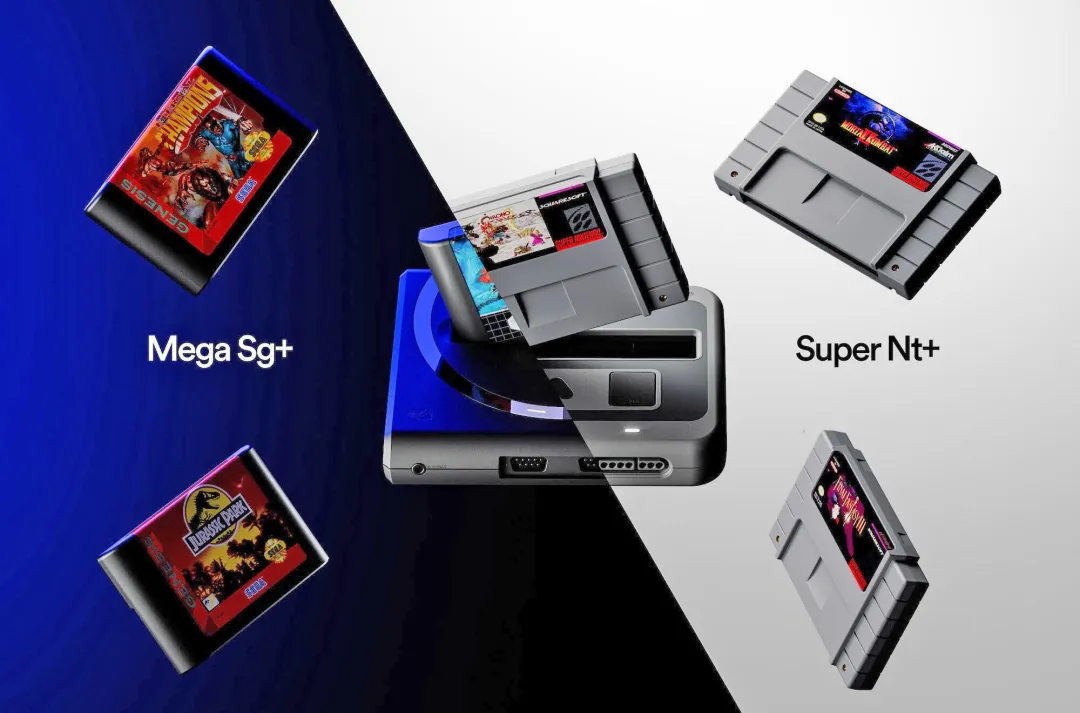
The update also reflects Analogue’s continuing development of cartridge-based gaming hardware. TechAmerica.ai previously covered the Super Nt+ and Mega Sg+, two FPGA-based consoles with built-in wireless controller support.
Those systems target Super Nintendo and Sega Genesis libraries, while the Analogue 3D focuses on Nintendo 64 games.
The new Wi-Fi functionality gives Analogue 3D owners a more convenient way to maintain their existing hardware.
Is the Analogue 3D Wi-Fi Update Worth Installing?
Firmware 1.6.0 introduces a meaningful improvement for Analogue 3D owners. Automatic update downloads eliminate much of the manual work previously required to maintain the console.
Wireless clock synchronization and optional analytics controls provide additional operating-system functionality. The display and library fixes also address specific usability problems.
The main limitation is that users must complete an initial manual update before accessing Wi-Fi features. Once installed, future firmware maintenance should become considerably easier.
Analogue has not announced additional online gaming capabilities through this release. The update should therefore be understood as a system-maintenance improvement rather than an expansion of Nintendo 64 gameplay.
For existing owners, version 1.6.0 offers practical benefits without changing the console’s underlying purpose. It makes Analogue’s modern Nintendo 64 hardware easier to maintain while preserving its focus on original cartridges.