Apple Watch Audio Intelligence is entering a more practical phase with the watchOS 27.3 developer beta. Two new features, Live Rewind and Siri Recap, bring conversation recall and AI-generated summaries to compatible Apple Watches. Both aim to help users remember spoken information without creating conventional audio recordings.
The features are available in beta on Apple Watch Series 12 and Ultra 4. They require compatible iPhones and explicit user activation. While Live Rewind offers immediate transcription, Siri Recap promises broader conversation summaries. Their usefulness and reliability remain important questions during early testing.
Live Rewind Helps Recover the Last 15 Seconds of Speech
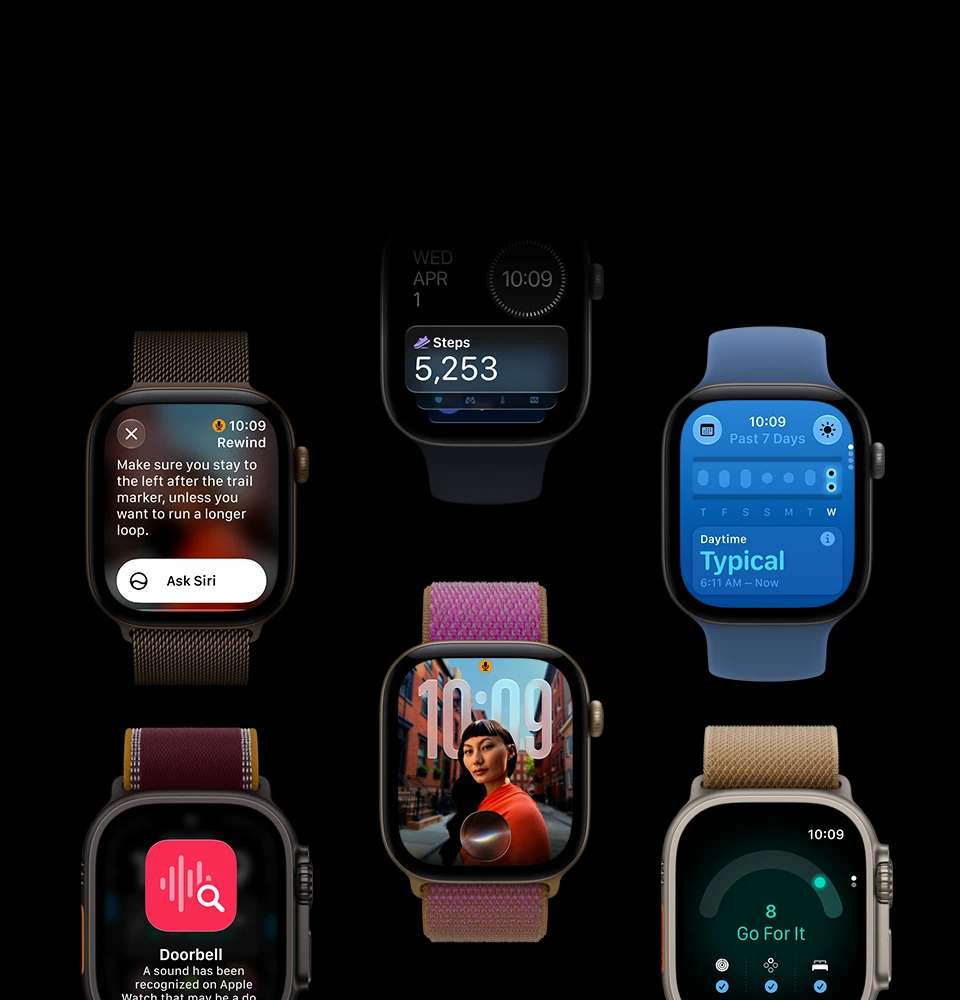
Live Rewind addresses a familiar problem: missing something during a conversation. Double-pressing the Digital Crown displays a text snippet covering the previous 15 seconds of speech.
According to Apple’s official documentation, users can read the snippet directly on their watch. They can also ask Siri about its contents or save the text for later reference.
The feature could help during conversations involving unfamiliar names, instructions or spoken details. It may also improve accessibility for people who occasionally struggle to hear or understand speech.
However, Live Rewind does not produce a continuous transcript. Its primary purpose is recovering a brief moment. Apple says transcription stops after the requested snippet, and text is not automatically saved.
Users must enable the feature through the Watch app on their iPhone. They can then activate it by double-pressing the Digital Crown. Initial setup also involves microphone calibration.
Early reporting indicates that Live Rewind generally performs its intended function in quiet environments. However, speech recognition can miss individual words. Its accuracy in noisy public settings requires further evaluation.
Siri Recap Takes a Different Approach to Conversation Memory
Siri Recap is designed for longer interactions rather than brief transcription. When enabled, it processes conversations and generates high-level summaries through Apple Intelligence.
Instead of preserving every spoken word, the feature creates a title and key points. Users can review these summaries later through the Siri app.
Apple introduced the capability alongside its latest watches in September. TechAmerica.ai’s Apple Watch launch coverage examined how these conversation tools complement the company’s new health features.
Siri Recap offers several activation controls. Users can schedule it by time, location, or both. For example, someone could enable summaries during working hours and disable them at home.
Users can also switch the feature on or off manually through Control Center. Apple’s design emphasizes user control rather than requiring continuous operation.
Its practical performance remains less established than Live Rewind. A conversation must contain enough meaningful information for a useful summary. Short or casual exchanges may not provide enough meaningful information for a useful summary.
Questions also remain about how the system handles incomplete sentences and informal discussions. Apple warns that generated summaries may contain omissions or inaccuracies. Users should therefore check important information against another reliable source.
How Apple Protects Conversation Privacy
Privacy is central to Apple’s approach because these features process nearby speech. Unlike conventional voice recorders, Audio Intelligence does not create or store raw audio recordings.
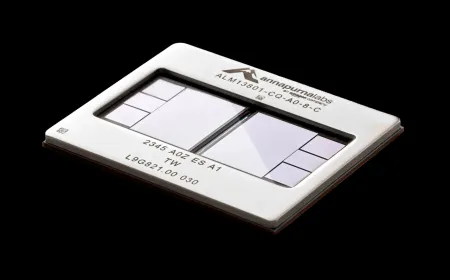
Apple’s official announcement describes a hardware-isolated system called Secure Enclave. Built into the S11 chip, it processes audio separately from ordinary applications and operating-system functions.
Apple says raw audio remains inaccessible to apps, the operating system and the company itself. Processed audio is deleted rather than preserved as a recording.
Live Rewind primarily processes speech on the watch and paired iPhone. Siri Recap follows a different path. It condenses conversation text on the iPhone, then uses Apple’s Private Cloud Compute to generate summaries.
Saved summaries and text snippets receive end-to-end encryption through iCloud syncing. Unsaved Siri Recaps automatically disappear after seven days. Users can also review, edit and delete stored information.
Apple has included visible and audible signals for Live Rewind. An activation chime plays even when the watch is in silent mode. The screen also displays an animation and microphone indicator.
However, these safeguards do not eliminate social concerns. People nearby may not realize their conversations are being processed. TechAmerica.ai previously examined privacy and consent questions surrounding Apple Watch Audio Intelligence.
Users should inform others before using conversation features in sensitive situations. Workplace policies and local privacy laws may impose additional requirements. Technical safeguards do not replace appropriate consent.
Device Compatibility and Beta Limitations
Live Rewind and Siri Recap require Apple Watch Series 12 or Apple Watch Ultra 4. They also require a supported Apple Intelligence-enabled iPhone and compatible software.
Supported phones include qualifying iPhone 16 and later models. However, not every phone released within those generations is eligible. Apple’s compatibility documentation provides the full model list.
The initial release supports English. The features are not initially available in the European Union. Apple also restricts access for children under 13.
Users under 18 with managed Child Accounts need parental approval. These restrictions limit the feature’s reach during its early rollout.
According to 9to5Mac’s beta coverage, the November 3 release introduces both tools for developer testing. Apple has not established their long-term reliability through public testing.
Early Verdict: Useful Conversation Tools With Unanswered Questions
Apple Watch Audio Intelligence introduces an interesting alternative to conventional AI voice recorders. Live Rewind offers a focused way to recover missed speech. Siri Recap aims to reduce the need for manually recording everyday discussions.
The distinction between the two features is important. Live Rewind provides immediate access to a short transcript. Siri Recap instead interprets conversations and produces condensed notes.
Apple’s hardware protections and opt-in controls address several privacy concerns. However, transcription mistakes, inaccurate summaries and bystander consent remain meaningful limitations.
For compatible Apple Watch owners, Live Rewind may offer immediate practical value. Siri Recap needs more independent testing across varied conversations and environments.
The beta offers a promising look at AI-powered conversation memory. Its eventual success will depend on accuracy, predictable controls and users’ confidence in the privacy protections.