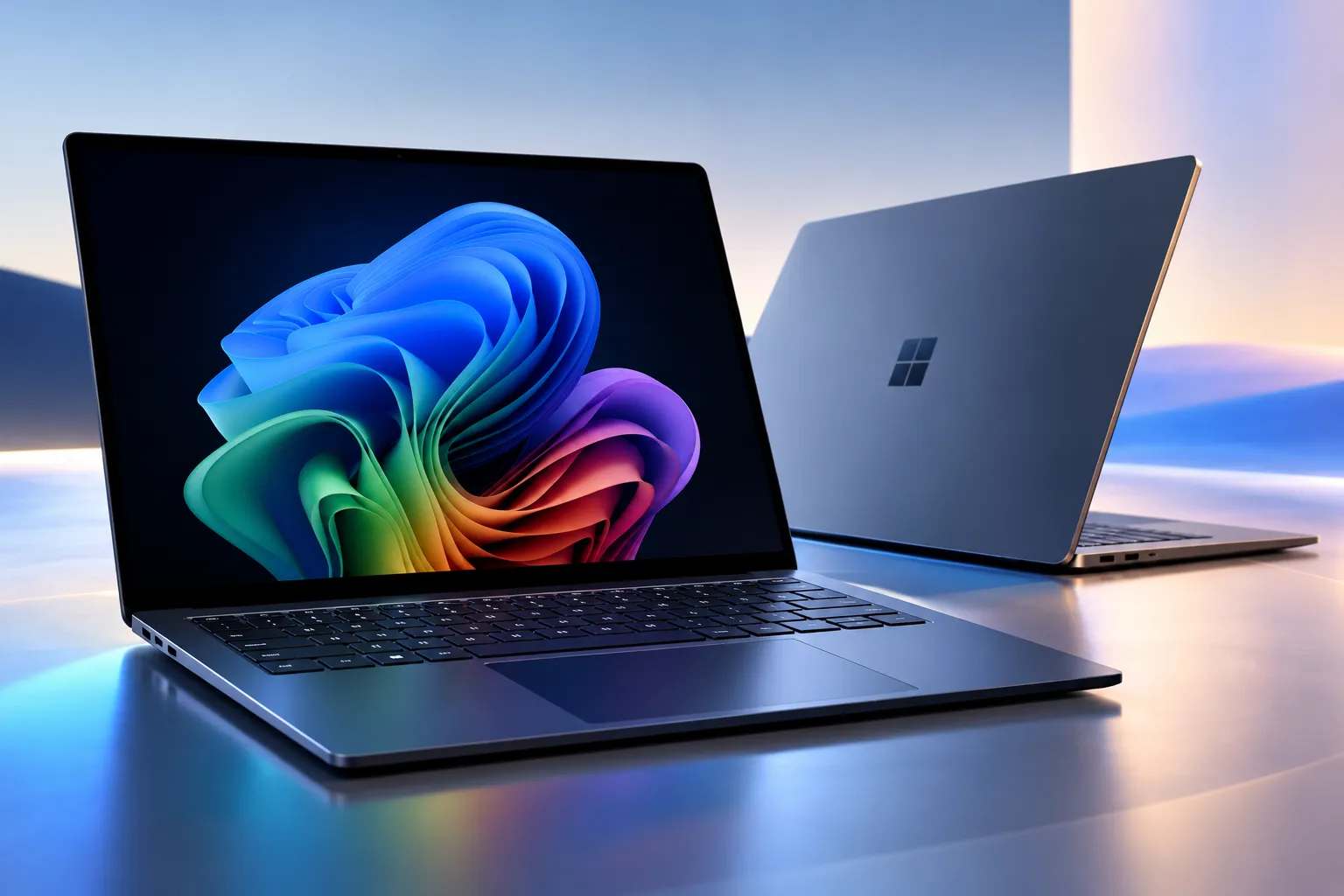
The central question in this Microsoft Surface Laptop Ultra review is whether Nvidia’s new RTX Spark processor can justify a laptop that starts at $2,599.99 and climbs to nearly $5,900. Microsoft has built a premium Windows machine with a striking mini-LED display, powerful graphics, and enough memory to run demanding AI models locally. Its hardware makes a convincing first impression, but the software experience and performance trade-offs are harder to overlook.
The Surface Laptop Ultra isn’t meant to replace an ordinary productivity laptop. It targets developers, creators, and professionals who need more graphics and AI computing capability than conventional thin-and-light machines provide. For those buyers, Nvidia’s new architecture offers some interesting possibilities, though its advantages aren’t universal.
Design and Display
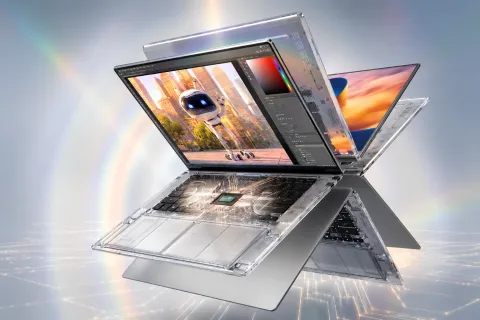
Microsoft has taken a restrained approach to the Surface Laptop Ultra’s exterior. The aluminium construction, clean lines, and Platinum and Nightfall finishes make it look like a serious professional workstation. At about 4.41 pounds, however, it weighs more than many conventional productivity laptops, making portability a consideration rather than an outright advantage.
The 15-inch PixelSense Ultra touchscreen is among its strongest features. Its 3270 x 2180 resolution, 120Hz refresh rate, and 3:2 aspect ratio provide generous workspace, especially for documents, programming, and creative applications. Microsoft specifies up to 2,000 nits of peak HDR brightness, although that figure applies to HDR content rather than typical everyday use. Microsoft Surface Laptop Ultr
Connectivity is another area where Microsoft has made sensible decisions. The laptop includes three USB-C ports, USB-A, HDMI 2.1b, an SD card reader, and a headphone jack. Its new Magnetic Connect charging system attaches magnetically to a compatible USB-C port, while the large haptic touchpad provides additional feedback during supported Windows interactions.
These details distinguish the Surface from many minimalist premium laptops. The 1080p webcam, however, is relatively ordinary for a machine in this price category, and the glossy display may not suit everyone working under bright lighting.
Microsoft Surface Laptop Ultra review: Nvidia RTX Spark Performance
The most significant departure from previous Surface laptops is the Nvidia RTX Spark N1X platform. Instead of a conventional Intel, AMD, or Qualcomm processor, Microsoft uses an Arm-based chip combining Nvidia Grace CPU cores with Blackwell RTX graphics and unified memory.
The entry-level configuration has an 18-core CPU, 5,120 CUDA-core GPU, and 24GB of unified memory. Higher configurations offer a 20-core CPU, 6,144 CUDA cores, and up to 128GB of memory. That upper limit matters for developers working with large local language models, where available memory can determine whether a model runs at all.
Unlike conventional laptops with separate system and graphics memory, the RTX Spark architecture allows CPU and GPU workloads to access a shared memory pool. Native CUDA support also gives developers access to Nvidia’s established AI computing ecosystem without depending entirely on remote cloud infrastructure.
Microsoft’s strategy reflects a broader industry shift. TechAmerica.ai previously covered Nvidia’s expansion into AI-powered PCs, including its collaboration with Microsoft and other computer manufacturers to bring RTX Spark to Windows devices.
The practical challenge is making that computing power useful. Local agents such as Hermes and OpenClaw can handle programming tasks, process information, and interact with supported tools. Still, successful deployment often requires configuration, troubleshooting, and an understanding of model requirements. Users expecting an effortless alternative to cloud-based assistants may find the experience unnecessarily complicated.
Running AI models locally offers meaningful advantages for certain workloads, including greater control over where data is processed and reduced dependence on cloud inference services. However, larger models can consume substantial memory and power, while established applications may still make simpler everyday tasks easier.
Everyday Performance, Gaming, and Compatibility
Despite its considerable GPU resources, the Surface Laptop Ultra does not consistently outperform competing premium laptops. PCWorld’s independent performance testing found strong multicore and graphics results but disappointing single-core performance. That distinction matters because everyday application responsiveness often depends more on individual CPU cores than on large parallel workloads.
Graphics performance is considerably more promising. RTX Spark supports ray tracing, DLSS, and Nvidia’s creative software ecosystem, making it suitable for selected modern games, rendering workloads, and accelerated content creation. Yet demanding games can still require reduced settings, and a similarly priced dedicated gaming laptop may deliver better results.
Software compatibility and Windows on Arm support continue to improve substantially, with Microsoft expanding native application support and translation capabilities. Many familiar Windows applications, specialized software, certain drivers, and those that require specific anti-cheat systems may have limitations.
Professional buyers should check software compatibility before purchase. A laptop costing several thousand dollars should not require significant workarounds to run the tools central to its owner’s workflow.
Battery Life and Thermal Performance
Microsoft advertises up to 15 hours of local video playback or 12 hours of active web use, but these figures come from controlled manufacturer testing. Real-world endurance depends heavily on screen brightness, power settings, graphics activity, and the complexity of AI workloads.
Independent testing provides a more useful comparison. Tom’s Hardware measured 10 hours and 43 minutes in its mixed battery test, substantially behind the MacBook Pro in the same comparison. Intensive local AI processing can further reduce endurance and increase fan activity.
This creates a difficult compromise. The Surface Laptop Ultra offers strong computing power in a relatively compact body, but buyers seeking the longest possible battery life may find better alternatives. Its most demanding workloads are also the ones most likely to benefit from external power.
Pricing and Buying Considerations
According to Microsoft’s official U.S. configurations, the Surface Laptop Ultra starts at $2,599.99 with 24GB of unified memory and 512GB of storage. The higher-end model with 128GB of memory and a 1TB SSD costs $5,899.99. Intermediate configurations offer additional memory and storage options, with pricing varying accordingly.
The entry model is hard to justify for everyday productivity alone, especially when cheaper laptops already handle browsing, office apps, and routine creative work comfortably. Meanwhile, buyers who want to run larger local AI models may find the 24GB memory configuration restrictive, pushing them toward much more expensive versions.
Compared with Apple’s MacBook Pro, Microsoft’s strongest differentiators are native CUDA support, touchscreen functionality, and access to a wider selection of Windows games. Apple’s professional laptops remain compelling alternatives for buyers prioritizing CPU performance, battery endurance, and established creative workflows. Neither platform is automatically superior for every workload.
Pros and Cons
Pros:
- Excellent 15-inch mini-LED touchscreen with a 120Hz refresh rate.
- Powerful Nvidia graphics with native CUDA support for local AI development.
- Premium construction, versatile ports, and convenient magnetic USB-C charging.
- High-memory configurations support demanding AI and creative workloads.
Cons:
- Extremely expensive, particularly in higher-memory configurations.
- Single-core CPU performance trails some premium competitors.
- Local AI software remains complicated for nontechnical users.
- Battery endurance and software compatibility fall short of what its price suggests.
Final Verdict
The Microsoft Surface Laptop Ultra is an ambitious attempt to make high-end Windows laptops better able to run demanding AI workloads without relying entirely on cloud services. Its display, build, connectivity, and Nvidia graphics technology provide a solid foundation for a professional machine. The problem is that its impressive specs don’t always translate into a better everyday experience.
For AI developers, CUDA-focused professionals, and creators who specifically need substantial unified memory, the Surface Laptop Ultra deserves serious consideration. Those users may benefit from capabilities that are hard to replicate on conventional laptops.
For most other buyers, the high price is harder to defend. More affordable Windows laptops remain practical for general productivity, while established professional and gaming machines offer stronger value for many conventional workloads. The Surface Laptop Ultra offers an intriguing direction for Windows computing, but its best features currently serve a relatively narrow audience.