A character reaches for a door handle. The hand arrives before the body settles, the sleeve bends at the elbow, and the head follows a fraction of a second later. Those choices can make a simple drawing feel weighted and intentional. They also expose a central challenge in 2D animation technology: a computer can calculate positions between poses, but it cannot automatically decide what makes the action convincing.
Digital 2D animation combines drawn frames, time-dependent properties and sometimes a hierarchy of movable parts. The result may use individually drawn images, mathematical vector shapes or a mixture. Understanding the differences matters because the best approach for moving a logo across a screen may fail when you ask it to turn a character’s head or redraw a hand.
2D animation technology begins with poses and time
In traditional pose-to-pose animation, artists establish the important drawings that describe an action. Other drawings fill the intervals between them. The University of Illinois calls these keyframes and in-between frames and explains how a computer can interpolate selected properties between the specified states. The principle is straightforward, but what you interpolate determines how useful the result will be. The university’s keyframe and skeletal-animation notes distinguish simple transforms from more difficult changes in orientation and shape.
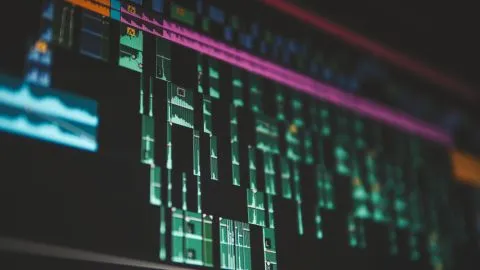
A timeline maps an animation to time. If a scene is played at 24 frames per second, 48 displayed frames span two seconds. That does not mean 48 unique drawings must exist. Animators may hold a drawing across multiple frames, replace it at an intentional moment, or calculate new values on each frame. Frame rate is a playback and sampling choice, while drawing exposure is an artistic timing choice.
Frame-by-frame drawings and vector tweening solve different problems
Frame-by-frame animation lets an artist redraw the silhouette as an object moves. It can accommodate changing perspective, folds, smears, and shapes that don’t correspond neatly from one image to the next. The cost is that each substantial change may require a new drawing or manual correction.
Vector tweening instead changes numerical properties of an object: position, rotation, scale, opacity or, in more constrained workflows, points along a path. A hand drawn as one rigid symbol can move smoothly from one coordinate to another, but its fingers will not naturally curl merely because the symbol moves. That action requires a deformable drawing or replacement image.
Northeastern University computer science course material discusses in-betweening as a 2D animation process. The broader distinction is between generating intermediate numerical states and generating artistically meaningful new drawings. The two methods can be combined, with automatic motion providing a starting point and hand-drawn replacements handling complex changes.
What an interpolation curve changes
Consider a ball moving 200 pixels over one second. Linear interpolation advances it by equal distances during equal intervals. An eased curve can make the ball start slowly, accelerate and slow again before stopping. Both methods agree on the start and end positions; their intermediate positions differ.
Interpolation is often described as a function of normalized time, ranging from zero at one keyframe to one at the next. A position can be expressed as the initial position plus the displacement multiplied by the timing function’s output. This makes the curve a rule for distributing movement over time, not simply a decorative graph.
Cornell University’s 2D animation course places easing and hierarchical scene structures within animation-system design. More complicated curves are not necessarily better. A fast snap may require an abrupt transition, whereas a floating object may benefit from a gradual change. The apparent acceleration should match the action being depicted.
Why rigging uses parent-child relationships
A 2D character rig commonly divides a figure into parts such as torso, upper arm, forearm and hand. These parts have pivot points and relationships. Rotating an upper arm moves its dependent forearm and hand, while moving a hand alone need not shift the torso.
This is hierarchical transformation. Each part’s local position and rotation are combined with its parents’ transformations to determine where it appears in the scene. The University of Illinois’s discussion of bones and scene graphs provides the underlying mathematical model. A rig does not automatically understand anatomy; its usefulness depends on pivot placement, parent order and the range of permitted movement.
For a paper-cutout style, a limited set of hinged pieces may be enough. A character bending or twisting in perspective can require deformation, substituted drawings or corrective shapes. Rigging reduces repetitive repositioning, but cannot replace decisions about silhouettes and acting.
Deformation changes the artwork, not just its location
Moving an entire forearm drawing around an elbow keeps the drawing rigid. Skin or mesh deformation lets internal points move relative to one another so that a sleeve can bend or a face can change expression. One approach associates points in a shape with nearby control bones and combines their influence using weights.
The challenge is keeping the volume and boundaries credible. A poorly weighted elbow may collapse into a narrow point; a curved mouth may stretch unevenly during a smile. Deformation also cannot reliably invent a previously unseen back side of an object. Editors may use corrective drawings, shape swaps and separate views to preserve intended design.
University graphics instruction describes skin deformation and weighted transforms in the wider context of character animation. The core idea applies beyond any one editing application: a control system distributes motion to visible geometry, and artists judge whether the resulting geometry reads correctly.
Timing, spacing and held drawings create motion character
Timing asks how long an action takes; spacing asks how the intermediate positions are distributed. Two characters can cross the same distance in one second yet feel completely different if one moves steadily and the other pauses, lunges and settles. A simple change in frame rate does not reproduce those intentional rhythms.
Held drawings can be particularly useful for dialogue and facial acting. A mouth or expression may remain unchanged for several displayed frames, then switch quickly. Introducing automatic in-between shapes everywhere may soften the performance or create unwanted morphs. In this context, fewer distinct drawings can be a deliberate decision rather than a quality defect.
The University of California, Irvine’s animation principles resource discusses pose planning, acceleration and the choice between pose-to-pose and straight-ahead approaches. Reviewing motion at normal playback speed remains essential because even individually attractive poses can produce awkward timing when sequenced.
Cycles, reusable symbols and synchronization
Many actions repeat: walking, blinking, wheel rotation or a pulsing indicator. An animation system can repeat a sequence or a property change over a defined duration. Reuse saves work, but a cycle becomes noticeably mechanical if its start and end states don’t align or if every repetition occurs without variation.
Separate timelines also create synchronization problems. A hand cycle may loop every twelve frames while a character’s full-body action lasts thirty. Without explicit timing rules, the movement can drift or reset unexpectedly. Reusable animation components therefore need documented duration, start conditions and relationships to the enclosing scene.
Indiana University’s declarative vector-animation lesson shows how durations, repeat counts, intermediate values and key times can control graphical changes. That example represents one delivery mechanism, not a claim that all 2D projects use the same runtime.
How 2D scenes become a sequence of displayed images
For each output time, the system evaluates the active drawings, symbol transformations, deformations and layer order. The system then draws visible shapes into a frame or retains them as time-dependent vector instructions if the destination supports them. Raster delivery fixes the appearance into sampled pixels; vector-based delivery may preserve some editable geometry or animation descriptions.
That distinction affects file size, sharpness and compatibility. Resolution-independent outlines can scale cleanly, while painted textures and imported photographs still contain finite samples. TechAmerica.ai’s explanation of vector graphics rendering covers the separate process of converting paths to visible pixels.
The output format also changes what survives export. An image sequence preserves the appearance of individual frames but not the original character rig. A video file adds compression and timing information. An interactive animation may retain objects and playback rules, but only when the target environment supports them. Check these distinctions against the actual destination rather than assuming them from the source project.
What automatic tweening cannot fix
Interpolation can produce technically smooth changes between specified values while creating a visibly wrong action. A rotating head may need a different drawing as facial features shift into profile. A moving hand may overlap the body incorrectly. An arm may follow a mathematically smooth arc that feels too slow or mechanically precise.
These are design and perception problems, not simply missing frames. A practical review checks contact points, silhouette clarity, overlapping parts, pose readability and whether motion arrives at an intended moment. Inspecting both normal-speed playback and difficult individual frames can reveal different failures.
Some work also requires tracking recorded subjects rather than animating an invented character. That is a different technical problem: TechAmerica.ai’s motion-tracking and rotoscoping analysis explains how movement and boundaries are estimated from existing video instead of authored on a timeline.
Reliable 2D animation depends on editable decisions
A dependable workflow preserves source drawings, rig controls, original timing and reusable assets instead of relying solely on a flattened preview. Revisions are easier when you can change a hand’s pivot or replace a problematic pose without reconstructing the sequence from rendered frames.
2D animation technology ultimately coordinates two kinds of work. Software evaluates timed rules, transformations and artwork at each moment. Animators decide which poses, transitions, and interruptions communicate the action. The most useful system makes both parts easy to inspect and revise without mistaking a smooth calculation for a finished performance.
What is 2D animation technology?
2D animation technology creates the appearance of motion by displaying successive drawings or by evaluating time-dependent changes to shapes and images. Workflows may combine frame-by-frame artwork, vector tweening and character rigs.
What is the difference between frame-by-frame animation and tweening?
Frame-by-frame animation uses separate drawings for selected moments. Tweening calculates intermediate values between keyframes, often for properties such as position, rotation or scale. Complex pose changes can still need hand-drawn corrections.
How does vector tweening work?
Vector tweening updates a graphical object’s defined properties over time based on keyframes and an interpolation rule. It moves or transforms the object without necessarily redrawing its internal shape.
What is a 2D character rig?
A 2D character rig organizes movable parts around pivots or deformable controls. Parent-child relationships let changes to one part influence attached parts, while corrective artwork may be required for complicated poses.
Does a higher frame rate always produce better 2D animation?
No. Frame rate determines how often the result is displayed or sampled, but timing, spacing, held drawings and pose quality also shape perceived motion. More frames cannot automatically correct an unconvincing action.
Can a 2D animation export preserve editable rigs?
It depends on the destination format. A raster image sequence or encoded video normally preserves rendered appearance, not the original controls. Some project or interactive formats can retain object structures and animation instructions.
Have another question about this story? Email the newsroom.