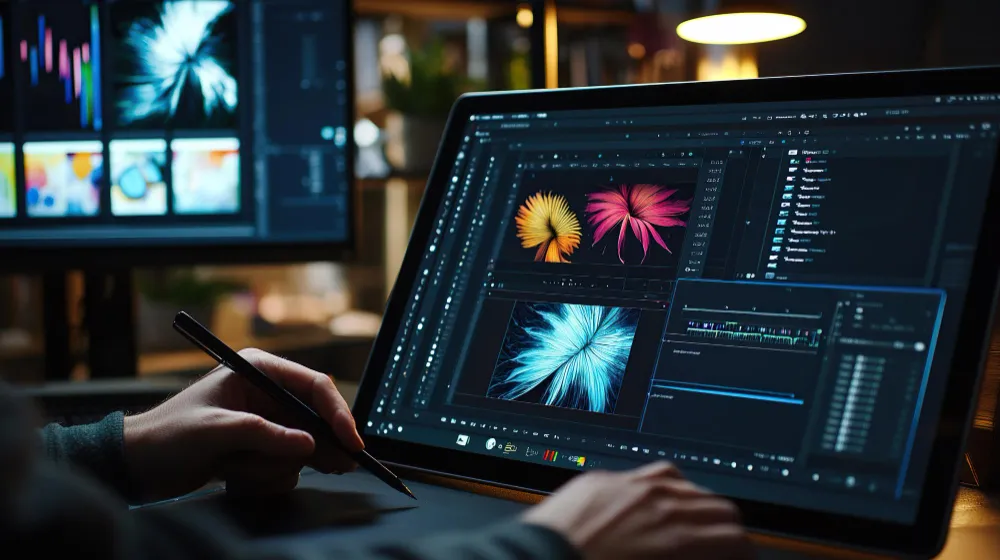
A title slides into view, settles beside a chart and fades as the next scene begins. A viewer sees a few seconds of motion. The production system sees timed property values, independent image layers, transparency calculations, and a sequence of frames to render.
Motion graphics technology connects those stages. Keyframes tell an animation system what should change and when; interpolation calculates the in-between states; compositing combines text, shapes and video; and rendering produces the finished pictures. Understanding the separation explains why one animation can be edited non-destructively and why apparently minor changes may affect many output frames.
A timeline is a set of instructions, not a finished video
Moving a title across a screen looks simple when played back. The underlying project, however, may contain a text layer, a background image, timing instructions, transformations and effects that must be evaluated for every displayed frame. The movement is not usually stored as thousands of individually drawn pictures. It is described through values that change over time.
Motion graphics technology turns those instructions into images. A composition establishes dimensions, duration and frame rate, while layers supply the visual elements. Animation controls describe when a layer appears and how its position, scale, rotation or opacity changes. The renderer evaluates the relevant state at each output time, combines the layers and creates a frame.
That distinction matters when an animation is revised. Changing the timing of a single title can alter many frames without requiring an editor to repaint each one. The challenge shifts from drawing every frame to defining appropriate motion and ensuring the output accurately reflects the timeline.
Keyframes define important states between moments
A keyframe records the value of an animatable property at a particular point in time. For example, a graphic might begin at the left edge of a frame at zero seconds and reach the center two seconds later. The animation system calculates values between those keyframes using an interpolation rule.
Linear interpolation changes a numeric property at a constant rate between endpoints. More complex curves alter acceleration and deceleration, allowing an object to start slowly, move faster and settle into place. Cornell University’s computer graphics course describes interpolation as the operation that computes object properties between selected keyframes.
Not every property should be interpolated in the same way. A position path may be curved while opacity changes linearly. An instantaneous change requires a held value rather than a smooth transition. Editors must also distinguish the shape of the object’s path from the speed at which it travels that path.
In a motion graphics project, keyframes control a mathematical timeline. They are different from the intra-coded frames sometimes called keyframes in video compression; the latter concern how picture data is encoded, not where an animated object is positioned.
Interpolation curves determine the character of motion
A pair of endpoint values does not uniquely determine how an object moves between them. With identical start and end positions, one curve may produce uniform motion while another slows near the destination. Curve handles can control the rate of change and, in some systems, the direction of travel.
An abrupt change in speed can make a transition appear mechanical. Smoother timing can convey weight or emphasis, though no single curve works for every animation. A news graphic may need a restrained movement that keeps text readable; a scientific visualization may need timing proportional to measured events.
The University of Illinois explains keyframing and tweening as combining defined poses or states with computer-generated intermediate values. The same general principle extends beyond character animation to the movement of text, shapes and cameras.
Layers and alpha channels assemble the image
An animation frame may contain independent layers for the backdrop, labels, charts, shadows and foreground objects. A compositing operation combines them in a specified order. The alpha channel records coverage or transparency, including partial coverage around soft edges.
In the familiar foreground-over-background model, a pixel color is a weighted combination of foreground and background colors. A fully opaque foreground replaces the background; a partially transparent pixel mixes their contributions. Stanford University’s digital compositing materials and MIT computational photography notes explain the role of alpha and the mathematical operators used to combine images.
Premultiplied alpha stores color components already multiplied by their coverage value. It can make filtering and interpolation at transparent edges more reliable when data are interpreted correctly. A mismatch between straight-alpha and premultiplied-alpha assumptions can leave dark or bright fringes around letters and moving shapes.
The layer model overlaps with still-image editing, but time adds another dimension: coverage, position and image content can all change from frame to frame. TechAmerica.ai previously explained the still-image foundations in its analysis of layers and masks.
Masks and tracking serve different purposes
A mask limits where a layer contributes to the finished picture. It may reveal a title progressively, crop a graphic or restrict an effect to one region. Motion tracking instead estimates how a point, plane or object changes position across recorded footage. The resulting measurements may drive an animated layer, but tracking does not automatically create an accurate transparency boundary.
For moving subjects, a mask may also need to evolve. When a foreground edge is partly transparent because of hair, motion, or defocus, assigning each pixel to foreground or background can create an obvious seam.
This article concentrates on composing and rendering an animation. The separate TechAmerica.ai guide to motion tracking and rotoscoping examines feature correspondence and subject isolation in greater detail.
Render order can change the final picture
Not all operations commute: changing their order can change the result. Scaling a layer before applying a blur may not produce the same image as blurring the original and scaling afterward. A mask can also act before or after an effect depending on the chosen processing structure.
Compositions often group related layers so you can transform or reuse them together. Such nesting simplifies organization but introduces another evaluation boundary. An effect applied to the group can behave differently from the same effect applied separately to its individual components.
A useful diagnostic practice is to isolate pipeline stages. When a title looks soft, or its edge is incorrect, examine the source, its transformation, transparency handling, effect order and final scaling independently. Treating the output as a single flattened picture makes the underlying cause harder to locate.
Motion blur samples more than one instant
An object moving quickly across a frame may look unnaturally sharp if rendered at just one instant per frame. Motion blur approximates the visual contribution of movement during an exposure interval by integrating or sampling the moving scene over time.
This is a temporal sampling problem. An animation might be evaluated several times between two frame timestamps, with those samples combined into the displayed frame. MIT’s computational photography material explains the relationship between exposure time, temporal filtering and motion blur in synthetic imagery.
Adding blur can reduce strobing, but it is not always desirable. Long blur trails may obscure fine text, charts, or rapidly changing measurements. Sampling more times can also increase rendering cost. The appropriate choice depends on the scene and the information the motion must convey.
Color and precision matter before the final export
Compositing combines numerical color values, so the space in which those calculations occur matters. Adding or blending gamma-encoded values as though they were linear light can produce unexpected edge brightness. The University of Illinois computer graphics notes explain why alpha blending should be performed in a linear color space for physically meaningful color combinations.
Higher-precision processing can preserve a wider range of intermediate values during repeated effects and compositing. Precision alone does not guarantee accurate color; footage interpretation, color-space transforms and output metadata must still agree. These issues connect to TechAmerica.ai’s earlier video color management analysis, which covers the separate problem of translating source imagery to HDR and SDR outputs.
A compositor should also inspect transparency boundaries against contrasting backgrounds. An edge that looks correct over black may show an unwanted halo over white because color and alpha data were handled inconsistently.
Rendering creates frames; encoding stores them
At an output timestamp, the render system evaluates the required layer states, transformations, ksmasks, and tseffects, then builds a two-dimensional image. It repeats this process across the composition’s duration. Some calculations can reuse cached intermediate results, while changes to upstream properties may invalidate those results.
Frame rendering and video encoding are separate operations. Rendering produces picture data. Encoding represents the pictures in a chosen coded format and determines trade-offs involving compression, file size and compatibility. Unsuitable encoding settings can still degrade high-quality renderings.
A final quality review should examine more than whether the exported file opens. Check for missing frames, inconsistent timing, flickering edges, title legibility, unexpected alpha fringes and color shifts. Compare difficult sections with the intended composition and examine the actual encoded output on a target playback device.
What the timeline cannot decide for the editor
Interpolation can calculate intermediate positions, and compositing can follow precise mathematical rules. Neither decides whether a moving label is readable long enough, whether a transition draws attention to the wrong subject or whether a synthetic element might be mistaken for captured footage.
For editorial graphics, motion should help explain the information rather than disguise it. Captions and charts require clear hierarchy and enough on-screen time to be understood. When visual effects materially change a documentary image, responsible publication also requires suitable context or disclosure.
Motion graphics technology provides a reproducible way to generate frames from changing properties and layered images. The finished result depends on technical accuracy throughout the pipeline and on human decisions about meaning, clarity and timing.
What is motion graphics technology?
Motion graphics technology animates text, shapes, images and other elements through time-based property changes, layered compositing and frame rendering.
How do keyframes create animation?
A keyframe stores a property value at a particular time. Interpolation rules determine the intermediate values used to render the movement between keyframes.
What is the difference between linear and eased interpolation?
Linear interpolation changes a property at a constant rate between endpoints. Eased interpolation changes the rate over time, allowing gradual starts or stops.
What does an alpha channel do in compositing?
An alpha channel records coverage or transparency so foreground pixels can be combined with the background, including partially transparent edges.
Why is motion blur added to computer-generated animation?
Motion blur approximates movement over a finite exposure interval and can reduce temporal aliasing. Too much blur can obscure details or text.
Are rendering and video encoding the same process?
No. Rendering calculates the actual image frames from the animation project. Encoding compresses or packages those frames into a video representation for storage and playback.
Have another question about this story? Email the newsroom.