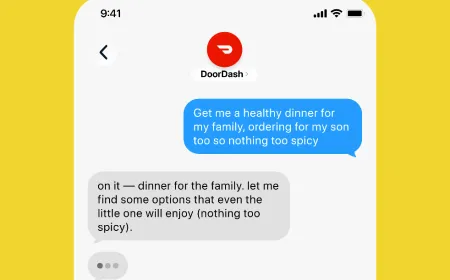

AI browser automation allows software agents to operate website interfaces instead of relying entirely on application programming interfaces. An agent can open a page, locate a form, enter information and move through a sequence of screens. That is useful when a business application has no suitable API or when a task depends on controls exposed only in its web interface.
Yet clicking is not the same as completing the user’s request. Websites change without notice, logged-in sessions expire, and a button can acknowledge an action before the underlying transaction succeeds. Reliable browser automation therefore combines page interpretation with constrained actions, result verification and clear rules for when a human must take over.
A Supplier Portal Shows Why the Browser Matters
Imagine a hypothetical purchasing department receiving invoices from several vendors. One supplier provides a modern API, but another offers only a secure website where staff must sign in, locate a purchase order, enter a reference number and upload a document. An API integration cannot complete the second workflow unless the supplier supplies a supported interface.
A browser agent can attempt the authorized steps through the website that an employee already uses. It navigates the application, identifies the correct record and prepares a proposed change. The useful capability is interface interaction, not bypassing thesupplier’ss security or finding hidden access to its systems.
The website may show a green confirmation after an upload, but that message could mean only that a file reached the server. A separate processing job might later reject the format. The agent needs an evidence-based completion rule, such as a confirmed record status or receipt, before reporting that the invoice was accepted.
Page Structure and Screenshots Offer Different Views
Some automation systems inspect the document object model, or DOM, that describes webpage elements. They can locate buttons, text fields and links through their attributes, structure or accessible names. Other systems rely more heavily on screenshots and visual grounding to choose where a cursor should move.
Each approach has limits. DOM-aware automation can identify a labeled field without guessing its screen coordinates, but it may struggle with unusual embedded applications or inaccessible controls. Visual methods can work with interfaces that resemble ordinary desktop software, yet they may misread small text or click an element that moved after a layout change.
The World Wide Web Consortium’s WebDriver specification defines a browser remote-control interface and ways to locate and interact with document elements. The July 2026 version is a working draft. It is a standards-track description of browser control, not a requirement that AI agents use a particular implementation.
A hybrid system may use structural information when available and visual interaction for controls that cannot be accessed reliably through the document. Either way, treat the observed page as an imperfect snapshot of an application that can change between observation and action.
Accessible Names Make Controls Easier to Identify
A form may contain three buttons with the same visual style: Save draft, Submit request and Delete record. An agent needs to distinguish their functions rather than click the nearest colored rectangle. Labels, roles and state attributes can provide machine-readable context for that decision.
W3C’s WAI-ARIA 1.2 specification defines semantics that assistive technologies can use to understand interface roles and states. Those semantics may also help browser automation recognize a button or dialog. They do not guarantee that every page is correctly labeled or that an action is safe to take.
Poorly constructed interfaces can produce ambiguous names, duplicated labels or controls that are visible but unreachable through ordinary keyboard navigation. An agent should surface ambiguity instead of guessing and taking a high-impact action. Good accessibility practices can make interfaces easier for both people and automation to interpret.
An Agent Needs an Observe–Act–Check Loop
Unlike a fixed script that expects an identical page each time, a browser agent can repeatedly examine its current state, select a bounded action and inspect the result. For example, it might open an invoice page, check the supplier identifier, select a matching order, and then verify that the displayed detail panel matches the intended record.
The loop should be explicit: observe the page, choose one permitted action, execute it and confirm the expected transition. If the page stays unchanged or displays an unfamiliar error, the next step should not blindly repeat a potentially consequential click. NIST’s 2025 study of tool use in AI agents distinguishes read-only operations from actions that alter state. That difference matters for web automation: reading an invoice is not equivalent to approving payment or changing a customer’s account.
TechAmerica.ai’s AI workflow orchestration explainer examines broader sequencing across agents and applications. Browser automation is the lower-level problem of interacting with a particular website and verifying each visible state change.
Forms Need Data Validation Before Submission
A language model can extract an invoice amount from a document and suggest values for a supplier portal. The browser controller still needs to confirm which field accepts the amount, what currency the system expects and whether the selected purchase order belongs to the right supplier.
Data formatting can create quiet errors. A date field may interpret month and day in different orders, while a decimal separator may depend on locale. An address pasted into the wrong field can be accepted without an immediate error. Reviewing visible input values is necessary but may not reveal every downstream interpretation.
Structured validation should occur before the agent reaches the final submission step. Appropriate controls might check a record identifier against an authorized source, reject missing mandatory values and flag unusually large amounts. These checks should be separate from the model’s ability to produce a plausible explanation.
For irreversible or expensive actions, a preview screen gives an additional checkpoint. The system can compare the proposed change with the approved source record and request review when discrepancies remain. A confident model response should never override a failed business-rule check.
Signed-In Sessions Do Not Grant Unlimited Authority
Browser automation often depends on an authenticated session. That session can contain cookies, temporary tokens and access to private records. The agent should operate within permissions granted for the specific task rather than assume that any action visible to the current account is authorized.
Session expiration, multifactor authentication and other sign-in challenges can interrupt a task. A legitimate implementation needs an approved handoff method, not instructions to defeat account security or collect passwords in free-text prompts. Separate browser environments and controlled credential storage can reduce unintended exposure.
NIST’s October 2026 agent identity design principles discuss the need to distinguish agent identity, delegated authority and controls enforced by the receiving service. A successful browser login does not prove that every requested business action falls within the user’s authorization.
TechAmerica.ai’s AI agent authorization guide explains broader permission enforcement. In a browser session, those controls matter most when the agent can interact with several applications under different accounts.
Why Dynamic Websites Break Otherwise Correct Actions
Modern web applications frequently update part of a screen without loading a new page. A search result can arrive late, a dialog can cover a button, or a background request can replace the selected record. An automation controller that acts on stale coordinates or old element references can target the wrong control.
Reliable implementations wait for meaningful conditions rather than fixed delays alone. They can check that a field is visible and enabled, that the intended record identifier remains present and that a loading indicator has cleared. Timeouts still need explicit limits so an agent does not wait indefinitely.
Retries introduce another risk. If the website accepts a submission but the confirmation response is lost, clicking Submit again may create a duplicate. The controller should look for a receipt or existing record before deciding that the first attempt failed. Where the application supports unique request references, those can help prevent repeated business operations.
Not every failure can be repaired automatically. CAPTCHA challenges, unexpected policy changes and missing controls may require a person to review the task or use an officially supported integration. The goal is resilient, authorized operation, not unlimited persistence against website restrictions.
Uploads and Downloads Need More Than a Successful Click
File workflows often reveal the difference between UI success and business success. A document selected for upload may have the wrong version, contain sensitive material, or exceed the site’s limits. The agent should inspect approved file metadata and destination context before sending it.
Downloaded files require verification as well. A website can serve an HTML error page where the agent expected a spreadsheet. A file name alone does not prove the content type or integrity. Automated checks can inspect supported formats, validate expected fields and place outputs in an approved location.
File retention also matters. Temporary browser directories and session logs should not become uncontrolled archives of customer invoices, account statements or confidential business records. The organization needs rules for access, deletion and recovery when a session ends unexpectedly.
Untrusted Pages Can Attempt to Redirect the Agent
An agent reading a webpage encounters content written by other people. A supplier note, help article, or embedded message could contain instructions that ask the agent to disregard its original task and perform an unrelated action. These instructions come from an untrusted source, not new authorization from the user.
In March 2026, NIST reported on a large-scale agent red-teaming study involving prompt-injection attacks. Researchers found successful attacks across the evaluated frontier models and scenarios. The results do not mean every agent fails every time, but they show why model-level resistance cannot be the only safeguard.
Technical controls should prevent page text from granting tool permissions, changing approved destinations or authorizing external messages. The agent can summarize a supplier’s instructions for a human, but it should not treat them as authority to disclose confidential records or alter financial details.
TechAmerica.ai’s coverage of browser-agent security examines the broader prompt-injection problem. The operational lesson for website automation is to check the requested action against trusted task parameters at every consequential boundary.
Human Handoffs Must Preserve the Exact Proposed Action
When a task reaches a high-risk step, the system can pause and request an authorized person’s decision. A useful approval request shows the destination account, proposed change, supporting source record and consequences of proceeding. “The agent needs approval” is not enough context for a meaningful decision.
Approval should apply to a specific pending action, not an open-ended instruction for the model to do anything afterward. If the underlying record or amount changes while approval is pending, the controller should invalidate the old approval or require the reviewer to confirm the revised details.
The workflow also needs defined outcomes for rejection, expiration and reviewer absence. Some tasks should remain paused; others can return to a safe draft state. A rejected action should not be attempted through an alternative website path merely because the original button is unavailable.
NIST’s AI Risk Management Framework Playbook calls for documented responses, monitoring and ways to bypass or deactivate systems when risks exceed acceptable bounds. It is voluntary guidance, not a certification that an automated browser workflow is safe.
Session Replay Helps Investigate but Does Not Prove Success
A browser session can record page transitions, screenshots, tool actions and selected status messages. Those records can help investigators understand why an agent entered the wrong field or missed a validation warning. They may also contain confidential screen content that should not be broadly shared.
Replay evidence is incomplete when a website updates server state without a visible confirmation. A recording of the Submit button being clicked cannot prove that payment, account creation or document processing completed. Independent confirmation from the receiving system remains important.
Logs should distinguish observations, proposed actions, approved actions and verified outcomes. Access to replay files and raw page data needs retention limits, redaction where practical and an audit trail for reviewers. Detailed monitoring should not create a second, less protected copy of every record the agent touched.
A Useful Pilot Measures Verified Work, Not Clicks
Organizations can evaluate AI browser automation with a small set of authorized, repeatable tasks. A supplier-record update is a useful example because it has identifiable inputs, a known destination and a checkable final state. Tests should include page layout changes, expired sessions, duplicate submissions,s and confusing form labels.
Measure completion by the business system’s final state, not by the agent’s statement that the task is done. Additional measures can include false edits, human intervention, average and long-tail completion time, recovery after failure, cost per verified outcome and privacy incidents.
The pilot should also test the limits of an agent’s authority: attempts to access the wrong customer, act on an expired approval and follow hostile instructions embedded in a page. The expected result may be a safe stop rather than completion. Those cases are important successes for the control system.
AI browser automation can make existing websites usable in broader automated processes without requiring every application to expose an API. The hard engineering problem is not generating a click. It is maintaining a dependable link between the user’s authorized request, the page the agent actually sees, the action it takes and the result that the business system confirms.