XREAL AR glasses no longer fit into a single wearable category. Some models function as compact external monitors. Others stabilize virtual screens as the wearer turns. XREAL AURA adds Android XR applications and Gemini through a separate compute unit. Comparing display resolution alone conceals important engineering differences. Computation location, optical delivery and environmental sensing matter just as much.
This specification-based review examines current and earlier XREAL devices, including the One family, Air series, ROG collaboration and AURA. It distinguishes built-in hardware from optional accessories, launch claims from observed performance, and ordinary 3DoF screen stabilization from room-aware 6DoF tracking. No TechAmerica hands-on testing is claimed.
XREAL AR glasses: three different computing architectures
The Air-family design primarily takes video and power from an external source. Its micro-OLED screens create a private viewing surface, but the glasses do not independently run a full phone-style application ecosystem. The Air 2 Ultra adds cameras for spatial tracking with a compatible computing host. That changes what developers can build, without turning it into a standalone AI assistant.
The One family moves important screen-positioning work into an X1 spatial coprocessor inside the frame. It can stabilize an attached display even when the host mainly supplies ordinary video. AURA splits the system differently. An X1S chip handles spatial processing in the glasses. A wired puck runs Android XR, Snapdragon Reality Elite and Gemini-enabled experiences. The separation reduces the amount of heavy computing hardware worn on the face, but it introduces a cable and a second physical unit.
Technology comparison 1: displays, optics and refresh rates
Micro-OLED panels are tiny emissive displays viewed through an optical path rather than ordinary screens placed in front of the eye. Field of view describes the angular area occupied by virtual imagery. It does not measure the visible real-world environment. Figures for panel brightness and perceived eye brightness cannot be compared as though they were measured at the same location.
| Model | Display resolution | Optical / view specification | Refresh and display distinction |
|---|---|---|---|
| XREAL 1 Pro+ | 1920 × 1080 per eye | X Prism; 57° FOV; 40 PPD | Up to 120 Hz; 1,200-nit perceived maximum only in specified AI HDR/Follow configuration |
| XREAL One Pro | 1920 × 1080 per eye | X Prism; 57° FOV | Up to 120 Hz; published perceived peak 700 nits |
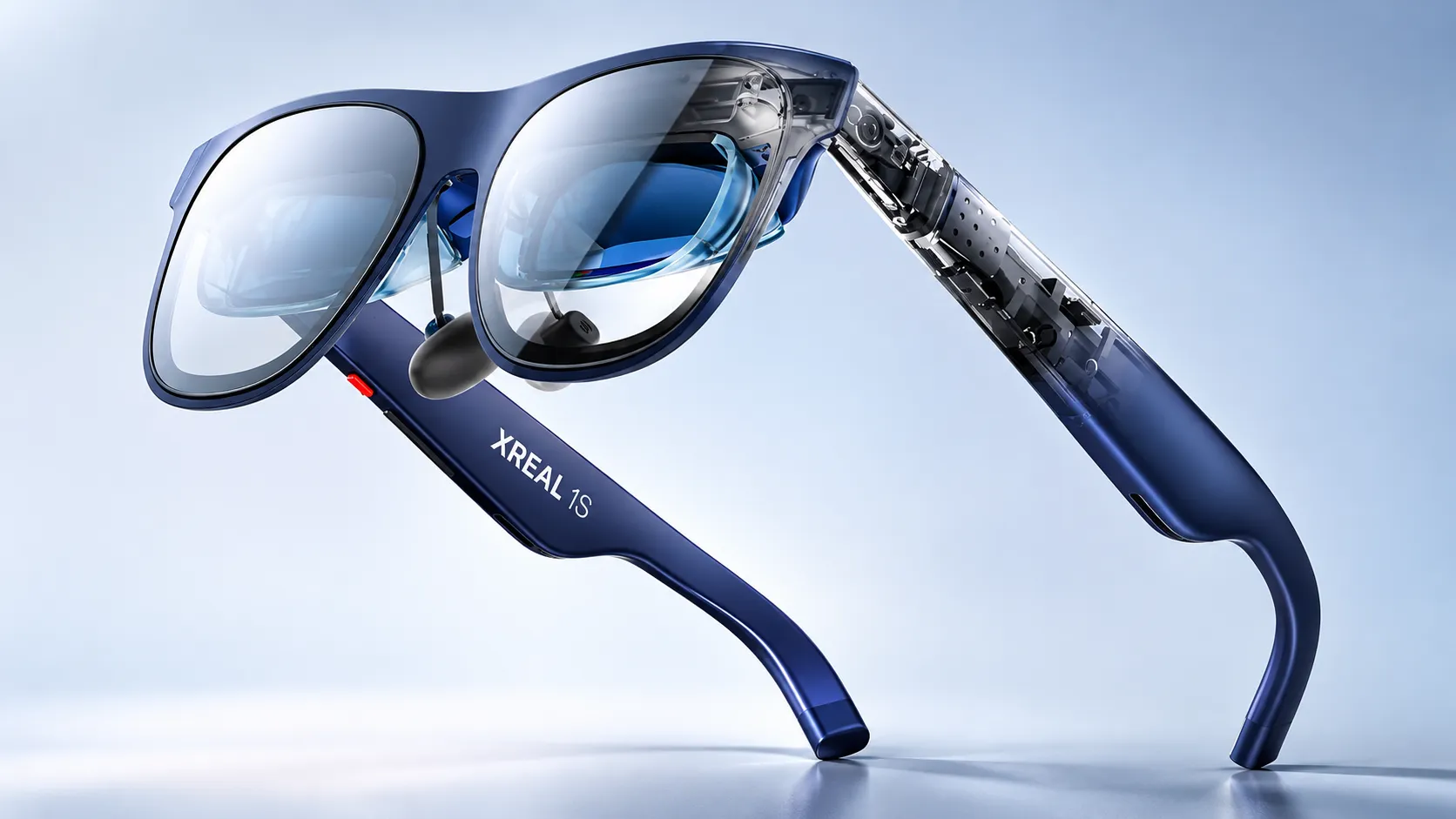
| XREAL 1S | 1920 × 1200 per eye | Sony 0.68-inch Micro-OLED; 52° FOV | Fixed 90 Hz; up to 120 Hz in supported modes |
| XREAL One | 1920 × 1080 per eye | Sony 0.68-inch Micro-OLED; 50° FOV | Up to 120 Hz; published perceived peak 600 nits |
| ROG XREAL R1 | 1920 × 1080 per eye | Sony 0.55-inch Micro-OLED; 57° FOV | Up to 240 Hz on supported sources and settings |
| xbx a01 / a01+ | 1920 × 1080 in 2D mode | SeeYA 0.6-inch Micro-OLED; 50° FOV | Up to 120 Hz; manufacturer also lists a binocular 3D mode |
| Air 2 Ultra | 1920 × 1080 per eye | 52° FOV | Up to 120 Hz in documented modes |
| Air 2 Pro | 1920 × 1080 per eye | 46° FOV | Up to 120 Hz; electrochromic dimming |
| Air 2 | 1920 × 1080 per eye | 46° FOV | Up to 120 Hz; no Pro electrochromic feature |
| XREAL AURA | 1920 × 1200 per eye | X Prism optical see-through; 70° FOV; 32 PPD | Up to 120 Hz; published maximum 1,050 nits |
XREAL 1S has more vertical pixels than One Pro, but the latter shows a wider angular field. The wider view can accommodate more apparent screen area. Fit, interpupillary distance (IPD), edge sharpness and rendering quality determine its usefulness. ROG R1’s advertised 240 Hz is not proof that a connected console or game can output 240 frames per second.
Technology comparison 2: processors, AI models and software
A spatial coprocessor stabilizes and transforms images; it is not equivalent to a large language model. Conversely, a named AI assistant is a software capability whose processing may involve a remote service. The table identifies those roles rather than treating every chip as an AI engine.
| Model/system | On-glasses processing | AI assistant or conversion | Operating architecture |
|---|---|---|---|
| One / One Pro / 1S | XREAL X1 spatial coprocessor | REAL 3D on supported firmware; no verified built-in conversational AI service | Host-rendered content plus glasses firmware |
| 1 Pro+ | XREAL X1 spatial coprocessor | REAL 3D converts compatible 2D sources at up to 60 fps; no built-in general assistant established | Host-rendered content plus glasses firmware |
| ROG XREAL R1 | XREAL X1 spatial coprocessor | Instant 3D; no device-wide conversational assistant documented | External video source; optional ASUS control software |
| xbx a01 / a01+ | Chip identity not publicly established in checked specifications | HDR10 / AI-HDR claimed; no conversational AI service established | USB-C DisplayPort source plus display firmware |
| Air 2 / Air 2 Pro | Host-dependent rendering; X1 not documented | No native general-purpose AI assistant established | External host and compatible companion software |
| Air 2 Ultra | Tracking sensors; compute host required for spatial applications | AI dependent on host applications, not inherent in glasses | XREAL SDK and compatible Android/computing host |
| AURA glasses | X1S spatial coprocessor | Gemini multimodal support, capability dependent on services and region | Connected Android XR compute puck |
| AURA puck | Snapdragon Reality Elite; 48 TOPS manufacturer AI figure | Runs compatible Android XR AI/app workloads | Android XR; 12/256GB or 16/512GB configurations |
XREAL describes REAL 3D as an on-glasses transformation of conventional 2D content into stereoscopic views. It can derive an estimated depth impression, but it cannot recover every hidden surface or guarantee the precise geometry of a real 3D scene. Its output should not be confused with a stereoscopic video captured using two synchronized cameras.
On AURA, the Snapdragon platform supports demanding application processing while the X1S chip handles fast spatial display functions. The stated 48 TOPS is a platform capability figure, not a direct measure of Gemini answer quality or a benchmark against another pair of glasses. AI responses, languages and app availability remain subject to service configuration.
Technology comparison 3: 3DoF, 6DoF, sensors and input
Three degrees of freedom track rotation: turning, tilting and rolling the head. Six degrees additionally track position as the wearer moves sideways, forward or vertically. A stable virtual window in 3DoF does not mean the system understands physical surfaces, hands, or room geometry.
| Device | Orientation/position tracking | Hand or environmental input | Dependency or limit |
|---|---|---|---|
| One / One Pro / 1S / 1 Pro+ | Native 3DoF | 6DoF and supported gestures with optional XREAL Eye where compatible | Optional accessory is not built into base glasses |
| ROG XREAL R1 | Native 3DoF | No integrated 6DoF sensor array stated in base specifications | Higher frame rate does not create room tracking |
| Air 2 / Air 2 Pro | IMU; spatial modes depend on connected solution | No built-in tracking cameras | Host software/accessory availability varies |
| Air 2 Ultra | Integrated 6DoF through two grayscale cameras | Spatial development features on supported platforms | Compatible SDK and host required |
| xbx a01 / a01+ | IMU documented | Full 6DoF not documented | Stabilization may require supported source mode |
| AURA | Two world-facing tracking cameras for 6DoF | Hand tracking, RGB input for visual AI, voice and puck touchpad | Android XR and connected puck; features depend on software |
AURA’s hand tracking uses images from environmental sensors to estimate movement, whereas a basic IMU cannot see fingers. Spatial anchors also depend on tracking quality, lighting, environmental texture and software behavior. These constraints mean a manufacturer’s 3 ms motion-to-photon number cannot be read as total app or AI response latency.
Technology comparison 4: cameras, video and recording
An environmental tracking camera need not capture conventional color photos. Similarly, a detachable camera is not a base-model feature unless it is actually fitted. These distinctions matter for both functionality and bystander privacy.
| Hardware | Color/photo camera | Tracking cameras | Recording limitations |
|---|---|---|---|
| One / One Pro / 1S / 1 Pro+ | No integrated recording camera; optional XREAL Eye | Not integrated in base unit | Capture and 6DoF depend on separately connected XREAL Eye and software |
| ROG XREAL R1 | No integrated consumer recording camera documented | No built-in 6DoF tracking array documented | Gaming display, not a standalone action camera |
| Air 2 / Air 2 Pro | No integrated RGB recording camera | No world-facing 6DoF cameras | No standalone photo/video capture |
| Air 2 Ultra | No integrated RGB recording camera | Two grayscale tracking cameras | Environment sensors are not a substitute for a color camera |
| xbx a01 / a01+ | No recording camera listed | No world-facing camera listed | Display-focused specifications |
| XREAL Eye accessory | 12 MP RGB camera | Adds position-aware 6DoF to supported One series | Some mixed-reality recording workflows require Beam Pro |
| AURA | High-resolution RGB camera; megapixels not disclosed in inspected technical page | Two world-facing tracking cameras | Privacy indicator; specific consumer video resolution not verified |
| Beam Pro companion | Two 50 MP rear cameras for spatial capture | Companion hardware, not camera inside glasses | Spatial video stored/processed on companion |
The XREAL Eye attaches to supported One-family frames and adds first-person capture and spatial capability. Official support notes that mixed-reality video may require Beam Pro; a camera specification alone does not show that every composite capture mode works independently. AURA’s privacy LED provides a visible signal during stated camera or Gemini activity, but the indicator cannot replace consent or venue rules.
Technology comparison 5: audio, microphones and controls
Open-ear speakers direct audio toward the ears while leaving the ear canal unobstructed. They improve situational access to ambient sound but cannot guarantee private listening. Four microphones can support directional speech input or noise suppression, yet microphone count alone does not establish recognition accuracy.
| Model | Audio and microphones | Primary controls | Technical caveat |
|---|---|---|---|
| 1 Pro+ | Two Bose-tuned speakers; four microphones | Physical frame buttons, connected host, optional accessory gestures | Far-field leakage-reduction claim is manufacturer-reported |
| One Pro / One | Bose-tuned open-ear audio; One-series multi-mic architecture | Frame controls and video source | Quality depends on fit and ambient sound |
| 1S | Bose-tuned audio; four microphones | Frame controls and source | Private Cinema Soundstage is an audio feature, not isolation |
| ROG XREAL R1 | Bose-tuned speakers; four microphones | Frame controls; optional ROG Control Dock | Dock switches supported external display sources |
| xbx a01 / a01+ | Phase-cancellation sound leakage reduction claimed | Frame buttons, USB-C source | Checked specification does not document mic count |
| Air 2 / Air 2 Pro / Ultra | Integrated speakers; microphone details vary by generation | Source and accessory controls | Do not infer AI voice controls from a microphone |
| AURA | Bose-tuned spatial audio; four microphones | Hand tracking, voice, frame buttons, puck touchpad, Bluetooth inputs | Voice services depend on Android XR availability |
AURA is particularly different because its multimodal assistant can work with displayed applications and the real-world camera feed. That does not guarantee always-on transmission, offline AI, or unlimited access to every document. App permissions and account controls determine what a feature can actually receive.
Technology comparison 6: power, ports, operating systems and compatibility
For most XREAL display glasses, the cable serves two jobs: receiving DisplayPort video and supplying electrical power. A phone with a USB-C connector is not automatically compatible. It must support the correct video-output function, or connect through appropriate supported hardware. Battery endurance therefore belongs to the host or companion, not to a fictitious battery inside the glasses.
| Device family | Power and data path | Software/connectivity | Battery claim |
|---|---|---|---|
| One series incl. 1 Pro+ | USB-C video and external power | Host video; firmware screen modes | No standalone glasses battery runtime |
| Air 2 / Air 2 Pro / Ultra | USB-C cable from compatible host | Host-side software for spatial functions | External host-powered |
| ROG XREAL R1 | USB-C; optional dock with DP 1.4 and 2 HDMI 2.0 ports | External PC/console, ROG display controls | No glasses battery runtime |
| xbx a01 / a01+ | USB-C with DP Alt Mode; 5V/1A | External source and onboard display menu | Manufacturer explicitly states no built-in battery |
| XREAL AURA | Wired glasses-to-compute-puck architecture | Android XR; Wi-Fi 6/6E and Bluetooth 5.3 in puck | Puck typical 4,550mAh, rated 4,455mAh; hours not verified |
| XREAL Beam Pro | Separate Android-based companion device | Compatible glasses over wired interface; wireless apps on device | Companion runtime depends on workload |
The AURA puck carries 12GB or 16GB of RAM with 256GB or 512GB of storage, plus active fan cooling. The glasses themselves weigh about 95 grams, while the puck adds 265 grams. Don’t combine their separate masses into a misleading single weight figure on the face. AURA includes GPS-family location reception and biometric functionality described in product documentation, but some biometric uses depend on a supported software build or update.
Technology comparison 7: privacy, fit and accessibility
Optical see-through glasses let users see their surroundings directly. In contrast, a virtual screen viewed through tinted lenses can dominate the central field without turning the entire real world into a camera feed. Both approaches still require careful fit and environment awareness.
| Model | Privacy distinction | IPD / visibility mechanism | What is not established |
|---|---|---|---|
| 1 Pro+ | No base RGB capture camera; optional Eye changes capability | Physical M 57–66 mm / L 66–75 mm; electrochromic dimming | No universal protection from shoulder viewing or audio leakage |
| One Pro | No base RGB capture camera | Physical M/L IPD versions; 3-stage tint | No proof of ideal fit for every face |
| 1S | No base RGB capture camera | Software IPD; automatic/three-stage tint | No medical claim about eye-strain elimination |
| One | No base RGB capture camera | Software IPD; electrochromic tint | No base room-mapping cameras |
| Air 2 Pro | Camera-free display in base model | Electrochromic tint | No evidence of device-wide conversational AI |
| Air 2 Ultra | Two environment-tracking grayscale cameras | 52° see-through overlay | No integrated standard RGB photo camera |
| AURA | RGB camera with documented white privacy LED | IPD M 60–66 / L 66–72 mm; five-level tint | No blanket promise that AI inputs never reach cloud |
| ROG XREAL R1 | No standard recording camera documented | IPD size variants; three tint levels | No guarantee every game achieves 240fps |
| xbx a01 / a01+ | No photo/video camera listed | Published IPD coverage 54.5–74.5 mm | No disclosed general AI language model |
Developers need to understand sensor permissions rather than presume that every 6DoF system exposes raw camera footage. XREAL states that some environment-sensing data is restricted for privacy reasons. The company’s AURA documentation recommends avoiding sensitive spaces and consulting regional and application-specific privacy rules. For background on data handling and bystander concerns, see TechAmerica’s AI glasses privacy analysis.
Individual XREAL model technology reviews
XREAL 1 Pro+: a higher-brightness spatial display
XREAL 1 Pro+ places a 0.55-inch Sony Micro-OLED panel behind X Prism optics for each eye. Its published 57-degree field of view and 40 pixels per degree describe the balance between viewing area and angular detail. The headline 1,200-nit perceived brightness requires AI HDR enabled and Stabilizer disabled in Follow mode. Do not use it as an unconditional brightness figure for 3DoF Anchor or every source.
The X1 coprocessor makes Follow and 3DoF Anchor available without requiring the connected computer to calculate all head-positioning effects. Optional XREAL Eye hardware extends the system to support 6DoF anchoring and gestures. REAL 3D generates stereo-like depth from ordinary media at up to 60 frames per second. That capability helps explain why content conversion and native stereoscopic footage remain different technical categories.
Practical use centers on desktop windows, portable gaming and viewing video from compatible hosts. Four microphones and Bose-tuned speakers support audio interaction without creating a built-in general-purpose AI assistant. The USB-C link, physical IPD sizing and external power source remain decisive constraints. The glasses cannot replace an Android XR application computer merely because they contain an X1 chip.
XREAL One Pro: wider viewing through X Prism optics
One Pro establishes the original 57-degree X Prism implementation in the One series. Sony 0.55-inch Micro-OLED panels deliver 1920-by-1080 imagery per eye at a published maximum of 120 Hz. The 700-nit perceived brightness claim belongs to the optical display system, not a television-style measurement taken from the source panel. Choosing two physical IPD ranges matters because the image must align with the wearer’s pupils to avoid edge clipping.
X1-based native 3DoF can hold a screen in a chosen orientation while the user turns. The system does not map a room on its own. Optional XREAL Eye support adds a different, position-aware tracking mode where compatible. The main limitation is dependency on an external video-producing device for content and power, although that dependency can also simplify the glasses’ thermal design.
XREAL 1S: extra vertical pixels and 52-degree optics
XREAL 1S uses a 0.68-inch Sony Micro-OLED optical arrangement and 1920-by-1200 pixels per eye. Compared with the 1080-line One and One Pro, the extra vertical pixels can accommodate more image height. Sharpness still depends on field of view and fit. Its 52-degree view sits between the 50-degree One and 57-degree One Pro.
The official specification lists fixed 90 Hz operation and up to 120 Hz in supported modes. It also lists four microphones, Bose-tuned audio, electrochromic dimming and 700-nit peak brightness. The One-family X1 architecture supplies native orientation tracking and supported firmware modes, including REAL 3D. Screen conversion is not the same as receiving a volumetric scene from an AR application. Its core workload remains presenting host content rather than interpreting the environment with an embedded camera.
XREAL One: the original X1-based display glasses
The original XREAL One pairs a 50-degree field of view with 1920-by-1080 Sony Micro-OLED displays, X1 processing, 3DoF support and up to 120 Hz operation. The published 600-nit perceived peak is lower than the One Pro’s stated value, but the user’s actual result also depends on lens tint, scene brightness and correct positioning.
One makes the architectural transition visible. Instead of relying entirely on a host application to stabilize a virtual screen, the glasses can process head orientation locally. It is still a wired spatial display, not an autonomous smartphone, an always-listening AI agent or a full room-mapping headset. Camera-based 6DoF capabilities require an optional accessory and compatible software.
XREAL Air 2 Pro: optical tint rather than standalone AI
Air 2 Pro is primarily a portable display. It uses 1920-by-1080 panels per eye, a 46-degree field of view and a USB-C source. Its standout addition over Air 2 is electrochromic dimming, which changes how much external light reaches the eye through the lenses. This influences perceived image contrast in bright surroundings but does not make the virtual display intrinsically brighter.
Without a native X1 coprocessor, many spatial presentation functions rely on a supported phone, computer or companion device. The base frame has no integrated color camera for conventional photo capture. Its design shows why the term smart glasses doesn’t automatically mean voice AI, always-on scene recognition, or native Android apps. Users need to check the connected host and the exact feature path.
XREAL Air 2: the streamlined micro-OLED predecessor
Air 2 shares Air 2 Pro’s published 46-degree view and 1080p-per-eye display class, without the Pro model’s electrochromic lens control. Its light frame, wired video and integrated audio target a simple external-screen function. If the source cannot output compatible DisplayPort video, the glasses cannot create it through a USB-C connector alone.
Its motion sensors can support compatible spatial presentation workflows, but the frame does not supply the One series’ X1-native stabilization architecture. Claims about portable productivity should therefore name the host and software involved. Air 2 is also not a camera-based AI device: the basic glasses lack a world-facing color recording camera and are not documented as offering a built-in language model.
XREAL Air 2 Ultra: 6DoF sensing for developers
Air 2 Ultra differs from the standard Air family through two grayscale cameras built into the frame. These sensors help estimate movement in physical space, enabling 6DoF experiences on compatible systems. The 52-degree field of view is broader than the standard Air 2 models, yet the glasses still depend on a suitable host for software and rendering.
A grayscale sensor used for spatial tracking should not be described as a conventional RGB photography camera. The platform is most meaningful for spatial applications such as anchored interfaces, prototype interaction and computer-vision experimentation. Developer support is device- and SDK-specific, and XREAL restricts some environmental sensing data. A 6DoF specification does not guarantee flawless hand tracking or reliable performance in featureless rooms.
ROG XREAL R1: fast display processing for gaming
ROG XREAL R1, developed with ASUS, uses 1080p-per-eye Sony Micro-OLED displays with a 57-degree field of view. Its advertised maximum refresh rate reaches 240 Hz, while the official spec lists a 0.01 ms panel response time and 3 ms motion-to-photon processing. These are different measurements. Neither guarantees a game will sustain 240 frames per second, and supported source modes depend on the host.
An integrated X1 coprocessor supports native 3DoF screen positioning. The optional dock adds DisplayPort 1.4 and two HDMI 2.0 inputs. It selects video sources without making the glasses a console. Four microphones, Bose-tuned sound and electrochromic tint complete the display interface. A portable video display remains conceptually different from a self-contained graphics processor: all game simulation and rendering still happens on the attached host.
xbx a01 and xbx a01+: a separate lightweight display family
The xbx a01 specifications describe a 0.6-inch SeeYA Micro-OLED display, up to 120 Hz, a 50-degree field of view and USB-C DisplayPort Alt Mode. The manufacturer explicitly states that the glasses have no built-in battery. The listed weight is 62 grams with the detachable front frame or 56 grams without it, making the assembly configuration important when quoting weight.
Its display documentation includes 2D and stereoscopic modes, HDR10 and AI-HDR support, and phase-cancellation audio leakage reduction. These image-processing names do not establish a conversational assistant or a general-purpose NPU. The a01+ package includes a light shield that the standard a01 box lacks. That accessory difference does not establish different processors. Full room-scale tracking and consumer camera recording are not established in the reviewed specifications.
XREAL AURA: Android XR, Gemini and split-compute spatial computing
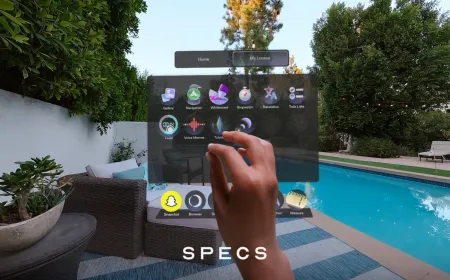
AURA represents the largest architectural change. Google announced its official launch on October 28, 2026, with orders opening in specified markets and shipments scheduled to begin in mid-November. The optical see-through glasses use Sony Micro-OLED panels at 1920-by-1200 pixels per eye and a 70-degree view. Two tracking cameras and a separate RGB camera enable supported perception features. A white indicator signals camera activity or when Gemini is running.
The glasses integrate an X1S spatial coprocessor and weigh around 95 grams. A connected 265-gram puck contains the Snapdragon Reality Elite processor, RAM, flash storage, wireless radios, a rated 4,455mAh battery and active cooling. This separation helps isolate compute heat and power demand from the face, but the wearer still has to carry and connect the puck. The system runs Android XR rather than simply mirroring an external HDMI image.
Hand tracking, spatial windows, voice input and Bluetooth peripherals create a broader interaction stack. Gemini can use the display context and, where allowed, camera observations to respond to questions. That does not mean every application or real-world scene is automatically available to AI. Account eligibility, country restrictions, permission controls, online access and software versions all matter. The manufacturer has not substantiated a universal battery-hour figure for every mixed-reality workload in the checked technical specification.
AURA’s 48-TOPS platform figure concerns processing capacity, not verified conversational accuracy. The 70-degree optical window offers more virtual canvas than earlier One models, but physical fit, pixel density, calibration, and ambient brightness remain relevant. It is best analyzed as an Android XR spatial computer with wearable optical output, not merely as an updated One Pro.
XREAL Eye and Beam Pro: what accessories add
XREAL Eye is a detachable 12MP camera accessory used with compatible XREAL One-series frames. It adds functions such as first-person capture and supports 6DoF spatial anchoring. It should never be counted as an integrated camera when comparing a base One Pro or 1S. Feature availability also varies by glasses model and companion system.
Beam Pro is a separate Android-based spatial companion with two 50MP cameras intended for stereoscopic capture. It can extend supported glasses workflows by running apps, managing spatial presentation and recording 3D content. As a result, a photograph taken by Beam Pro and a view recorded using XREAL Eye involve distinct camera locations, optical baselines and software paths. Accessories can expand capabilities, but they also change the power, cost, carrying weight and privacy profile of the overall setup.
How the underlying optics and rendering pipeline work
An imaging panel emits light that an optical engine redirects toward the pupils. X Prism combines lens geometry and reflective surfaces to create a see-through near-eye image. Electrochromic elements alter lens transparency electrically so the wearer can strengthen virtual-image contrast against bright surroundings. This does not create a fully opaque VR headset, and actual eye-box geometry determines how consistently the image remains visible as the frame shifts.
The rendering path also has distinct stages. An external host may produce a frame, the cable carries it to the glasses, and the local processor corrects or repositions it using recent motion-sensor data. For a 3DoF anchor, orientation compensation keeps the screen aligned with a selected direction. A true 6DoF anchor additionally uses position estimates, environmental tracking and application state. Such systems must manage occlusion, prediction, jitter and latency under changing lighting conditions.
REAL 3D adds a separate processing task. Software estimates depth from ordinary images and constructs offset viewpoints for the two eyes. This can create perceptual depth but may introduce errors around occlusions, hair, transparent objects, or fast movement. The conversion is a computational interpretation, not new scene information directly captured by the source camera.
Real-world applications and limitations
For someone working from a compatible laptop, X1-based glasses can provide a fixed-direction virtual screen without relying on a complex headset. Text legibility depends on app scaling, angular pixel density, IPD fit, and the distance chosen in the menu. A simulated 500-inch screen should not be interpreted as the same readable area or optical resolution as a physical display of that size.
For handheld gaming, an external display can create a large perceived screen without altering the game engine. A 120 Hz or 240 Hz panel does not make a 30fps game render more frames, and some consoles negotiate only lower output modes. For software development, Air 2 Ultra and AURA offer richer spatial input, but their runtimes, APIs, and permissions aren’t interchangeable.
AURA’s Android XR and Gemini support creates a different AI workflow. The connected spatial computer can respond to permitted visual context, rather than merely showing an assistant running elsewhere. Compatible apps and services may offer translation, transcription and contextual explanations. Support still depends on language, firmware, location and permissions. None should be presumed for every frame.
Important limitations include optical fit, external power, cables, content compatibility and potential discomfort. Connected cameras also raise privacy questions. Before interpreting a published specification, identify whether it describes the panel, the wearer’s perceived image, the host device or an optional accessory. Those four categories are easy to confuse and account for many misleading comparisons.
What XREAL’s recent hardware changes mean
Across these generations, XREAL has moved from host-fed virtual displays to local spatial screen processing and then to a fuller Android XR architecture. These are technical changes, not just new styling. Onboard orientation processing, accessory-based tracking, panel upgrades and split computing each address different constraints. None of these designs is universally more capable. A fast portable display needs different engineering from a room-aware application computer. For a wider comparison, see TechAmerica’s 17-brand smart-glasses analysis. Audio AI frames, camera glasses, text overlays and spatial displays need different evaluation criteria. The useful question is which processing and sensing architecture the intended application actually requires.