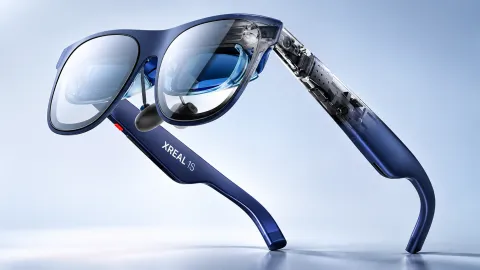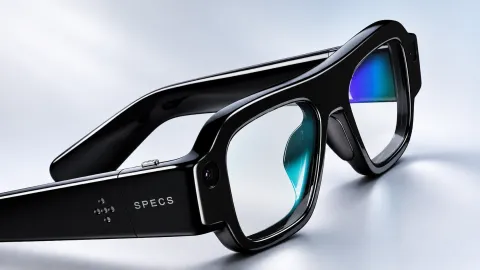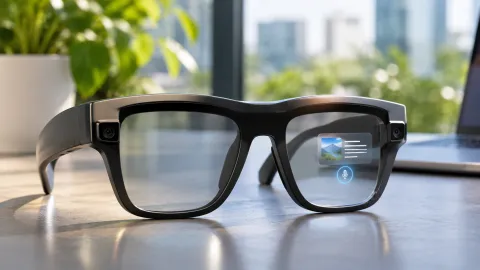
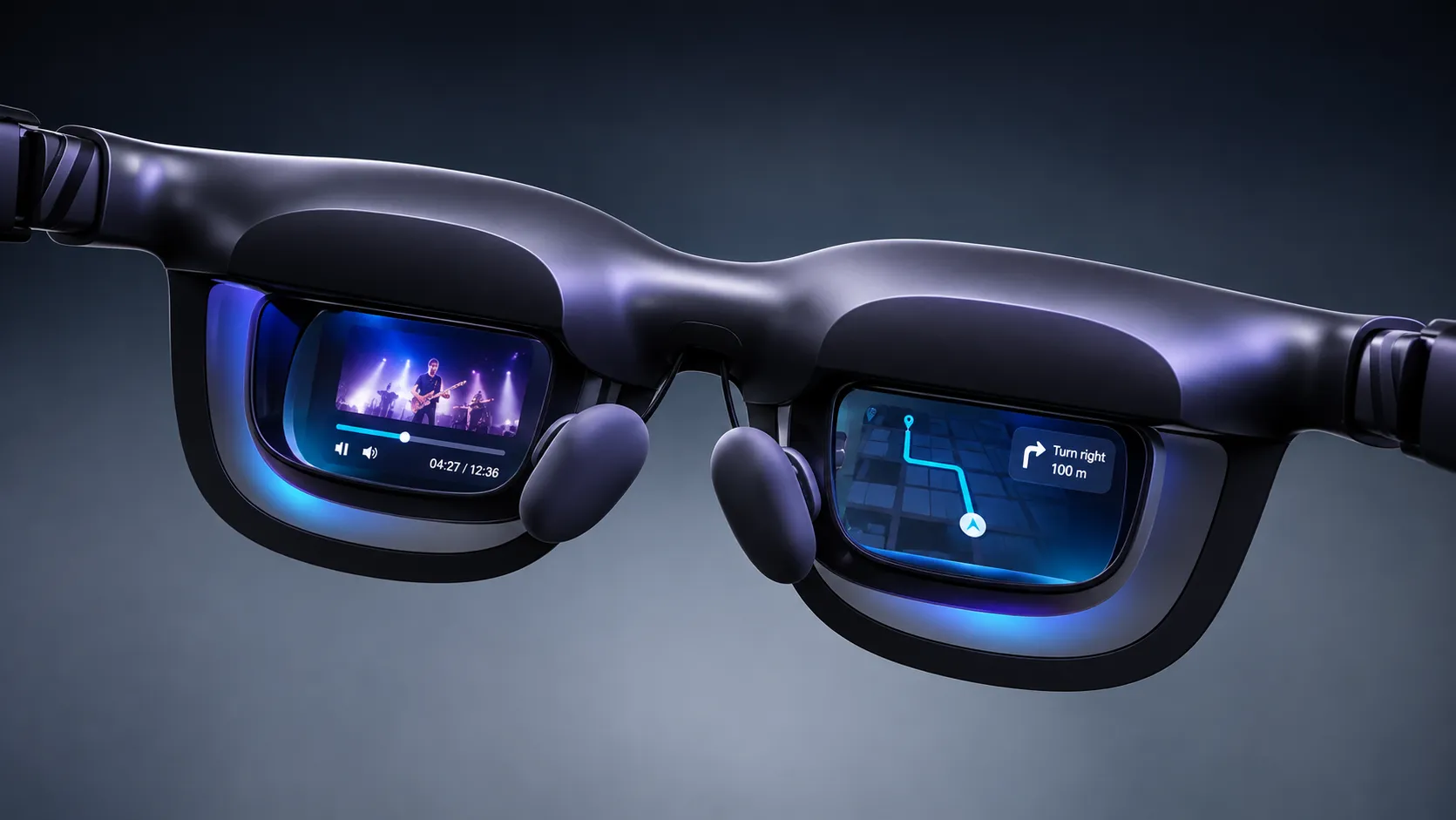
VITURE AR glasses aren’t a single type of wearable computer. Most models display images generated by a phone, laptop, game console or separate computing accessory. The Beast adds on-glasses head tracking, Luma Ultra supports positional tracking, and the announced Helix targets camera-based industrial AI without a display. Understanding those differences matters more than treating every pair as a standalone AI assistant.
This independent technical analysis compares specifications published by VITURE and its developer documentation through November 19, 2026. TechAmerica tested no device for this article. Manufacturer brightness, resolution and comfort claims are identified as specifications, not independent laboratory measurements. When a chipset, recording mode, or AI model isn’t disclosed, the review doesn’t fill the gap with guesses.
How VITURE AR Glasses Actually Work
In a conventional display model, the host renders frames and sends a video signal through a compatible connection. A micro-OLED panel produces the image, while a near-eye optical system redirects that light toward the wearer. The result appears to occupy a much larger virtual surface than the tiny physical panel. The external room remains visible unless a shade or dimming layer reduces incoming light.
Spatial tracking is a separate function. Three degrees of freedom, or 3DoF, measure rotation as the head turns, pitches or rolls. Six degrees of freedom, or 6DoF, add positional movement through the physical space. Neither automatically means the glasses can identify objects, read signs or run a general-purpose language model. Those tasks require appropriate cameras, processing, software permissions and often a connected AI service.
VITURE’s portfolio divides into three technical groups: host-driven micro-OLED displays; models that process or expose more spatial data; and the announced Helix safety platform. The product name alone does not determine which features operate without an accessory.
Technology Comparison 1: Models, Status and Core Architecture
The table separates currently documented consumer XR products, earlier-generation models, and one announced industrial design. An accessory providing Android apps or compute does not turn the glasses themselves into a standalone Android computer.
| Product | Status by November 2026 | Core architecture | Technology distinction |
|---|---|---|---|
| Pro 2 | Released | Host-powered XR display | UltraClarity 3.0 optics; low-weight frame |
| Beast | Released | Host-powered display + on-glasses XR processing | Native 3DoF; flexible screen placement |
| Phantom Beast | Released collector variant | Beast-family XR architecture | Native 3DoF; no RGB camera in SDK |
| Luma | Released | Host-powered XR display | USB-C; wider adjustable myopia range |
| Luma Pro | Released | Host-powered XR display + sensor interface | Magnetic connector; 3DoF via SpaceWalker |
| Luma Ultra | Released | Host-powered display + positional tracking hardware | 6DoF; stereo camera-based sensing |
| Luma Cyber | Released limited edition | Luma-family host-powered display | Distinct edition; model-specific SDK support |
| VITURE Pro | Legacy released | Earlier host-powered micro-OLED glasses | 1080p per eye; higher refresh than One |
| VITURE One | Legacy released | Earlier host-powered micro-OLED glasses | 1080p per eye; 60Hz mode |
| VITURE One Lite | Legacy released | Earlier host-powered micro-OLED glasses | 1080p per eye; simpler lens specification |
| Helix | Announced; first-batch rollout not verified | Wi-Fi-connected multimodal AI safety glasses | No display; occupational workflow focus |
Technology Comparison 2: Micro-OLED, Field of View and Refresh Rate
A micro-OLED panel puts emissive pixels on a compact silicon-based substrate. Projection optics then create a virtual image. The horizontal field of view describes how much of the wearer’s view the image occupies; it is not the width of the entire room. A quoted 146-inch or 174-inch virtual screen is a geometry-based equivalent at a stated distance, not a physical panel of that size.
| Model | Pixels per eye | FOV | Maximum refresh | Manufacturer perceived brightness |
|---|---|---|---|---|
| Pro 2 | 1920 × 1080 | 50° | 120Hz | 1,600 nits |
| Beast | 1920 × 1200 | 58° | 120Hz | 1,250 nits |
| Phantom Beast | 1920 × 1200 | 58° | 120Hz | Beast-class; same optics stated |
| Luma | 1920 × 1200 | 50° | 120Hz | 1,000 nits |
| Luma Pro | 1920 × 1200 | 52° | 120Hz | 1,000 nits |
| Luma Ultra | 1920 × 1200 | 52° | 120Hz | 1,500 nits |
| Luma Cyber | 1920 × 1200 | 52° | 120Hz | 1,500 nits |
| VITURE Pro | 1920 × 1080 | 46° | 120Hz | 4,000 nits (different legacy brightness metric) |
| VITURE One | 1920 × 1080 | 43° | 60Hz | 1,800 nits (legacy metric) |
| VITURE One Lite | 1920 × 1080 | 43° | 60Hz | 1,800 nits (legacy metric) |
| Helix | No display | Not applicable | Not applicable | Not applicable |
Brightness figures require particular care. Official documentation sometimes labels the 2026 models’ numbers as perceived brightness, while legacy literature uses panel-related or differently defined values. Don’t rank those numbers as if they were measured under identical conditions. Likewise, 1920 × 1200 per eye is not native 4K per eye, and a 120Hz panel cannot make a 60fps game output 120 unique frames.
Technology Comparison 3: Optical Fit, Tint and Eye Adjustment
Optical fit can determine whether small text is legible at the edges. Interpupillary distance, the optical sweet spot, nose-pad height, and the wearer’s prescription all affect the result. Electrochromic film changes external light transmission; it does not create per-object occlusion or spatial mapping.
| Model family | Built-in myopia adjustment | Light management | Optical/fit consideration |
|---|---|---|---|
| Pro 2 | 0 to −5.0D | Opaque clip-on shade; no electrochromic film | UltraClarity 3.0 birdbath optics |
| Luma | Up to −6.0D | Electrochromic film | 50° FOV; broad adjustable correction |
| Luma Pro | Up to −4.0D | Electrochromic film | Regular and large optical fit versions |
| Luma Ultra | Up to −4.0D | Electrochromic film | 6DoF has calibration and fit dependencies |
| Luma Cyber | Up to −4.0D | Electrochromic film | Limited-edition Luma optical system |
| Beast | No built-in diopter dial | Nine-level electrochromic dimming | Prescription insert; 58° FOV |
| Phantom Beast | No built-in diopter dial | Beast-family dynamic dimming | Prescription insert; regular-size edition |
| Pro / One | 0 to −5.0D | Earlier-generation electrochromic film | Older optical and refresh specifications |
| One Lite | 0 to −5.0D | Limited fixed light transmission documented | Earlier-generation simpler light control |
| Helix | Prescription-friendly lens design | Industrial protective lenses | Safety certification in progress |
Built-in myopia dials compensate for some nearsightedness, but they do not automatically correct astigmatism or every prescription. A prescription insert and accurate fit may still be necessary. The Pro 2 uses a conventional removable shade rather than the adjustable electrochromic system used by several other VITURE models. That difference changes how quickly the wearer can alternate between viewing the display and the room.
Technology Comparison 4: Head Tracking, Sensors and Spatial Computing
An inertial measurement unit combines rotational and motion sensors. Software integrates those readings to estimate head orientation, but small errors accumulate as drift. Camera-assisted visual-inertial odometry, or VIO, compares features between frames and combines them with motion data to estimate position. More sensors don’t eliminate the need for compatible apps and calibration.
| Model | Documented tracking | Camera/sensor contribution | Important restriction |
|---|---|---|---|
| Pro 2 | 3DoF through compatible software | IMU; no SDK camera | Host software required for pinned screens |
| Luma | 3DoF through SpaceWalker | IMU; no SDK camera | No demonstrated native 6DoF |
| Luma Pro | 3DoF through SpaceWalker | SDK lists RGB UVC passthrough | Camera API does not provide a photo/video recording app |
| Luma Ultra | 3DoF / 6DoF | RGB passthrough + stereo VIO cameras | Feature quality depends on software and host setup |
| Luma Cyber | 3DoF through compatible software | SDK lists UVC camera | No verified standalone positional tracking |
| Beast | Native on-glasses 3DoF | SDK lists UVC passthrough camera | 6DoF not equivalent to Ultra’s full VIO mode |
| Phantom Beast | Native on-glasses 3DoF | SDK explicitly lists no camera | Not a camera-based sensing equivalent to Beast |
| Pro / One / One Lite | 3DoF in compatible software | IMU; no SDK camera | Legacy feature support varies |
| Helix | No consumer 3DoF/6DoF display mode specified | First-person camera, microphone array | Industrial AI rather than screen anchoring |
The Beast’s dedicated XR engine can keep a display anchored against head rotation without a desktop app doing the same work. Luma Ultra’s stereo cameras support more complete positional tracking so that a virtual screen can respond to physical movement as well as rotation. A full mixed-reality scene also depends on application support and accurate environmental sensing. Neither model should be described as a universal passthrough VR headset.
Technology Comparison 5: Cameras, Microphones, Speakers and Controls
A camera exposed through a developer SDK is not the same as an advertised first-person recorder. A UVC interface indicates that supported software can access video data. It does not establish consumer recording resolution, maximum clip duration, autofocus, capture LEDs or on-device video storage.
| Model | Camera documentation | Microphone | Audio/controls |
|---|---|---|---|
| Pro 2 | No camera in SDK | Not listed | AAC system; hardware controls and wear detection |
| Luma | No camera in SDK | Not listed | AAC sound; hardware controls |
| Luma Pro | RGB UVC passthrough in SDK | Not listed in model comparison | HARMAN AudioEFX; button controls |
| Luma Ultra | RGB + dual grayscale cameras | Built-in | HARMAN AudioEFX; hand gestures with supported setup |
| Luma Cyber | RGB UVC passthrough in SDK | Not clearly disclosed | HARMAN AudioEFX; software controls |
| Beast | RGB UVC passthrough | Built-in | HARMAN AudioEFX; native OSD and screen modes |
| Phantom Beast | SDK explicitly reports no camera | Not independently specified | Beast-family audio; themed OSD |
| VITURE Pro / One / One Lite | No camera in SDK | Not listed | Integrated spatial audio; physical controls |
| Helix | First-person camera; 12MP manufacturer claim | Four-microphone array reported | Hands-free voice interface; no display |
Open-ear speakers can reproduce notifications or media while leaving the ear canal unobstructed, but surrounding people may still hear sound. Microphones can capture nearby voices when enabled. Developer support for cameras makes application permissions and visible recording behavior especially important; public documentation checked for this article does not establish a uniform recording-indicator policy across every VITURE model.
Technology Comparison 6: AI Systems, Chips and Processing Location
The phrase AI glasses is especially easy to misuse here. Most VITURE consumer glasses are optical terminals. They can show an AI application running on a phone, PC, or neckband, but that doesn’t prove a local neural-processing chip or an always-listening built-in assistant. AI-powered 2D-to-3D conversion is part of the SpaceWalker software experience and must be distinguished from object recognition or conversational AI.
| Product/software | AI or processing capability | Compute location | Disclosure limit |
|---|---|---|---|
| Pro 2, Luma, Luma Pro | SpaceWalker media tools, including supported Immersive 3D | Connected phone, computer or accessory | On-glasses general-purpose LLM not documented |
| Luma Ultra | 6DoF sensor processing and compatible software AI | On-glasses tracking + host applications | Exact tracking silicon/AI model not disclosed |
| Beast / Phantom Beast | Dedicated native 3DoF spatial-processing engine | On-glasses for display anchoring | Chip vendor and SKU not publicly named |
| Pro / One / One Lite | Host-based media and optional app features | External host | No documented independent AI assistant |
| Pro Neckband + SpaceWalker 3.0 | Android apps, spatial windows, Vizard and supported Immersive 3D | Neckband computing platform | 3.0 feature set is open beta; app-dependent |
| Helix | NVIDIA XR AI multimodal workflow integration | VITURE edge hardware + NVIDIA AI infrastructure | NVIDIA solution does not establish a specific NVIDIA SoC in glasses |
Depth conversion typically estimates visual structure and synthesizes two perspectives from one source. It can create a stereo impression from ordinary video, but it cannot recover every hidden object or guarantee accurate geometry. The manufacturer also notes that protected streaming apps can restrict such processing. Translation services, conversational model identity, offline support and local data retention are not uniformly disclosed for the consumer glasses themselves.
Technology Comparison 7: Operating Systems, Connections and Compatibility
A USB-C port alone can’t guarantee video output. The host normally needs DisplayPort Alternate Mode or a suitable video adapter. Some phones can charge and transfer data over USB-C without sending video. Consoles typically require an HDMI-to-USB-C pathway with adequate power, while software features differ between iOS, Android, macOS and Windows.
| Device group | Connection / operating architecture | Supported workflow | Constraint |
|---|---|---|---|
| Pro 2 / Luma / Beast | Direct USB-C video from compatible host | Mirrored display, media, gaming | Host must output supported video signal |
| Luma Pro / Luma Ultra / Luma Cyber | Magnetic glasses connector linked to host | Video plus model-specific tracking functions | Correct VITURE cable/adapter needed |
| Pro / One / One Lite | Earlier magnetic cable system | Legacy personal display and spatial app modes | Firmware, adapter and refresh modes vary |
| SpaceWalker desktop | Windows/macOS application | Virtual multi-screen layouts and 3DoF/6DoF positioning | Needs compatible host and tracked glasses |
| SpaceWalker mobile | iOS/Android application | Virtual controls, media, spatial player, Immersive 3D | Feature availability varies by device and adapter |
| Pro Neckband / SpaceWalker 3.0 | External Google Play-certified Android compute | Up to five spatial windows in documented open beta | Beta quality; app DRM restrictions |
| Helix | Standalone Wi-Fi AI connection announced | Enterprise multimodal work assistance | Commercial rollout, governance and certification pending |
The Pro Neckband is an external computing device rather than a hidden battery inside the XR frame. Its Android software can run applications and produce multiple virtual windows. The advertised SpaceWalker 3.0 mode remained an open beta in the checked documentation. Claims about five windows therefore describe that software version, not a guaranteed function of each pair when plugged directly into a phone.
Technology Comparison 8: Power, Privacy and Practical Limits
A host-powered pair of display glasses does not have the same battery specification as standalone camera eyewear. The phone, laptop, or dock supplies video and power, and battery life depends on screen brightness, application load, and adapter configuration. VITURE documents suggest wear times for several models, but these are not measured battery runtimes.
| Technology/product group | Power approach | Privacy or safety consideration | What remains unverified |
|---|---|---|---|
| Most consumer XR glasses | Power through compatible host/accessory | Private virtual image still visible in public space; audio may leak | Uniform power draw and endurance across hosts |
| Luma Pro, Luma Ultra, Beast | Host-powered with camera interfaces | Camera permissions, nearby people and app access matter | Uniform capture indicators and recordings policy |
| Pro 2, Luma, Pro, One, One Lite | Host-powered; no camera in SDK | Connected apps and microphones on host can still process data | Host cloud retention for every app |
| Pro Neckband | Separate rechargeable Android computer | App permissions, account security and device lock | All third-party application data practices |
| Helix | Standalone Wi-Fi connection claimed | Continuous first-person workplace capture; employer governance | Certified protection, retention and full deployment controls |
Industrial safety is the strictest distinction. Helix is intended to collect operator-perspective data for training or compliance workflows, but its ANSI Z87.1-2025 certification was still in progress in the materials reviewed. It should not be presented as certified protective eyewear. A workflow recording workers or bystanders needs explicit rules on consent, access, retention, occupational compliance and human oversight of AI guidance.
Individual VITURE Model Technology Reviews
VITURE Pro 2: Lightweight Birdbath Optics
Pro 2 uses a 1920 × 1080 micro-OLED image per eye with a 50-degree field of view. VITURE specifies up to 120Hz and 1,600 nits of perceived brightness. The UltraClarity 3.0 optical design focuses on edge-to-edge legibility, while independent diopter dials cover myopia to −5.0D. At a stated 63 grams, the frame weighs less than many other current VITURE models.
Its technical boundary is equally important. Pro 2 lacks an SDK camera and native spatial-processing engine comparable to the Beast. A pinned screen requires compatible SpaceWalker or other supported software. The removable opaque shade blocks external light, but it cannot dynamically vary tint the way electrochromic models can. No independent visual-acuity or long-session comfort measurements were conducted for this analysis.
VITURE Beast: Native Screen Anchoring
Beast combines 1920 × 1200 pixels per eye with a 58-degree field of view and 120Hz refresh support. A dedicated on-glasses engine handles 3DoF anchoring and screen repositioning. Users can adjust virtual display placement, including ultrawide and side-oriented modes, without assuming a host application performs every stabilization calculation.
The model uses nine-level electrochromic dimming, HARMAN AudioEFX and a documented UVC camera interface. It lacks built-in myopia dials so that prescription correction may require an insert. The SDK lists an RGB passthrough camera, but that doesn’t independently confirm a standard standalone photography mode. Its larger view and native tracking are engineering distinctions, not evidence of superior comfort for every face.
VITURE Phantom Beast: A Variant With a Camera Difference
Phantom Beast uses Beast-family micro-OLED optics, a 58-degree field of view and native 3DoF. It is a distinct collector variant rather than a newly demonstrated processor generation. The visual and software theming changes don’t indicate a different display engine or AI model.
However, there is a meaningful hardware exclusion. VITURE’s developer SDK identifies no passthrough camera for Phantom Beast, while Beast has a UVC interface. That gap matters for camera-dependent applications and mixed-reality development. Any description treating the two variants as camera-identical would be technically wrong.
VITURE Luma: Adjustable Focus and Straightforward Video
The standard Luma provides 1920 × 1200 pixels per eye, 50-degree FOV and refresh support up to 120Hz. Its USB-C connection carries compatible video directly from a host. Built-in myopia adjustment extends to −6.0D, a wider published range than its Luma Pro and Ultra siblings.
Luma uses electrochromic dimming and AAC audio but has no camera listed in the SDK. Like other host displays, it does not generate a computer desktop by itself. SpaceWalker can anchor a screen relative to rotation, but 6DoF positional tracking is not documented as a native capability.
VITURE Luma Pro: 1200p Display and Software-Tracked Space
Luma Pro extends the optical field to 52 degrees while retaining 1920 × 1200 pixels per eye and up to 120Hz. Its regular and large optical configurations help accommodate different interpupillary distances. HARMAN AudioEFX and electrochromic light control support the media-display role, while SpaceWalker manages screen tracking.
A built-in magnetometer helps correct drift, though software calibration may still be necessary. VITURE’s SDK lists a UVC passthrough camera, whereas some older marketing descriptions focus only on the display. That discrepancy is a reason to verify firmware and app availability before claiming a consumer camera feature. No specific general-purpose AI assistant is confirmed to run locally on the glasses.
VITURE Luma Ultra: Stereo Camera-Based 6DoF
Luma Ultra preserves the 52-degree, 1920 × 1200 visual specification but adds RGB and dual grayscale camera sensing. Visual-inertial tracking can estimate movement through space rather than merely head rotation. This makes the model more relevant for spatial placement, gesture interaction, and compatible development software.
The stated brightness is 1,500 nits perceived, with myopia dials to −4.0D and HARMAN-tuned sound. Hand gestures and some 6DoF experiences depend on the Pro Neckband or supported desktop software; hardware capability should not be confused with universal app access. Full environmental occlusion, continuous object recognition and a self-contained conversational AI engine are not established by its display and tracking specifications.
VITURE Luma Cyber: A Distinct Limited Edition
Luma Cyber is a themed Luma-series product whose official hardware comparison lists 1920 × 1200 pixels per eye, 52-degree FOV, 120Hz and 1,500 nits perceived brightness. Its accessory and frame presentation are distinct, but that does not prove an entirely different optical architecture.
The SDK describes UVC camera support and 3DoF tracking. It does not establish the Ultra model’s stereo-VIO 6DoF system. As with any edition-specific firmware, check software compatibility and the enabled camera function against current documentation rather than inferring them from the visual design.
VITURE Pro: Earlier-Generation 1080p XR
The earlier VITURE Pro uses 1920 × 1080 per eye, a 46-degree field of view and refresh support up to 120Hz. Its listed 4,000-nit brightness comes from the manufacturer’s older reporting convention. Comparing that figure directly with 2026 perceived-brightness ratings could overstate a real viewing difference.
Pro includes myopia adjustment to −5.0D and supports compatible SpaceWalker functions. It remains a host display with no camera identified in the SDK. Older cable standards and software support distinguish it from the newer direct-USB-C and native-3DoF products.
VITURE One: Original Display-First Design
VITURE One represents the earlier 1080p-per-eye architecture with a 43-degree field of view and a 60Hz output mode. The design demonstrates the original emphasis on projecting a private virtual display from an external device rather than capturing the environment for AI.
Its limited field of view and refresh specification set boundaries for productivity and fast-paced motion. Compatible software may add head orientation effects, but the hardware should not be described as a standalone spatial computer or a camera-equipped AI wearable.
VITURE One Lite: Simpler Earlier Hardware
One Lite shares the documented 1920 × 1080 per-eye and 43-degree display geometry with the One family. The model weighs approximately 76 grams in VITURE’s legacy comparison and retains 60Hz operation. Its optical light transmission differs from the more adjustable configurations in the wider portfolio.
The primary technology is still micro-OLED display output and integrated audio from a host. The SDK does not list a camera. For legacy owners, firmware, compatible adapters and optical fit matter more than assuming they receive every later SpaceWalker or Beast feature.
VITURE Helix: Announced Industrial Multimodal AI
Helix is a separate class of announced eyewear. Instead of showing a virtual monitor, VITURE describes a first-person camera and microphone array linked through Wi-Fi to NVIDIA XR AI infrastructure. The intended system sends scene and audio context for work guidance, documentation and enterprise workflows. Its product page states that it has no display.
VITURE has cited a 12MP camera and four microphones in published company material, but precise system-on-chip identity, detailed local inference capacity, and public production deployment metrics remain unestablished. Its safety certification remained in progress, and the company indicated a future rollout rather than verified broad shipping. Together, these raise stronger workplace privacy and validation questions than a conventional host-powered display.
How Display Optics, Sensors and Software Work Together
The display pipeline begins with frame rendering on the source device. USB-C or an adapter transports pixels to the micro-OLED panel, and magnifying optics place them in the field of view. Electrochromic layers can attenuate real-world light so the projected image appears more prominent. This is not a camera feed of the room. By contrast, conventional VR passthrough relies on image sensors reconstructing what is around the user.
The sensor pipeline collects movement data. Orientation from an IMU lets software counter-rotate the virtual image and keep it stable. In an advanced camera-based design, VIO adds feature matching and position estimates. Tracking remains susceptible to poor lighting, calibration errors and application support limits. Separately, AI media conversion can estimate depth from a flat source without measuring real physical depth in front of the wearer.
Those pipelines explain why the same product can support excellent media display while lacking voice translation, on-device assistant models or environmental understanding. TechAmerica’s broader smart-glasses comparison distinguishes these architectures across manufacturers rather than treating the word AR as a common capability.
Real-World Applications and Operational Trade-Offs
For laptop productivity, the key technology is not just the glasses’ panel resolution. A multi-screen workspace depends on the host GPU, desktop operating system, SpaceWalker layouts and stable head tracking. Optics, prescription, and the location of the user’s eyes can affect small text. A wider field of view may help show more workspace, but it does not automatically improve clarity at the edges.
For gaming, a 120Hz display can reduce perceived motion blur when the source actually delivers frames at a matching rate. Some consoles rely on docks or HDMI adapters, and individual connection paths can impose lower refresh ceilings. Side-by-side 3D content needs the correct format, while real-time depth reconstruction may introduce artifacts or conflict with content protection. No gameplay latency, thermal or battery endurance figures are claimed from independent TechAmerica testing.
For AR development, camera access, pose tracking and the SDK matter more than a large virtual screen label. Luma Ultra’s VIO interface gives developers a more capable spatial sensor pathway. Beast emphasizes fast orientation-based display anchoring. Helix proposes enterprise visual AI, but its pilot-oriented claims must be distinguished from general availability and verified occupational safety compliance.
Privacy, Security and Limits of AI-Assisted Eyewear
Camera-equipped eyewear changes the risk model. A software process may receive real-world video, microphone input or motion traces, and those streams can include people who never chose to interact with the device. Recording permissions, app identity, security updates and cloud-processing policies deserve scrutiny even when a device is marketed primarily as a display. TechAmerica’s AI glasses privacy analysis explains the separate questions of camera and voice handling.
Industrial systems face additional obligations. Helix’s described ability to log worker-facing video or audio could support traceability, but it also creates questions about employee consent, retention, access and mistaken AI instructions. Regulatory and occupational approvals must be independently established. Certification in progress cannot be described as certified protection, and an AI assistant cannot replace a qualified human safety procedure.
What Is Confirmed, Missing and Still Developing
The main confirmed product differences are optical FOV, pixel count, light control, connection type, whether a camera is exposed to software, and the division between 3DoF and 6DoF. The biggest unknowns often matter more than a marketing label. VITURE has not supplied comparable public measurements for power consumption, long-term display comfort, every microphone path, camera-recording indicators, or the exact processing silicon in all variants.
Future improvements may involve better optical efficiency, lower tracking latency and tighter integration between local sensors and host AI. Helix illustrates a possible shift from personal display glasses to enterprise scene understanding. Evaluate such developments against actual firmware releases, certified safety results, and tested application behavior, not as existing capabilities because they appear in a roadmap.
The central conclusion is architectural rather than promotional. VITURE Pro 2 and Luma primarily extend a connected screen; Beast anchors that screen with its own spatial hardware; Luma Ultra adds camera-assisted movement tracking; and Helix proposes a different camera-first AI workflow. A meaningful comparison begins by identifying which computational job each device actually performs.