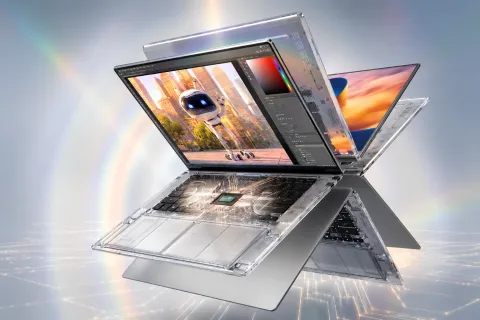
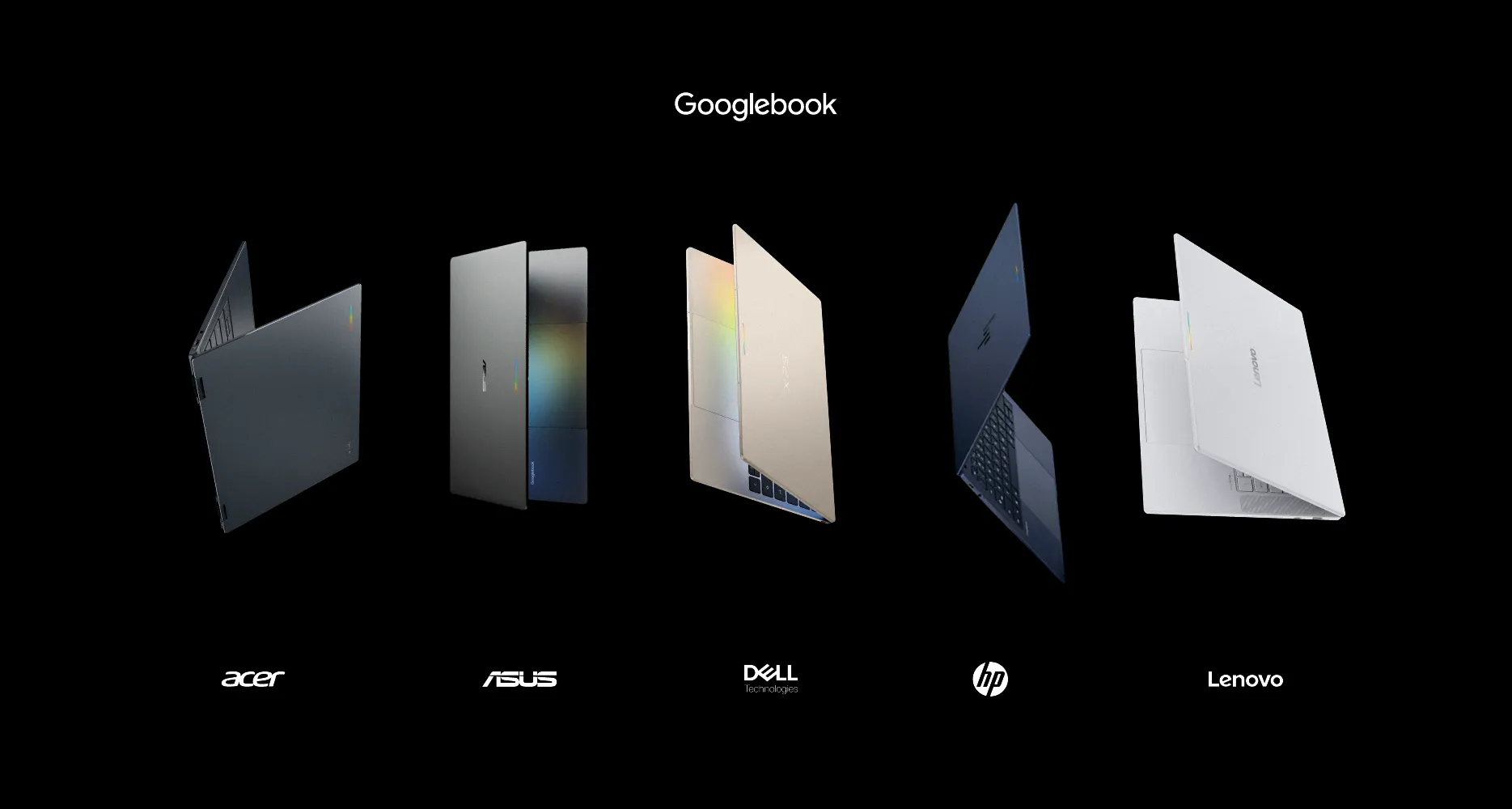
Googlebook laptops have arrived with premium hardware from Acer, Dell, HP, Asus, and Lenovo. Their OLED displays, modern processors, and refined designs make a strong first impression. However, early independent reviews reveal a different story about the software. Googlebook OS still struggles with Android app compatibility, desktop controls, and unreliable phone integration.
Google launched the five laptops in October 2026, with US prices starting at $899. Each runs its new Android-based operating system, designed to connect more closely with smartphones. The concept offers a fresh alternative to Windows and macOS. Unfortunately, the software experience hasn’t matched the hardware’s quality.
Googlebook Laptops Deliver Impressive Hardware
Google partnered with five established PC manufacturers to create its first laptop lineup. According to Google’s official announcement, every model includes at least 16GB of RAM and a touchscreen display. The company also promises software updates for up to 10 years.
The Acer Googlebook 14 is the most affordable model at $899. It features a convertible design, a 14-inch OLED touchscreen, and stylus support. Its 120Hz display and metal construction provide an attractive combination for the price.
Dell’s XPS Googlebook starts at $999 and emphasizes portability. It weighs approximately 2.2 pounds and features a 13.4-inch display. Its Qualcomm Snapdragon processor, compact body, and keyboard make it particularly suitable for travel.
The HP Googlebook 14 offers a 2880 x 1800 OLED touchscreen with a 120Hz refresh rate. It also includes a metal chassis and haptic trackpad. However, limited ports reduce its flexibility for users with multiple accessories.
Asus takes a different approach with its Googlebook 14. The laptop combines a lightweight design, 14-inch OLED display, and a generous selection of ports. HDMI and USB-A connectivity make it more practical for external monitors and accessories.
Lenovo’s Googlebook 15 offers the largest display in the initial lineup. Its approximately 15.3-inch screen provides additional workspace without making the laptop excessively heavy. The model also includes HDMI and USB-A connectivity.
Across all five models, hardware quality is rarely the main concern. The displays, keyboards, and overall construction compete with established premium laptops. The problem begins when users depend on Googlebook OS for everyday work.
Googlebook OS Still Struggles With Android Apps
Googlebook OS combines Android’s application ecosystem with desktop features developed through ChromeOS. Users can access Google Play, manage multiple windows, and run a desktop-oriented Chrome browser.
However, access to Android apps doesn’t guarantee a good laptop experience. Many apps still prioritize touchscreens and mobile layouts. Keyboard shortcuts, window resizing, and trackpad controls can behave unpredictably.
Ars Technica’s independent testing found significant limitations in desktop productivity. File management lacked familiar features, while several applications offered restricted functionality compared with Windows and macOS versions.
Some of Google’s own services also behave differently than buyers might expect. Gmail, Docs, Calendar, and Sheets primarily use web-based interfaces rather than native Android applications. Google considers those desktop web experiences better suited to laptop productivity.
The distinction can become awkward on convertible devices. Switching between touchscreen and keyboard use doesn’t always provide a consistent experience. This makes Google’s ambitious software design feel unfinished.
TechAmerica.ai previously examined Googlebook OS compatibility problems, including unreliable application behavior and limitations affecting professional workflows.
Android Phone Integration Remains Inconsistent
Closer integration with Android phones is one of Google’s main selling points. Compatible devices can share notifications, files, and certain application activities. Users can also access supported phone apps directly from their laptops.
Googlebook OS introduces features designed to continue activities between devices. In theory, someone could begin a task on a phone and finish it on a larger screen. However, early testing shows these capabilities aren’t consistently reliable.
In its Googlebook OS assessment, 9to5Google identified useful desktop features alongside unfinished software interactions. Phone connectivity and application behavior still require refinement. Compatibility also depends on the connected Android device and supported software.
TechAmerica.ai’s earlier Googlebook first look explored the potential of deeper Android integration. That potential remains compelling, but buyers should confirm support for their particular smartphone.
Gemini AI and Everyday Performance
Artificial intelligence plays an important role in Google’s laptop strategy. The platform integrates Gemini into productivity workflows and offers tools for writing, information retrieval, and contextual assistance.
Googlebook laptops use Intel or Qualcomm processors with dedicated neural processing hardware. Google specifies more than 45 TOPS of on-device AI capability for the launch platform.
The company also includes 12 months of Google AI Pro with new purchases. That adds Gemini capabilities and cloud storage, though subscription costs may apply after the promotional period.
Hardware performance appears sufficient for browsing, productivity, and everyday multitasking. Battery endurance is another encouraging area, with several independent reviewers reporting strong results during routine use.
However, these strengths cannot compensate for the lack of desktop software. Creative professionals may find mobile versions of familiar applications too restrictive. Some specialized development workflows also remain less straightforward than on established operating systems.
Premium Pricing Makes the Software Problems Harder to Ignore
Googlebook laptops start at $899, while higher-end models cost approximately $1,299. These prices place them against established Windows ultrabooks and Apple’s MacBook Air.
The hardware generally supports that positioning. Buyers receive attractive displays, capable processors, and modern construction. However, premium pricing also raises expectations for reliable software and application compatibility.
Windows and macOS already offer extensive desktop application ecosystems. Googlebook OS offers a distinctive Android-focused experience, but it doesn’t yet match the overall maturity of Windows and macOS.
For people who primarily use Chrome and Google’s online services, the limitations may be manageable. Buyers who rely on specialized creative software, advanced file management, or complex multitasking should be more cautious.
Pros and Cons
Pros:
- Premium displays, keyboards, and construction across the lineup.
- Modern Intel and Qualcomm processors with AI acceleration.
- Strong portability and promising battery endurance.
- Android integration and built-in Gemini capabilities.
Cons:
- Googlebook OS still has software bugs and inconsistent controls.
- Many Android apps aren’t properly optimized for desktop use.
- Phone integration does not work reliably in every situation.
- Premium prices make the limitations difficult to overlook.
Final Verdict
Googlebook laptops demonstrate that Google’s hardware partners can deliver impressive premium computers. Acer, Dell, HP, Asus, and Lenovo have produced capable machines with strong displays, thoughtful designs, and useful connectivity options.
The operating system remains their biggest weakness. Inconsistent Android apps, limited desktop functionality, and unreliable cross-device features undermine the experience. These problems matter most when buyers expect a dependable primary computer.
Googlebook OS has promising ideas, particularly for Android phone owners. Google can improve the platform through software updates, but buyers shouldn’t treat those improvements as guaranteed benefits.
For now, Googlebook laptops suit enthusiasts who want to explore Google’s evolving ecosystem. Most consumers seeking a reliable premium laptop will find more complete experiences with Windows or macOS. The hardware is ready to compete, but the software still needs work.