



































Smartphone Heating Explained: The Real Truth Behind Overheating
Smartphone heating is a common issue caused by gaming, charging, camera use, background apps, and software behaviour. Understanding the real reasons helps prevent overheating and protect device performance.

Smartphone heating is one of the most common issues users experience today. Whether you're gaming, charging, using the camera, or simply scrolling social media, your phone can sometimes feel uncomfortably warm. While a slight temperature increase is normal, excessive heating can degrade performance, battery health, and long-term device reliability.
In this detailed guide, we break down why smartphones heat up, when it's normal, when it's a problem, and how you can reduce overheating — explained clearly and factually, without hype.
Why Do Smartphones Heat Up? (Overview)
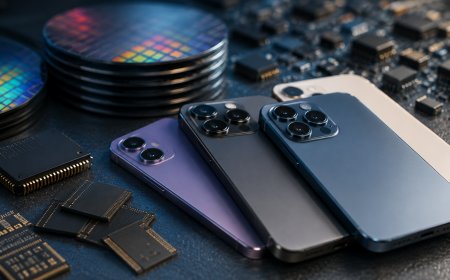
Smartphones are compact computers packed with powerful processors, high-resolution displays, batteries, and radios for cellular, Wi-Fi, and Bluetooth communication. When these components work hard, they consume energy, and energy consumption naturally produces heat.
Modern phones are designed to manage heat through internal thermal systems, but specific usage patterns and conditions can overwhelm those systems.
Gaming for Long Periods
Mobile games are among the most demanding tasks for a smartphone. They push the CPU and GPU simultaneously, often at high clock speeds.
- High frame rates increase power draw.w
- Continuous processing generates sustained heat
- Online games also stress network radios
As a result, prolonged gaming sessions can cause noticeable heating, especially on mid-range or older devices.
Camera Usage
Using the camera—particularly for 4K or 8K video recordings, slow-motion, or long photo sessions—quickly raises the phone's temperature.
This happens because:
- Image processing is computationally intensive
- Sensors and image signal processors run continuously
- Video stabilisation and HDR increase workload
Extended camera use in warm environments can amplify the effect.
Fast Charging
Fast-charging technologies deliver higher power to the battery in less time, which inevitably generates heat.
Key reasons include:
- Rapid energy transfer
- Battery chemical reactions under load
- Heat loss during power conversion
While phones are engineered to handle this safely, warmth during fast charging is normal — excessive heat, however, is not.
Poor Network Signal
When signal strength is weak, your phone works harder to maintain a connection.
- Cellular radios increase transmission power
- Background reconnection attempts continue
- Data usage becomes less efficient
This hidden workload can cause the phone to heat up even when it appears idle.
Background Apps Running
Apps running in the background can quietly consume system resources.
Examples include:
- Location tracking
- Cloud syncing
- Messaging and social media refresh
- Fitness and health monitoring apps
Multiple background processes increase CPU activity, leading to gradual heat buildup.
High Screen Brightness
The display is one of the largest power consumers in a smartphone.
- Maximum brightness significantly increases energy use
- OLED and LCD panels both generate heat at high output
- Outdoor usage under sunlight intensifies thermal stress
Reducing brightness can immediately lower the temperature.
Software Bugs or Poor Optimisation
Not all heating issues are hardware-related. Poorly optimised apps or software bugs can cause abnormal behaviour such as:
- Excessive CPU usage
- Battery drain
- Continuous background activity
This is often observed after major updates or with third-party apps that aren't well optimised.
Old Operating System or Degraded Battery
As phones age, heating can become more noticeable.
Reasons include:
- Older OS versions lack thermal improvements
- Battery degradation increases internal resistance
- Reduced efficiency under load
A worn battery may heat up faster, even during normal usage.
Thick Covers & Poor Heat Dissipation
Phone cases can trap heat, especially those made from thick rubber, leather, or metal.
- Reduced airflow around the device
- Insulation prevents heat from escaping
- Wireless charging becomes less efficient
Removing the case during charging or heavy use can help.
Wireless Charging
Wireless charging is less efficient than wired charging, meaning more energy is lost as heat.
- Inductive coils generate heat
- Misalignment increases energy loss
- Thicker cases worsen heat buildup
Mild warmth is typical, but excessive heat may indicate alignment or charger quality issues.
Summary
Smartphone heating is usually due to normal usage, especially during gaming, charging, camera use, or poor signal conditions. However, persistent or extreme overheating can signal software issues, ageing hardware, or inefficient accessories.
To reduce smartphone heating:
- Limit long gaming sessions
- Avoid charging while gaming
- Keep software updated
- Reduce screen brightness
- Close unused background apps
- Use quality chargers and remove thick cases when charging
Final Thoughts
Smartphones are powerful devices, but their compact form factor makes thermal management challenging. Understanding the root causes of phone heating helps you use your device more efficiently, protect battery health, and extend its lifespan.
If your phone frequently overheats during basic tasks, it may be time to check battery health, update software, or consult a service professional.
What's Your Reaction?
 Like
0
Like
0
 Dislike
0
Dislike
0
 Love
0
Love
0
 Funny
0
Funny
0
 Angry
0
Angry
0
 Sad
0
Sad
0
 Wow
0
Wow
0