





























Figma Unveils Code Layers, Built-In Animation Tools, and Expanded AI Capabilities
Figma introduces code layers, native animation support, AI-powered shader effects, and custom plugin generation, helping designers and developers collaborate more efficiently.
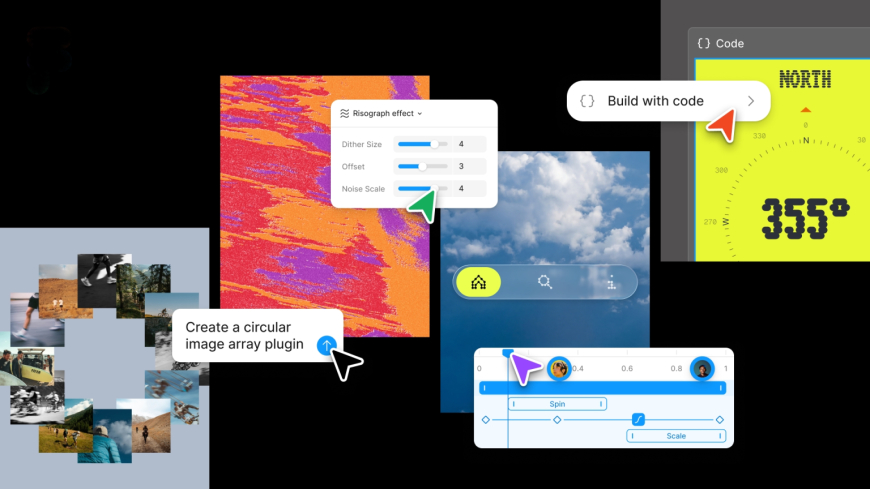
Figma on Wednesday introduced a major platform update that brings code layers directly into its collaborative workspace, adds native support for animations and shaders, and expands its artificial intelligence capabilities with tools for creating custom plug-ins and automating workflows.
The design platform has been steadily expanding its code-focused features for some time. Last year, Figma introduced Figma Make, an AI prompt-based prototyping tool, and later added integrations with Claude Code and Codex to improve collaboration between designers and developers throughout the product development process.
The latest update builds on those efforts by introducing code layers directly into Figma’s collaborative canvas. The feature allows teams to clone repositories and extract application flows from existing code into design layers, making it easier to test ideas and collaborate across design and engineering.
Figma Chief Product Officer Yuhki Yamashita said the goal of code layers is to encourage designers, product managers, and software engineers to iterate rapidly on ideas rather than focusing solely on writing production-ready code.
“We think the multiplayer canvas is really powerful because this is an environment where you don’t really care about the quality of the code. If you’re rapidly exploring or need to explore a bunch of new directions, you can do that in this spatial way. We hope that this feature produces different behaviour not just with designers, but also with engineers and PMs,” Yamashita said during a call.
The update also introduces native support for animations, transitions, and 3D transformations within Figma itself. Previously, designers often had to create animations using separate software before converting those assets into code that Figma could interpret. With the new release, animations and transitions can now be created and integrated directly inside the platform.
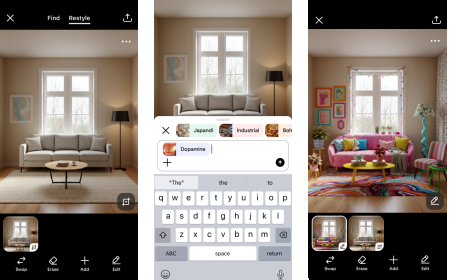
Artificial intelligence also plays a larger role in the updated experience. Users can now generate certain creative assets with AI, while the platform also adds support for creating shader effects and fills using AI-generated prompts.
Figma continues to build on the technology acquired through its purchase of the node-based design tool Weavy last year. Weavy enabled designers to run creative workflows across multiple AI models and compare their outputs. According to Figma, deeper integration between the two platforms is already underway, and later this year, users will be able to generate Weavy workflows directly in Figma.
The company is also expanding the capabilities of its AI assistant inside the collaborative canvas. Users can now create reusable AI skills by writing text prompts that agents can execute repeatedly. In addition, the assistant can connect to external tools such as Notion, Granola, Excel, and GitHub, and users can attach files that provide additional context for AI-powered tasks.
Another new addition allows users to generate custom plug-ins using natural language prompts. These AI-created plug-ins can perform a variety of specialised functions, including generating layouts, tracing vector paths, and automating repetitive design tasks, without requiring users to write code.
The latest collection of updates reflects Figma’s broader strategy of bringing design, development, and artificial intelligence into a single collaborative platform, allowing teams to move more efficiently from concept to production while reducing reliance on multiple external tools.
What's Your Reaction?
 Like
0
Like
0
 Dislike
0
Dislike
0
 Love
0
Love
0
 Funny
0
Funny
0
 Angry
0
Angry
0
 Sad
0
Sad
0
 Wow
0
Wow
0