



























Googlebook OS Faces Early Criticism Over Android Apps, Linux Support and Laptop Usability
Early Googlebook testing reveals Android app compatibility problems, awkward Linux support and unreliable phone integration despite promising premium laptop hardware.
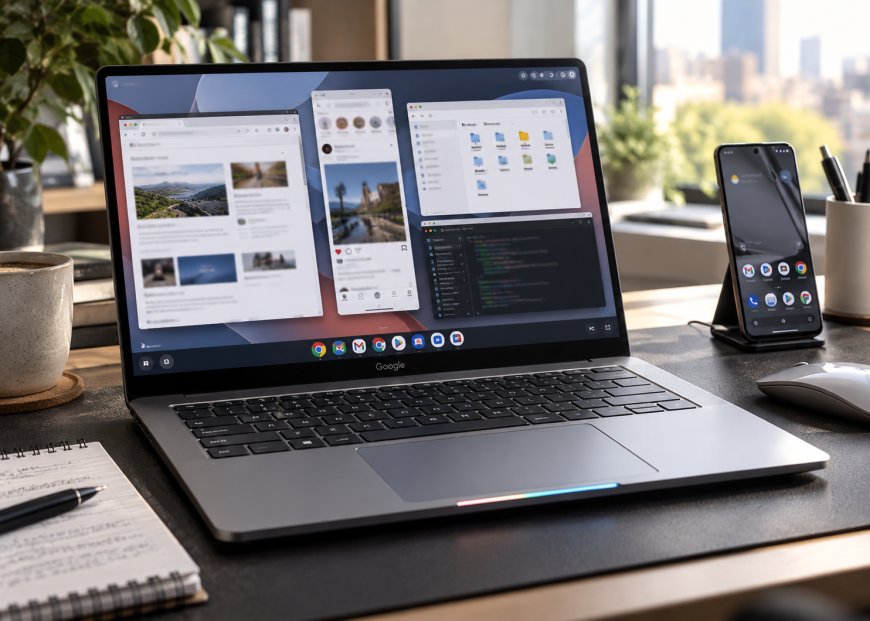
Google’s new Googlebook laptops have reached their first buyers, and early reviews are exposing a problem that premium hardware alone cannot solve. The Android-based Googlebook OS promises a closer connection between smartphones and laptops. Still, inconsistent app behaviour, awkward desktop controls, and unreliable phone integration make the experience less convincing than Google’s ambitions suggest.
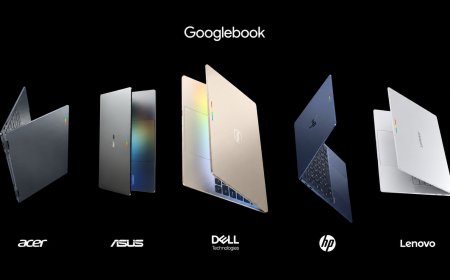
The first Googlebooks went on sale October 4, 2026, with models from Acer, ASUS, Dell, HP and Lenovo. Starting at $899, they combine premium laptop hardware with Android applications, a full desktop Chrome browser and integrated Gemini AI features. The concept is appealing, particularly for people who already depend on Android phones, but early independent testing suggests the software needs significant refinement.
Google introduced the devices as a new premium computing category in its official Googlebook announcement. The company emphasised familiar Android applications, phone connectivity and AI-assisted productivity. Those capabilities remain central to the platform, but using them on a laptop is proving more complicated than the marketing suggests.
Googlebook Hardware Makes a Better First Impression Than Its Software
Early coverage consistently finds that the physical laptops aren’t the main problem. Google’s manufacturing partners have introduced machines with modern processors, high-resolution displays, premium materials and relatively lightweight designs.
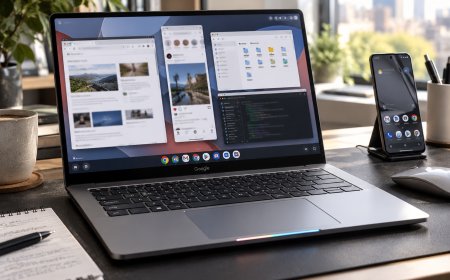
The ASUS Googlebook 14, for example, features a magnesium-aluminium chassis, a 14-inch 3K OLED touchscreen with a 120Hz refresh rate and a haptic trackpad. Its hardware specs put it closer to premium ultraportable laptops than budget Chromebooks.
In early testing published by MobileSyrup, the ASUS hardware made a strong first impression, particularly for its lightweight construction and display. However, the publication encountered software limitations almost immediately when attempting to use preferred desktop applications and connected-phone features.
This contrast puts Google in a difficult position. Buyers spending $900 or more can reasonably expect a laptop that handles everyday work without constant adjustments to application behaviour. Attractive hardware becomes less persuasive when common software tasks require workarounds.
The central issue is not whether Android can run on a laptop. Google has demonstrated that it can. The more important question is whether its applications and operating-system controls behave naturally when users switch from touchscreens to keyboards, trackpads and multiple windows.
Android Apps Still Struggle With Desktop Workflows
Googlebook OS provides access to Android applications through Google Play, giving the platform an extensive software library from the outset. However, access to an application does not mean it is properly designed for a laptop.
Many Android apps were created primarily for phones or tablets, where touch gestures and full-screen interfaces are normal. On a laptop, users expect mouse controls, keyboard shortcuts, adjustable windows and predictable interactions between applications.
These differences are already causing problems. Some streaming applications continue behaving like tablet apps rather than conventional desktop software. Others provide limited keyboard navigation or fail to adapt their interfaces comfortably to resizable windows.
The problem is particularly noticeable when users attempt tasks that feel routine on Windows or macOS. Selecting text, managing multiple windows, or using standard keyboard shortcuts can become less predictable when an Android application isn’t optimised for desktop interaction.
Google can improve the operating system’s window management, but it cannot immediately redesign every third-party application. Developers must also adapt their software to larger screens, pointer input and keyboard-based workflows.
This creates a difficult transition period. Googlebook OS offers a large application catalogue, but its usefulness depends on how well individual apps behave outside their original mobile environments.
Desktop Browsers and Professional Apps Expose the Limitations
Googlebook includes the full desktop version of Chrome, giving it an important advantage over platforms that rely primarily on mobile browsers. For users who perform most of their work through web applications, Chrome provides a familiar environment with conventional desktop browsing capabilities.
The experience gets more complicated when users prefer other browsers or need specialised software. Although you can install the Android version of Firefox, it does not offer the same desktop feature set as the traditional Windows, macOS, or Linux version.
Creative applications present a similar challenge. Android versions of programs such as Photoshop and Lightroom can handle certain editing tasks, but they aren’t direct substitutes for the full desktop applications used in many professional workflows.
That distinction matters when comparing Googlebooks with similarly priced conventional laptops. Windows or Mac users may already depend on specific plug-ins, browser extensions, or advanced application tools unavailable in the Android editions.
Early testing does not establish that Googlebook OS is unsuitable for all professional work. Browser-based productivity, communications and lightweight creative tasks may fit the platform reasonably well. However, software compatibility depends on the applications a buyer actually uses, not simply the number of apps listed in Google Play.
Linux Support Is Available but Still Awkward
Linux application support could help Googlebook OS address some of its desktop software limitations. The operating system includes a terminal app and can install a Linux environment, potentially letting users access tools unavailable through Android.
However, the process is not as straightforward as installing a conventional desktop application. Users must set up the Linux subsystem, obtain compatible software and manage a separate environment alongside Android and web applications.
In his Lenovo Googlebook 15 software impressions, technology journalist Paul Thurrott described successfully installing a Linux application without being able to launch it normally from the desktop. The example illustrates the difference between technically supporting software and making it convenient to use.
The Linux environment may still be valuable to developers and experienced users comfortable working in the terminal. It offers another route to software that Android doesn’t provide. However, compatibility and integration require further testing.
For ordinary laptop buyers, however, Linux should not be treated as a complete solution to the platform’s application problems. A premium computer needs dependable software installation and predictable application behaviour without requiring extensive troubleshooting.
Window Management Still Feels Too Much Like a Tablet
Googlebook OS combines familiar desktop elements with interface decisions inherited from Android. Applications can open in floating windows, and the system includes a taskbar-style interface, application launcher and conventional keyboard shortcuts.
Those foundations make the operating system immediately recognisable to users coming from Windows, macOS, or ChromeOS. Yet the finer details of multitasking are still uneven.
Managing virtual desktops is one area where the limitations become apparent. Some familiar actions, including moving windows between desktop workspaces, are less convenient than on established desktop operating systems.
The interface also retains Android-style controls that make more sense on phones than laptops. For example, a control that closes all applications simultaneously offers limited value in a desktop environment where users generally expect applications to remain open across multiple workspaces.
These are not necessarily fundamental technical barriers. Many could be addressed through software updates. Nevertheless, their presence at launch makes Googlebook OS feel like a mobile operating system adapted for laptops rather than a platform with fully refined desktop interactions.
Android Phone Integration Is Promising but Inconsistent
One of Google’s clearest selling points is the relationship between Googlebook and Android smartphones. The platform is designed to simplify setup, synchronise information and let users continue certain activities between devices.
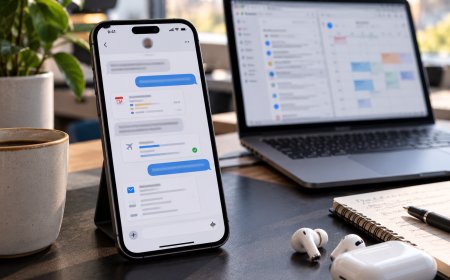
Users can complete initial setup on a compatible Android phone, reducing the work of signing into accounts and configuring a new laptop. Google also promotes access to messages, phone content, and app-related experiences without requiring users to switch devices constantly.
These features have practical appeal. Someone using an Android phone all day could benefit from viewing phone apps,s transferring files, and continuing tasks on a larger screen.
However, early testing has found problems with app mirroring. Some mirrored apps have displayed incorrectly rendered text, while others have shown noticeable input delays. Those issues can undermine the convenience that the feature is supposed to provide.
There are functional restrictions as well. Early testing indicates that phone-app streaming supports one mirrored application at a time, limiting the ability to treat multiple phone apps as independent desktop windows.
The underlying approach is sensible, but reliable integration matters more than the number of advertised features. An inconsistent phone connection may become another source of interruption rather than a productivity improvement.
Intel and Snapdragon Googlebooks Have Different Compatibility Challenges
Googlebook OS is available on computers using both Intel and Qualcomm processors. That gives manufacturers flexibility when designing devices, but it also introduces differences in how some Android applications run.
Many Android applications were originally developed for Arm-based processors, which are common in smartphones. Qualcomm’s Snapdragon X Elite uses Arm architecture, while Intel Core Ultra processors use x86.
Google has acknowledged that some complex Android applications may require additional optimisation on Intel-based Googlebooks. Compatibility mechanisms can translate supported workloads, but they do not guarantee identical performance across architectures.
As Tom’s Hardware reports, Google is working with Intel, Qualcomm, and application developers to improve compatibility. The company maintains that most Android applications should run properly across supported machines.
That qualification matters for prospective buyers. Two Googlebooks with comparable prices and specifications may not deliver the same experience in every application, especially when software includes processor-specific code.
Independent testing will be needed to establish how widespread these differences are and whether future updates can address the most significant compatibility problems.
Gemini AI Adds Features but Does Not Fix Basic Software Problems
Google has positioned Gemini as a central part of the Googlebook experience. Rather than relying entirely on a separate chatbot window, the operating system incorporates AI tools into everyday interactions.
One example is Magic Cursor, which lets users invoke Gemini based on information displayed on the screen. The feature can provide contextual assistance with text, images and interface elements.
Google is also promoting AI-supported productivity tools to help users organise information, complete tasks, and interact with applications more efficiently. These capabilities reflect the company’s broader effort to make Gemini more integrated into its computing products.
However, the usefulness of AI integration depends on the reliability of the underlying software. An intelligent assistant can’t compensate for an application that cannot handle standard keyboard input or a desktop environment that struggles with basic window management.
Early impressions of Magic Cursor have also been mixed. Some testers have found the feature interesting, while others have encountered inaccurate responses or questioned whether it offers enough practical value to change their workflow.
Googlebook’s AI tools may improve over time, but they should be evaluated separately from the platform’s basic operating-system quality. Buyers need dependable applications, file management and multitasking regardless of whether they regularly use Gemini.
Googlebook vs Chromebook: Is the New Platform Actually Better?
Googlebook OS is intended to succeed ChromeOS as Google’s newer laptop platform, while retaining familiar elements such as Chrome browsing, web applications, and a relatively lightweight desktop environment.
Moving to an Android-based foundation lets Google bring mobile and laptop development closer together. Instead of maintaining separate approaches for Android phones and ChromeOS computers, the company can build more functionality around a shared software platform.
That strategy could eventually improve application compatibility, phone integration and feature development. It also gives Google a more direct route to incorporating new Android capabilities into laptops.
Yet established Chromebooks already provide a relatively mature environment for browser-based work, with familiar multitasking tools and years of software refinement. Googlebook OS introduces new capabilities but also inherits some longstanding limitations while creating additional problems of its own.
The price difference is another consideration. With Googlebook starting at $899, buyers are entering a market already served by capable Windows laptops, MacBooks, and premium Chromebooks. Those alternatives have established software ecosystems and more predictable application support for many conventional desktop tasks.
Googlebook may ultimately offer a stronger experience for users deeply invested in Android. Still, its advantages aren’t yet enough to make it an obvious replacement for every Chromebook or conventional laptop.
Who Should Consider Buying a Googlebook?
Googlebook makes the most sense for buyers who use an Android phone, rely heavily on Chrome and Google services, and are comfortable with a relatively new software platform. The hardware is promising, and the ability to move between phone and laptop activities could become a meaningful advantage as the operating system improves.
It may also appeal to technology enthusiasts interested in Google’s latest approach to personal computing. Those users are more likely to tolerate incomplete features and experiment with workarounds as updates arrive.
However, buyers who depend on specialist desktop applications, extensive browser extensions or complex multitasking should be cautious. Android app availability is not the same as full desktop software compatibility, and Linux support does not automatically resolve those limitations.
Anyone buying a Googlebook for professional use should confirm their essential applications are available before committing. That includes checking whether the appropriate desktop or web versions provide the features required for daily work.
Final Verdict: Googlebook OS Needs More Work Before It Can Challenge Established Laptops
Google’s first Googlebooks demonstrate that the company and its manufacturing partners can produce attractive premium laptop hardware. The displays, materials and modern processors provide a credible foundation, while close Android integration offers a direction that could distinguish the platform from Windows and macOS.
The problem is that Googlebook OS has not yet reached the same level of refinement. Mobile-oriented apps, inconsistent keyboard behaviour, incomplete window management, and awkward Linux workflows create compromises that are hard to overlook at premium laptop prices.
Early problems shouldn’t be treated as permanent limitations, especially when a new operating system is still receiving its first updates. Google has opportunities to improve the interface, strengthen phone connectivity and work with developers on applications that behave properly on larger screens.
For now, though, Googlebook is easier to appreciate as a promising platform than to recommend as a straightforward replacement for an established laptop. Its long-term success will depend less on additional AI features and more on whether Google can make everyday desktop computing feel as dependable as the hardware surrounding it.
What's Your Reaction?
 Like
0
Like
0
 Dislike
0
Dislike
0
 Love
0
Love
0
 Funny
0
Funny
0
 Angry
0
Angry
0
 Sad
0
Sad
0
 Wow
0
Wow
0