



































Microsoft Overhauls Windows 11 Search With Faster Results and Built-In PC Controls
Microsoft is redesigning Windows 11 Search to deliver faster results, lower memory use, file previews, and direct PC controls. Testing has begun with Windows Insiders.
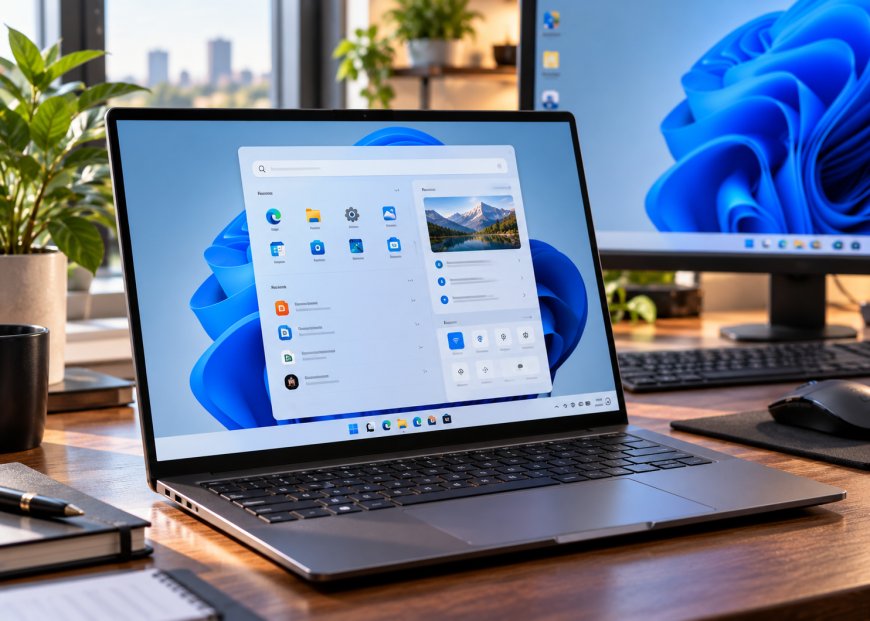
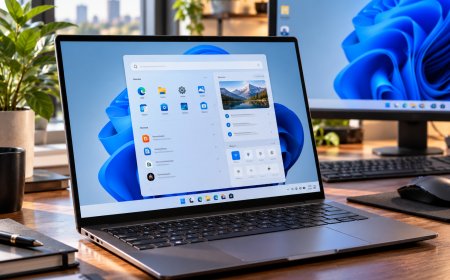
Microsoft is rebuilding Windows 11 Search to make finding files, opening applications and changing computer settings faster and less frustrating. The redesigned experience introduces a simpler interface, improved search accuracy and direct controls for everyday PC tasks, reducing the need to navigate through multiple menus.
Microsoft began rolling out the new Windows Search to Windows Insiders in the Experimental channel on October 7, 2026. Built on Microsoft’s WinUI 3 framework, it is designed to use fewer system resources while responding faster to searches. Microsoft also plans to introduce richer file previews, improved web results and closer integration with other Windows features.
In its official Windows Insider announcement, Microsoft said early testing showed substantial improvements in performance and memory usage. The company has not published detailed benchmarks, and the redesigned interface remains in preview rather than being available to every Windows 11 user.
Windows 11 Search Gets a Simpler, Faster Interface
The most noticeable change is a streamlined results layout that replaces the familiar split-panel presentation with a single, easier-to-scan list. Applications, files, settings, and other results appear together, reducing the space devoted to secondary information.
Microsoft based the redesign partly on how people use the existing interface. Its research found that nearly all clicks occurred in theleft results list rather than the large preview panel on the right. The company has responded by prioritising the information users are most likely to select.
The new interface is built on WinUI 3, Microsoft’s modern framework for developing Windows desktop applications. Beyond changing Search’s appearance, the architectural update aims to improve responsiveness and reduce memory consumption.
Those improvements could be especially useful on computers with limited memory or when several applications run simultaneously. However, Microsoft has not disclosed specific reductions in RAM usage or measured search response times, so users will need to assess the practical benefits across different PC configurations.
The redesigned taskbar Search also continues Microsoft’s efforts to remove unnecessary visual clutter. Earlier changes introduced a cleaner home screen and reduced promotional content in web results, giving greater priority to relevant files, applications and settings.
Better Search Results Will Recognise Typos and Related Words
Windows Search is also improving how it interprets queries. Microsoft says the updated system can better recognise spelling mistakes and synonyms, helping users find content even when they don’t remember the exact file name or setting.
This addresses a familiar problem with desktop search tools. A user may remember a document’s subject but not its title, while someone trying to change a Windows setting may describe the action differently from the wording used in the Settings app.
Improved query matching could reduce the need to repeat searches using several variations of the same phrase. Microsoft says it will continue refining relevance as Windows Insiders provide feedback during the preview period.
The company is also preparing category filters that will let users narrow results when searching files and other content. The functionality will be incorporated into the new single-pane design, helping users focus on the relevant results without switching between separate interfaces.
These changes build on Microsoft’s July Windows Search improvements, which introduced clearer result labels, more relevant local results and controls for web and Microsoft Store suggestions.
File Previews Will Make Documents Easier to Identify
Another planned improvement is richer file information displayed directly inside search results. Microsoft plans to add inline previews for documents, presentations, and images, letting users inspect content before deciding whether to open a file.
For someone searching through several similarly named documents, that could eliminate unnecessary steps. Instead of opening each file to identify the correct version, users can examine a preview and select the right result.
Microsoft has demonstrated previews for PowerPoint presentations, Word documents and photographs. The company plans to introduce these richer file details later in 2026, so they may not be available in the initial October preview.
Web results will receive a similar treatment. Microsoft has shown examples of Search displaying information such as weather conditions, stock prices and factual answers directly within the interface.
The goal is to reduce how often users must open a browser or another application to answer straightforward questions. More complicated searches will still require dedicated applications or web pages, but simple queries could become easier to complete from the taskbar.
Windows Search Can Now Change Settings and Control the PC
Perhaps the most useful change is the addition of inline actions. Rather than only locating apps, files, and settings, Windows Search is becoming a place where users can perform common tasks directly.
Microsoft demonstrated commands to switch between light and dark mode, enable Bluetooth, activate Night Light, and change other system settings. Users can enter a natural-language request, letting Search identify the intended control without requiring them to navigate the Settings app.
The company is also introducing commands to adjust screen brightness and mute audio. Workspace management actions include minimising open windows and arranging applications on the desktop.
For example, a user who wants to reduce screen brightness can type a request into Search instead of opening Quick Settings or locating the relevant display control. Similarly, someone preparing for a meeting could use a search command to mute audio or arrange windows.
These functions are relatively simple, but their value comes from reducing repeated navigation. Windows has many controls spread across Settings, the taskbar, and application menus. Making familiar actions accessible from one location could improve everyday productivity.
Microsoft’s Windows hybrid intelligence announcement provides additional examples of the new action system, which the company says will eventually support thousands of tasks directly from the taskbar.
Phone Link Will Bring Messaging Actions Into Search
Microsoft is also preparing integration with Phone Link, its Windows feature for connecting supported smartphones to a PC. The planned capability will let users start certain phone-related actions directly from Windows Search.
One demonstrated example involves sending a text message through a connected phone. Instead of opening Phone Link separately, users can enter a messaging request in Search and complete the task through the associated device.
This feature could help people who regularly switch between their computer and smartphone at work. It would make routine messaging tasks accessible without interrupting the current desktop workflow.
However, the messaging integration is not part of every initial preview experience. Microsoft describes Phone Link actions as coming soon, and their availability will depend on compatible devices and supported connections.
The company has not confirmed the complete range of phone commands or whether all supported Android and iPhone configurations will offer identical functionality.
Microsoft Plans Deeper Copilot Integration
The Search redesign also ties into Microsoft’s broader efforts to make Windows more responsive to natural-language requests. The company is developing additional integrations between Search and Copilot, although the two experiences will remain distinct.
Microsoft says an optional Copilot integration will let users get quick answers in Windows Search and move to the full Copilot app when they need a more detailed conversation.
Microsoft plans to begin rolling out the feature in selected markets later in 2026. Microsoft has described it as opt-in, meaning users will not necessarily need to enable Copilot integration to use the redesigned Search interface.
This distinction matters because improving basic search performance is a separate goal from introducing AI-assisted functionality. Users who primarily want faster file discovery and system controls should still benefit from the underlying redesign without relying on conversational AI for every task.
Microsoft has not provided complete details about how the optional integration will handle different queries or what additional requirements may apply.
Start Menu Search Will Receive the Redesign Later
Although testing began in October, it initially applies to Search accessed through the Windows 11 taskbar. Searches launched from the Start menu will continue using the existing interface during the early preview period.
Microsoft says it is working to bring the new experience to the Start menu in 2027. The company also intends to adapt the interface to different taskbar positions and Windows configurations.
That staged approach creates a temporary difference between two familiar ways to search in Windows. Users who rely on taskbar Search may see the newer layout first, while those accustomed to opening Start and typing a query will continue seeing the older design.
Microsoft has not announced a specific date for replacing the Start menu experience or completing the wider public rollout. The company says feedback from Windows Insiders will help shape how the interface evolves before it becomes more widely available.
How to Try the New Windows 11 Search
The redesigned Windows Search is gradually rolling out to participants in the Windows Insider Experimental channel. English is the only officially supported language for the initial release.
Microsoft identifies build 26340.9616 in the Experimental channel and build 28120.3181 in the Experimental (26H1) channel as qualifying versions for the preview. Users running those builds can check for updates, restart their computers and look for the New Windows Search Experience option in the Windows Insider feature flags.
The feature flag is located under Settings > Windows Update> Windows Insider Program. Microsoft notes that users may need to check for updates and restart before the option appears, even after installing a qualifying build.
Because the feature remains experimental, it may contain bugs, stability issues or inconsistent search results. Microsoft is collecting feedback through Feedback Hub, particularly on performance, relevance and compatibility across different hardware configurations.
Users who depend on their PCs for critical work may prefer to stay on the stable Windows release rather than install experimental builds to access the new Search interface.
Why the Windows Search Overhaul Matters
Windows Search is one of the operating system’s most-used navigation tools. People rely on it to open applications, locate downloaded files, find settings and retrieve information without manually browsing through folders or menus.
When Search is slow or returns irrelevant results, those delays affect ordinary tasks that users repeat throughout the day. Microsoft’s redesign addresses those frustrations through interface simplification, performance improvements, and better query interpretation.
The new action system is particularly relevant because it changes the purpose of Search. Instead of directing users toward another application or settings page, the interface can increasingly complete a requested task itself.
Still, the experience will depend on how reliably Windows understands commands, how quickly results appear, and whether the new controls behave consistently. Improvements announced during development do not automatically guarantee the same performance on every consumer PC.
Windows 11 Search Is Becoming More Than a Search Box
Microsoft’s latest Windows Search update substantially improves a familiar part of Windows 11 without requiring users to adopt an entirely new workflow. The redesigned interface prioritises clearer results, lower resource consumption and faster access to files and system settings.
Inline actions give the update its most distinctive capability, allowing users to change common controls and manage their workspace directly from the taskbar. Planned file previews, richer web results, Phone Link commands and optional Copilot integration will extend that functionality over time.
The rollout remains limited to Windows Insiders, and several announced features are scheduled for later releases. Microsoft’s performance claims also await independent testing across a wider range of hardware.
For everyday Windows users, the promise is straightforward: less time searching through menus and more tasks completed from one place. Whether the redesigned Search finally resolves longstanding complaints will become clearer as Microsoft expands testing and prepares the experience for the broader Windows 11 audience.
What's Your Reaction?
 Like
0
Like
0
 Dislike
0
Dislike
0
 Love
0
Love
0
 Funny
0
Funny
0
 Angry
0
Angry
0
 Sad
0
Sad
0
 Wow
0
Wow
0