































Mac vs Windows Laptops in 2026: Which Is Actually Better?
Mac vs Windows laptops in 2026 is no longer a simple choice. After comparing budget and premium models, here is where MacBooks win and where Windows still makes more sense.
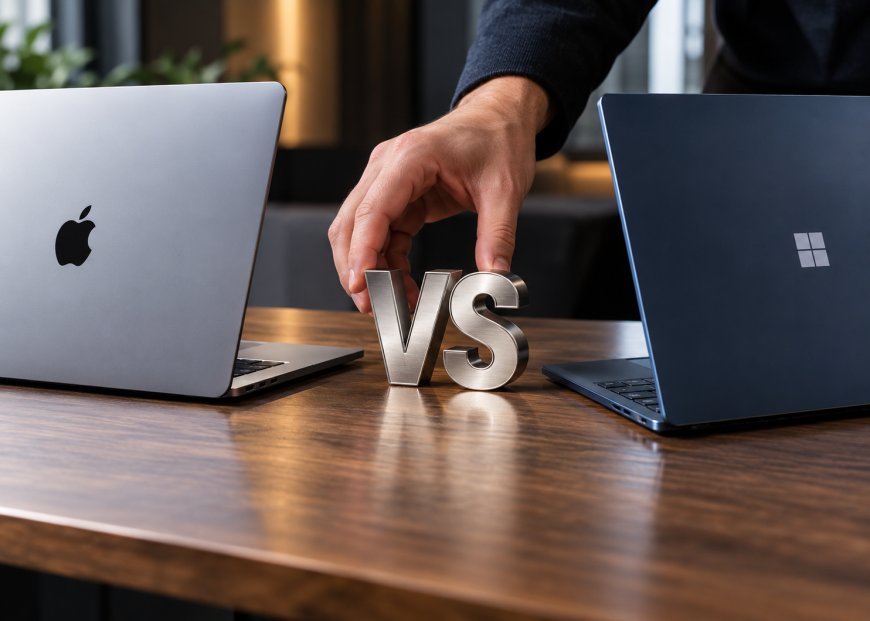
Buying a laptop in 2026 is somehow easier and more confusing than it has ever been. Apple’s Mac lineup now spans relatively affordable everyday machines and extremely powerful professional laptops. At the same time, the Windows side stretches from Microsoft’s Surface laptops to machines from HP, ASUS, Lenovo, and dozens of specialist gaming brands. The usual argument is that Macs offer better integration and polish while Windows offers more hardware for the money. Still, after using both at opposite ends of the price range, I think that explanation is far too simple.
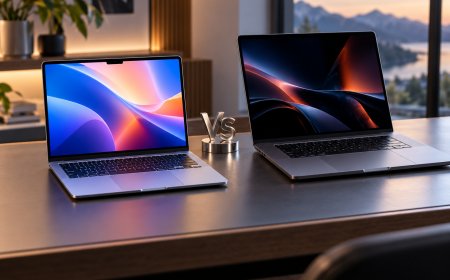
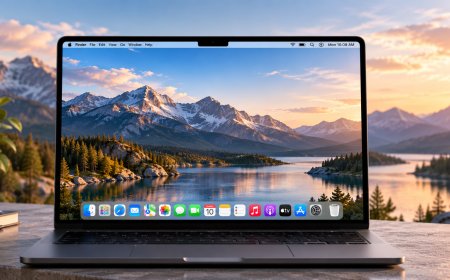
For this comparison, I looked at a roughly $600 MacBook Neo against an HP OmniBook 5, then moved to the opposite extreme with a heavily configured MacBook Pro and ASUS ProArt P16 costing around $4,500 each. I used them for ordinary work, loaded them with browser tabs and calls, compared their displays, speakers, cameras, keyboards, and ports, tested battery life and performance, and eventually dropped all four. By the end, I preferred the Mac overall, but Windows delivered decisive wins that would still make it the obvious choice for certain buyers.
Apple Still Makes the Better-Feeling Laptop
The biggest surprise came before any benchmarks. I expected the cheap MacBook to feel noticeably more compromised than a MacBook Pro, but I did not expect the difference between it and the similarly priced HP to be so obvious.
The MacBook Neo feels remarkably solid for its price. The aluminium body has very little flex, the hinge stays where I leave it, and there is none of the creaking that reminds you corners was cut to meet a budget. The HP is not badly made, but the plastic around the parts you constantly touch makes it feel cheaper. Press firmly on the deck, and you see visible movement; the hinge also has more wobble than I would like on a machine I could potentially use for several years.
The gap narrows significantly on the ASUS ProArt P16. This feels like a serious premium Windows laptop, and the construction is much more convincing than the HP. Even so, I still prefer the MacBook Pro physically. Its hinge, chassis rigidity and overall finish feel more consistent. This is difficult to capture on a specification sheet, but it becomes obvious when you spend hours opening, closing and carrying these machines.
More RAM Does Not Automatically Mean a Faster Laptop
Windows looks stronger when you compare specifications at the same price. My budget HP had twice the memory of the MacBook Neo, while the expensive ASUS also gave me more RAM than the similarly priced MacBook Pro. Windows machines generally offered more storage as well, which is one area where Apple remains frustratingly expensive.
I expected those differences to translate into a straightforward performance advantage for Windows. They did not.
In ordinary multitasking, the MacBook Neo never felt held back in the way its lower memory figure suggested it might. With 20 browser tabs running alongside an active video call, it remained responsive while opening a very large spreadsheet. It wasn’t dramatically faster than the HP in that workload, but importantly, it wasn’t struggling either.
The MacBook Pro was in a different class. It consistently felt faster when launching applications and working through demanding everyday tasks, and it dominated the CPU-focused testing in this comparison. My Geekbench 6 results favoured the Macs heavily in single-core performance, while the MacBook Pro also completed the video workload dramatically faster than the ASUS.
That does not mean the ASUS is underpowered, far from it. The version I tested carried an RTX 5090 Laptop GPU, and that changes the conversation completely once gaming or GPU-specific Windows workloads enter the picture. What surprised me was how little the larger RAM and storage figures predicted the overall speed I actually felt during normal work.
Windows Wins Storage, and Apple Makes That Difficult to Ignore
Storage is much less complicated. Windows wins.
At roughly the same purchase prices, both Windows laptops gave me twice the storage of their Mac counterparts. That matters far more than a benchmark number if you edit large video files, maintain local project libraries or want to keep a computer for years without constantly moving files to external drives or cloud storage.
This remains one of my biggest frustrations with MacBooks. Apple builds exceptionally polished computers and then makes storage upgrades expensive enough that buyers have to think carefully about capacity before ordering. Windows manufacturers are usually much more generous, and many models also offer greater flexibility depending on configuration.
If maximum storage per dollar is high on your priority list, I would not try to talk you into a Mac. Windows is the much easier recommendation.
Battery Life Is No Longer an Automatic Mac Victory
Apple Silicon changed what people expected from laptop battery life, but Windows has finally caught up in the parts of the market where efficiency matters most.
The high-end ASUS was predictably the weakest performer in my mixed battery test. A machine carrying something as powerful as an RTX 5090 is never going to behave like an ultraportable, and I got just over four hours from it under my test workload. The MacBook Pro ran noticeably longer despite also completing the creative work faster, which is still one of Apple Silicon’s strongest advantages.
The interesting result came from the affordable machines. The small MacBook Neo lasted a little over five hours in my relatively demanding mixed test, but the Snapdragon-powered HP went beyond eight hours and comfortably beat everything else.
That completely changes one of the older Mac-versus-Windows arguments. You can no longer assume that buying Windows means accepting poor battery life. Choose the right Windows architecture and battery size, and endurance can be excellent. Choose a giant GPU-equipped workstation, and physics still wins.
The Mac Keyboard and Trackpad Are Hard to Give Up
The MacBook Neo has one omission I strongly dislike: the keyboard is not backlit. On a modern laptop, even an inexpensive one, that feels unnecessarily stingy. If you regularly work in dark rooms, it may be enough to rule the machine out.
I would still rather type on it than on the budget HP.
The Mac’s keys feel firmer and more controlled, while the HP has a softer, mushier response. The difference becomes even larger at the trackpad. Cursor movement feels more precise on the Mac; the surface is smoother, and the click feels consistent across the pad rather than becoming noticeably better toward one edge.
The ProArt P16 is much closer. Its trackpad is large and genuinely good, and ASUS adds useful functionality around it. I still prefer the MacBook Pro, particularly for palm rejection, precision and the consistency of clicking anywhere on the surface. This is one of those details that can sound trivial until you remember that you may physically interact with the trackpad thousands of times every week.
Windows Gives You More Ports Until Apple Decides You Paid Enough
The affordable Windows machine is much friendlier if you regularly connect accessories. My HP offered USB-A alongside multiple USB-C ports and a headphone jack, whereas the MacBook Neo was considerably more limited. Apple clearly expects buyers at this end of the range to live with adapters or move higher up the MacBook family.
The situation changes with the MacBook Pro. Here Apple stops being stingy and gives you high-speed Thunderbolt connectivity alongside MagSafe and the other ports expected on its professional machine. I particularly like MagSafe because one accidental pull on a charging cable doesn’t have to turn into an expensive laptop falling off a desk.
High-performance Windows laptops often compensate with wider physical connectivity, but their large power adapters remain one of my least favourite parts of owning them. The ASUS has enormous performance available, but you are reminded where that performance comes from every time you pick up its charger.
ASUS Has the Display I Would Choose for Pure Visual Impact
At the budget level, the display comparison was more complicated than I expected. The HP uses OLED, which immediately produces punchier colours and deeper blacks than the MacBook Neo’s LCD. Put them next to each other in a store, and the HP is probably the machine that attracts your eye first.
After spending more time with them, I preferred the MacBook Neo screen for general use. It was brighter, sharper and looked more naturally calibrated to me. The HP’s OLED has more visual punch, but its relatively low brightness became much more obvious in bright rooms.
At the high end, I would choose the ASUS display. The 4K OLED panel is beautiful, detailed, colourful, and also supports touch. The MacBook Pro display remains excellent, particularly for HDR work and consistent professional use. Still, the ProArt has the kind of panel that makes me stop and appreciate whatever is on the screen.
This is one category where premium Windows hardware shows exactly why having many manufacturers competing can be good for buyers.
MacBooks Are Better at Calls and Speakers Than They Need to Be
Webcams and microphones are easy to ignore until you spend half your working day in meetings. The budget HP struggled badly in my test, particularly with exposure and aggressive audio processing. Put a bright simulated window behind the MacBook Neo,o and it handled the changing light much more naturally.
The MacBook Pro was better again, especially in microphone quality. The ASUS microphone was also strong, but I was disappointed by the video image considering how expensive the machine was. Enormous graphics performance doesn’t help if your webcam still produces a noisy image during an ordinary meeting.
Apple also wins the speaker comparison for me. The inexpensive MacBook was only moderately better than the HP, but the MacBook Pro’s six-speaker system sounded dramatically fuller than a typical laptop. The ASUS came close and had plenty of weight, but the Mac still sounded cleaner.
These aren’t exciting benchmark categories, but they are exactly what I notice every day after the honeymoon period with a new laptop is over.
Windows Is Still the Better Gaming Platform
This is where I stop trying to make the comparison close. If gaming is one of the main reasons you are buying the laptop, I would choose Windows.
The software library is much broader; gaming support remains far more mature ,and machines such as the ProArt P16 can be configured with dedicated Nvidia graphics that completely change what the laptop can do. Apple has made progress with gaming, but there is still a large difference between technically being able to play games on a Mac and buying a machine for PC gaming.
Windows also remains more flexible for specialised software, unusual peripherals, and deeper system customisation. Some professional workflows aren’t about whether macOS is smoother, but whether the software you need runs on it at all.
That versatility is Windows’ biggest advantage. You can build a Windows laptop in more ways for a particular type of user.
macOS Still Feels More Consistent
When I move away from gaming and specialist compatibility, I prefer using macOS.
I do not think Apple Intelligence is currently a compelling reason to choose a Mac, and I am not buying a Windows machine because of Copilot either. The bigger difference is mundane software polish. Mac animations are consistently smooth, system behaviour is predictable and Apple controls enough of the hardware and software stack that I encounter fewer small inconsistencies.
Windows has improved substantially, but it still feels like several companies are involved in making one computer work. Microsoft supplies the operating system, ASUS or HP adds its own utilities, AMD or Qualcomm supplies one set of components, Nvidia may supply another, and each layer brings drivers, services and occasional problems.
During the comparison, the ASUS even stopped recognising left clicks properly until it was restarted. That kind of issue is difficult to quantify in a review score, but it affects how much I trust a computer when I need it to work.
The other advantage is Apple’s ecosystem. Copying something on an iPhone and pasting it directly onto a Mac still feels effortless, as does AirDrop. None of those features individually justifies buying a Mac, but together they remove small amounts of friction throughout the day.
I Dropped All Four, and the Cheapest Mac Surprised Me Most
I would never recommend judging a laptop primarily on whether it can survive being deliberately dropped. However, durability is still part of ownership, so I tested it last.
The result was ugly.
The budget HP was effectively finished after the impact. The expensive ASUS also suffered serious display damage and became unusable. The MacBook Pro did not escape either; its screen shattered after the force landed badly on one corner.
The surprise was the MacBook Neo. Its hinge shifted enough that the lid no longer aligned perfectly with the base, but the machine kept working, and the display remained intact. It was the least expensive Mac in the comparison and the only laptop to survive the test in a genuinely usable condition.
I would not read too much into one uncontrolled drop, because impact angle and luck matter enormously. What I will say is that the Neo’s solidconstructionn- just thickaluminium- wasy good for its price before the test, and afterwards I respected it even more.
My Verdict: Mac Wins Overall, but Windows Wins for the Right Buyer
After using all four machines, I would personally buy the MacBook at both price levels tested here. At the affordable end, the Neo combines stronger construction, a better input experience, better calls and a more polished software experience than I expected at its price. At the high end, the MacBook Pro is the machine I would rather work on every day because its performance, battery efficiency, speakers, trackpad, build quality and macOS integration add up to a more consistent package.
That does not make Windows the loser for everyone. The HP gave me substantially more storage, better connectivity and excellent battery life for the money. The ASUS offered a gorgeous 4K OLED touchscreen, far stronger gaming credentials, more memory and storage, and the flexibility of extremely powerful hardware.
The decision becomes straightforward once I stop pretending everyone values the same categories. I would choose Windows for gaming, maximum specs per dollar, specialised compatibility, or the best possible hardware flexibility. I would choose a MacBook when I care more about the complete everyday experience, particularly build quality, trackpad and keyboard behavior, efficiency, calls, speakers and the consistency of macOS.
For me, those smaller daily advantages matter more than winning the specification sheet. That is why Mac wins this comparison, even though Windows still wins several of the categories that matter most to power users.
What's Your Reaction?
 Like
0
Like
0
 Dislike
0
Dislike
0
 Love
0
Love
0
 Funny
0
Funny
0
 Angry
0
Angry
0
 Sad
0
Sad
0
 Wow
0
Wow
0