




































MacBook Neo vs Intel Core i9 MacBook Pro
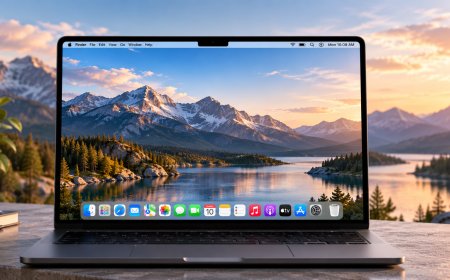
I compared Apple’s new MacBook Neo with a 15-inch MacBook Pro with an Intel Core i9 to see how far Apple Silicon has come in performance, battery life, heat, usability, and everyday value.
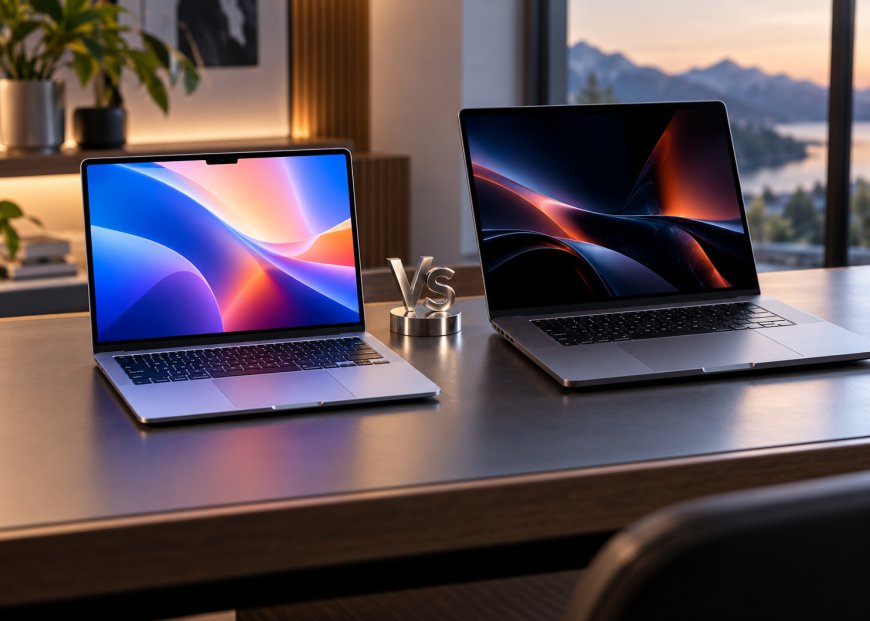
I wanted to see how far Apple has come since abandoning Intel, so I put the new MacBook Neo up against one of the most powerful 15-inch Intel MacBook Pros Apple ever sold. On paper, this should be an unfair comparison in the old Pro’s favour. The 15-inch 2019 MacBook Pro could be configured with an eight-core Core i9, cost thousands of dollars when new, had four Thunderbolt 3 ports and was explicitly built for professional users. The MacBook Neo, meanwhile, is Apple’s cheapest MacBook and runs on an A18 Pro, a chip architecture that comes from Apple’s mobile silicon rather than the traditional high-power laptop world.
After using both side by side, I came away much more impressed with the Neo than I expected. The old Core i9 MacBook Pro can still win some demanding workloads, and parts of it feel considerably more “Pro” than Apple’s entry-level machine. But the Neo is quieter, cooler, much better on battery, more pleasant to type on and surprisingly competitive in actual performance. The strangest part is that I rarely felt as though I was comparing a cheap Mac with an old flagship. In several areas, the cheaper computer felt newer and better.
The Intel MacBook Pro Still Looks Like the More Expensive Machine
The first thing I noticed was how much more substantial the old MacBook Pro feels. The 15-inch chassis has a larger footprint, a huge Force Touch trackpad, and the kind of slim aluminium design that defined peak Jony Ive-era Apple. Even years later, it still looks like a premium professional laptop.
The Neo is simpler. Its 13-inch body is smaller and easier to carry, but it doesn’t have quite the same presence next to the Pro. The older Pro also gives me four Thunderbolt 3 ports, while the Neo has only two USB-C connections, and only one of those operates at USB 3 speeds. That feels restrictive almost immediately when I connect fast storage, displays, and other accessories at the same time.
Then I start actually using the computers, and some of the nostalgia disappears.
The Intel model I tested has Apple’s butterfly keyboard, and I still do not like it. The keys barely move, and typing feels more like pressing rigid buttons into the chassis than using a proper keyboard. The Neo lacks keyboard backlighting, an annoying omission on a 2026 laptop, but I would still rather type on it because the keys have noticeably more travel and feel more natural under my fingers.
The Touch Bar Has Not Become Better With Age
I was curious whether revisiting the Touch Bar after several years would make me appreciate it more. It did not.
I understand what Apple was trying to accomplish. Giving applications a customizable strip of controls sounds clever, and shortcuts appearing directly above the keyboard can be useful in some situations. The problem is that I still prefer knowing exactly where my function keys are without looking down.
This MacBook Pro version also comes from the era when Apple removed the physical Escape key, which makes the design feel even more committed to an experiment that never fully justified the compromise.
The Neo’s regular function row is boring, but I prefer boring here. I can build muscle memory around physical keys, and nothing changes depending on which application happens to be open.
The Neo Display Looks Better Than I Expected
The old MacBook Pro still has a good Retina display. Apple rates the 15.4-inch panel at 500 nits with P3 wide colour and a 2880-by-1800 resolution, and the larger canvas remains useful when I edit video or try to keep several windows visible.
What surprised me is that I preferred the Neo screen for normal use.
Apple also rates the Neo at 500 nits, but its newer 13-inch Liquid Retina panel looked cleaner and more lively to me during the comparison. The text is sharp, the colours have plenty of energy, and the whole computer looks fresher. The smaller screen is a disadvantage for creative work, but the panel quality doesn’t feel remotely budget-grade.
The Neo also avoids one design element I’ve grown tired of on newer laptops: the display notch. The Intel Pro predates it, too, so both give me uninterrupted menu bars.
The Old MacBook Pro Easily Wins the Speaker Test
Audio is one category where I do not need much time to decide.
The 15-inch MacBook Pro sounds considerably better. It has more body, more space, and more authority, while the Neo’s smaller speakers are perfectly usable but clearly belong to a cheaper, more compact machine.
This matters more to me than it might sound. I use laptop speakers constantly for YouTube, quick music playback, calls, and reviewing edits without headphones. The Neo can do all of that, but moving immediately to the Intel Pro makes the sound feel larger and more convincing.
It is one of the few areas where the older machine still reminds me exactly why it originally occupied a much higher tier.
The Neo Webcam Is the One I Would Actually Want for Calls
The situation reverses when I turn on the webcams.
The old MacBook Pro camera looks dated immediately. Apple was still using a 720p FaceTime HD camera on this generation, and by current standards the image lacks detail.
The Neo has a 1080p FaceTime HD camera, and the difference is easy to see without zooming in or studying screenshots. My face has more definition, and the overall video looks much closer to what I expect from a current laptop.
I am not buying either machine purely for its webcam, but video calls are now such a routine part of using a computer that I notice this ageing much more in 2026 than I would have when the Intel Pro was new.
Intel Still Has More Connectivity, but the Neo’s Fast Port Is Properly Fast
I tested both machines with an external Thunderbolt SSD because buyers need to understand the Neo’s unusual port configuration.
When I connected the SSD to the Neo’s faster USB-C port, transfer speeds were surprisingly close to what I saw from the Intel MacBook Pro. For a single high-speed external drive, I didn’t feel like the cheaper computer was holding me back.
The problem is that the second Neo port is much slower. Apple officially lists one USB 3 USB-C port and one USB 2 USB-C port, with the latter topping out at 480Mb/s. If I accidentally connect fast storage to the wrong side, the difference is dramatic.
The Intel Pro does not make me think about any of this. Its four Thunderbolt 3 ports offer a class of high-speed connection, and that flexibility still matters when you have several peripherals.
This is one of the clearest reminders that the Neo is still an entry-level Mac no matter how well it performs.
Video Editing Was Much Closer Than It Had Any Right to Be
Video editing is where I expected the Core i9 machine to put the Neo back in its place.
The Intel MacBook Pro has active cooling, a high-power eight-core processor and, depending on configuration, discrete Radeon graphics. Apple sold this hardware to people doing genuinely demanding professional work.
Yet in the 1080p project I tested, the gap was far smaller than that history suggests.
The Intel Pro handled the project well and benefited from its bigger screen, but the Neo was also smooth enough that I could realistically edit on it. More complicated timelines still show this isn’t a MacBook Pro replacement. Still, the fact that a fanless entry-level Mac can sit beside an old Core i9 workstation without embarrassing itself says more about Apple Silicon than any marketing slide could.
For basic editing and occasional 4K work, I would be perfectly comfortable using the Neo. If video editing were my full-time job, I would buy a modern MacBook Pro rather than either of these.
Gaming Exposed: Just How Much Has Changed. I wouldn’t choose either laptop primarily for gaming, but this test produced one of the funniest results.
The old Intel MacBook Pro had louder fans and a more traditionally powerful laptop architecture, yet Cities: Skylines ran more smoothly on the Neo for me. The Intel machine became hot and noisy surprisingly quickly while struggling with tasks the newer fanless laptop handled more comfortably.
That does not mean the Neo is suddenly a gaming laptop. macOS remains a limiting factor for the game library, and some titles will not run on one architecture or the other.
What surprised me was the efficiency. The Neo didn’t sound like it was preparing for takeoff just to run a game.
The Benchmarks Explain Why the Real-World Result Feels So Strange
Cinebench gave the old Core i9 machine its strongest moment.
In the multi-core test, the Intel MacBook Pro scored 1,804 points compared with 1,518 for the Neo. That is a legitimate win for the older machine, and it shows that eight high-power Intel cores can still produce respectable throughput when the workload uses all of them.
Single-core performance completely reversed the result. The Neo finished at 530 compared with only 281 for the Intel Pro in the test I ran.
That result lines up much more closely with how the computers feel during ordinary use. Most of the time I am not rendering something across every available CPU core. I open applications, load pages, interact with interfaces, and switch between tasks, where stronger single-core performance makes the newer machine feel much quicker than its position in Apple’s lineup would suggest.
The Temperature Difference Is Almost Comical
Performance gets even more interesting when you consider what each laptop has to do to achieve it.
The Intel Pro gets hot. Very hot.
During the sustained benchmark, its fans became impossible to ignore, and the thermal camera showed how much heat the chassis was trying to shed. This MacBook generation is notorious for trying to fit high-power Intel processors into an extremely thin enclosure, and my test reminded me why those machines earned that reputation.
The Neo does not even have a fan.
Apple designed it around the A18 Pro, and during the same general testing it remained dramatically quieter and cooler. That changes the character of using the laptop. I can run it on my lap without constantly thinking about temperature, and there is no fan noise arriving the moment I give it something difficult to do.
For everyday ownership, I value that much more now than I did when I looked at specs first.
Battery Life Is a Blowout, With One Important Caveat
The Neo destroyed the Intel MacBook Pro on battery life during my testing, but this is also the least fair comparison in the review.
My Intel machine was purchased secondhand. Its battery has years of age and use, so I wouldn’t present its endurance as representative of what the laptop achieved when it was new.
Even with that caveat, the contrast is useful because this is how many people would actually encounter these computers today. You are not choosing between two brand-new machines. You are choosing between a new Neo and an Intel Mac that has probably spent years being charged, discharged and heated repeatedly.
Apple rates the new MacBook Neo for up to 16 hours of video streaming. My used Intel Pro was reaching for a charger while the Neo still had most of its battery remaining.
That difference alone would make me think very carefully before buying an old Intel Mac simply because it originally cost more.
Eight Gigabytes of Memory Is the Neo’s Biggest Weakness
One limitation could still stop me from buying the Neo: its 8GB of unified memory.
For basic web browsing, documents, video streaming and light creative work, I can live with it. When I start using memory-heavy workloads, like virtual machines through Parallels, the limitation becomes much more apparent.
That is why I would not automatically tell everyone to buy a new Neo instead of an older MacBook Air or MacBook Pro. Depending on local used prices, an M1 or M2 Mac with 16GB of memory can be a much smarter purchase for development work, virtualization, or heavier multitasking.
The Neo is impressive because of what it accomplishes with modest hardware. That does not make 8GB suddenly ideal for every workload.
My Verdict: I Would Take the Neo
Before testing these computers, I expected the Intel MacBook Pro to feel old but still fundamentally more capable. It was once one of Apple’s most expensive portable Macs, while the Neo exists specifically to lower the price of getting into a Mac.
Instead, the comparison showed me how completely Apple Silicon changed the balance.
The Intel Pro still gives me better speakers, more high-speed ports, a bigger screen and stronger multi-core performance in the benchmark I ran. It also has a more overtly premium feel that I still appreciate.
But those victories come with heat, fan noise, terrible battery life on this aged unit and a butterfly keyboard I have no desire to return to. The Neo feels quicker in everyday use, has a brighter, newer-looking display, a better webcam, a more comfortable keyboard, and enough performance for far more work than I expected from Apple’s cheapest laptop.
If both were sitting in front of me and I had to choose one to use every day, I would take the Neo.
The Core i9 MacBook Pro is still the more historically interesting machine. The MacBook Neo is the one I would actually want to carry.
What's Your Reaction?
 Like
0
Like
0
 Dislike
0
Dislike
0
 Love
0
Love
0
 Funny
0
Funny
0
 Angry
0
Angry
0
 Sad
0
Sad
0
 Wow
0
Wow
0