































Kindle users jailbreak older devices after Amazon drops support
Users are increasingly jailbreaking older Kindle devices after Amazon ended support for ageing models, allowing access to custom features and software.
Amazon’s decision to discontinue technical support for several older Kindle models has sparked a wave of users turning to jailbreak their devices to keep them functional beyond basic offline reading.
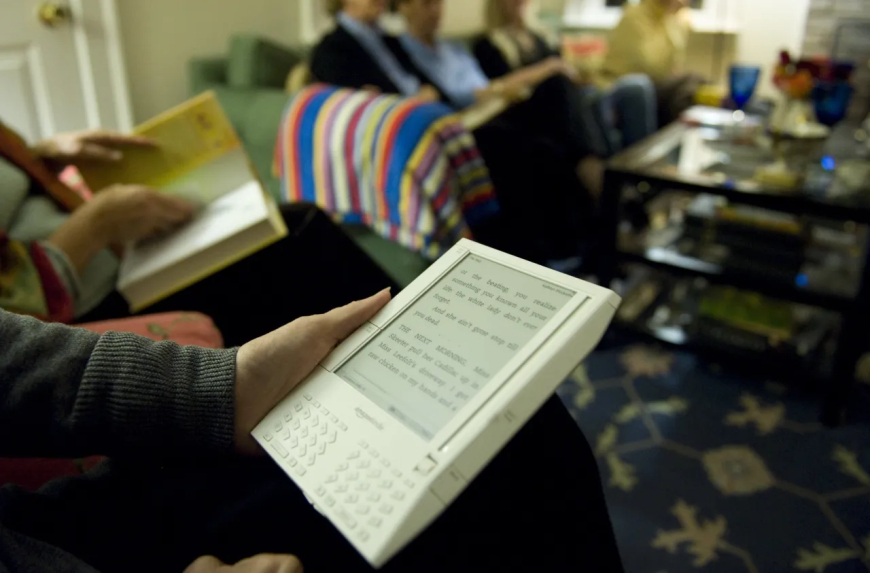
Starting May 20, Amazon will officially end support for a long list of ageing Kindle and Fire devices. Once support ends, users of these devices will no longer be able to access online services tied to Amazon’s ecosystem. Instead, the devices will only be able to read books and content that have already been downloaded locally.
The Kindle models affected include:
- Kindle 1st Generation
- Kindle 2nd Generation
- Kindle DX
- Kindle DX Graphite
- Kindle Keyboard
- Kindle 4
- Kindle 5
- Kindle Touch
- Kindle Paperwhite 1st Generation
- Kindle Fire 1st Generation
- Kindle Fire 2nd Generation
- Kindle Fire HD 7
- Kindle Fire HD 8.9
As a result, many longtime Kindle users are now considering jailbreaking their devices to extend usability rather than replacing hardware that still works properly.
Jailbreaking a Kindle involves bypassing Amazon’s software restrictions to unlock additional functionality on the device. Once modified, users can install custom fonts, alternative screensavers, third-party reading applications, and other tools that Amazon does not officially support.
At the same time, users should understand that jailbreaking may violate Amazon’s terms of service. While jailbreaking for personal use is generally not treated as a criminal offence in many regions, legal concerns can arise if it involves copyright violations, unauthorised software distribution, or the sale of modified hardware.
This information is intended strictly for educational and informational purposes. Users should make sure they comply with local laws and understand the risks before attempting any modifications.
How users are jailbreaking older Kindle devices
A large portion of the Kindle community views jailbreaking as a practical way to maintain ownership and control over devices they purchased years ago that still function well for reading.
The process is technical, however, and it carries real risks. In some cases, mistakes during installation can permanently damage a device and render it unusable. Compatibility is another major limitation, since not every Kindle model or firmware version supports available jailbreak methods.
Before attempting anything, users generally first verify whether their Kindle model and software version are compatible with the available jailbreak tools.
After confirming compatibility, users commonly follow several steps:
- Turn off Wi-Fi or enable aeroplane mode to prevent Amazon from pushing software updates that could block jailbreak exploits.
- Download jailbreak packages from trusted online communities and forums. Users are often advised to avoid unknown sources due to the possibility of malicious or unsafe files. The MobileRead Forum is widely considered one of the more trusted communities for Kindle modifications.
- Download the Kindle jailbreak ZIP package, including the hotfix files required to preserve jailbreak access after installation.
- Connect the Kindle to a computer using a USB cable and transfer the required files.
.binfiles into the main Kindle directory. Users then either enter.;log mrpiinto the Kindle search bar or navigate to the settings menu and select “Update Your Kindle” to begin the installation process. - Install the Kindle Unified Application Launcher (KUAL), which acts as a management interface for apps, tweaks, and customisations on jailbroken Kindles.
Many users also install KOReader, a widely used open-source reading application for modified Kindle devices. KOReader adds support for additional file formats, including EPUB files, while also improving PDF reading capabilities and offering a built-in file management system.
Risks and downsides of jailbreaking
Although jailbreaking gives users more flexibility and control, it also introduces several trade-offs.
Using unofficial software can sometimes create system instability, including application crashes, software conflicts, and performance issues. In more serious situations, the device may stop functioning entirely if the installation process fails.
Battery life can also be negatively affected when running third-party apps and background modifications that Amazon has never optimised for Kindle hardware.
For users who do not want to modify their devices, manually sideloading books via a USB cable and computer remains a safer alternative. This method still allows readers to transfer content onto unsupported Kindle devices without altering the operating system.
Meanwhile, users considering replacement hardware now have access to a growing number of alternative e-readers on the market. Options include devices such as the Boox Palma, the Vivlio e-reader, and the compact Xteink X3, which attaches to the back of a smartphone.
What's Your Reaction?
 Like
0
Like
0
 Dislike
0
Dislike
0
 Love
0
Love
0
 Funny
0
Funny
0
 Angry
0
Angry
0
 Sad
0
Sad
0
 Wow
0
Wow
0