























Best Local AI Models You Can Run on a Laptop
Find the best local AI models for laptops, from lightweight Phi-4 and Qwen3.5 options to Gemma 4, GPT-OSS, and Ministral 3 for private offline AI use in 2026.
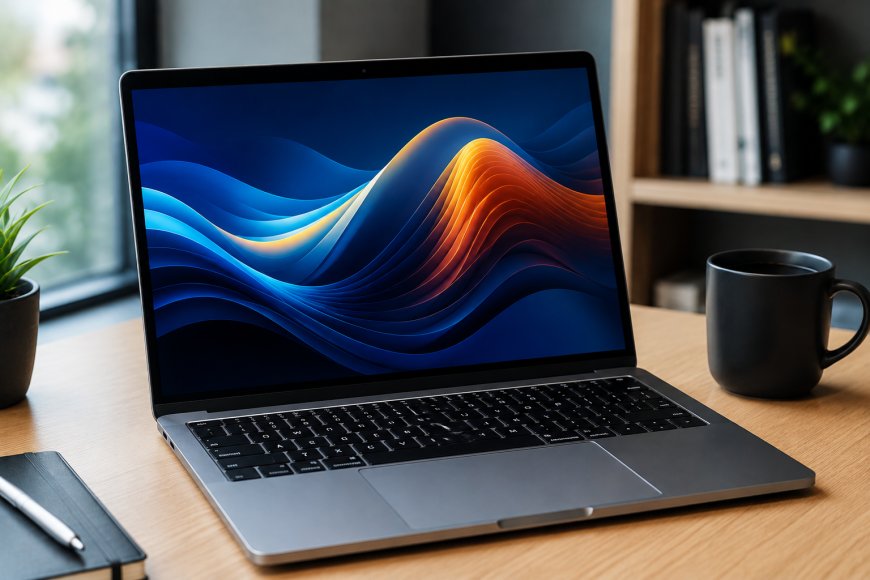
Running a capable AI model no longer requires sending every prompt to a cloud service. A growing number of open-weight, openly available models can run directly on a laptop, giving users more control over privacy, cost, and how their data is handled.
The biggest change is efficiency. Newer small and medium-sized models are being designed specifically for local and edge hardware, while quantisation can reduce the memory required to load larger models. Google, OpenAI, Microsoft, Mistral and Qwen now offer models that make local AI practical on hardware ranging from ordinary laptops to higher-end machines with dedicated GPUs or large amounts of unified memory.
There is no single model that is best for every laptop. A smaller model may be much faster on an 8GB or 16GB computer, while a larger model can provide stronger reasoning or coding performance if the machine has enough RAM or VRAM.
Gemma 4: One of the strongest choices for everyday local AI
is Google’s Gemma 4 family, which is particularly well suited to local use because it comes in several sizes designed for different hardware classes.
Gemma 4 includes E2B, E4B, 12B, 26B, A4B and 31B variants. Google describes the smaller E2B and E4B versions as models intended for mobile, edge and browser deployment, while the 12B model targets more capable multimodal workloads.
The memory numbers make the smaller models especially interesting for laptop owners. Google’s estimates put a Q4_0 version of Gemma 4 E2B at about 2.9GB of memory for the model itself, while E4B requires roughly 4.5GB. Gemma 4 12B rises to about 6.7GB in Q4_0 form. Those numbers cover model loading and do not include all additional memory required by the runtime or longer context windows.
Gemma 4 also supports reasoning, image input and function calling. Selected versions also support audio and video. Google provides GGUF checkpoints intended for tools such as llama.cpp and LM Studio, making the family relatively approachable for local users.
Best for: General chat, summarisation, document work, multimodal tasks and users looking for a modern model that scales across different laptop configurations.
Qwen3.5 4B and 9B: Strong options for multilingual and general-purpose use
Qwen’s model lineup has expanded rapidly. The company released Qwen3.5 models in 0.8B, 2B, 4B and 9B sizes in March 2026, alongside much larger versions of the same generation.
For laptop use, the smaller Qwen3.5 versions are more relevant than the company’s newer 27B and very large mixture-of-experts models.
Qwen says the Qwen3.5 generation uses a hybrid architecture and was trained as a unified vision-language model. The family also expanded support to 201 languages and dialects, making it especially interesting for users who regularly work outside English.
The 4B version is the more practical place to start on modest hardware. The 9B model offers another option for users willing to trade additional memory and processing requirements for a larger model.
Qwen has since released Qwen3.6 and, most recently, Qwen3.8. The latest Qwen3.8 open release includes a 27B model, but that size makes it considerably less convenient for an average laptop than Qwen3.5’s smaller variants.
Best for: Multilingual conversations, general-purpose assistance, vision-language workloads and users who want a compact Qwen model.
gpt-oss-20b: OpenAI’s local reasoning model
OpenAI’s gpt-oss-20b is one of the more significant options for users with relatively powerful laptops.
OpenAI released gpt-oss in 20B and 120B variants as open-weight reasoning models intended for both local systems and data centres. According to OpenAI, gpt-oss-20b can operate with 16GB of memory, putting it within reach of some modern laptops and desktops.
The larger gpt-oss-120b is a very different proposition and requires considerably more powerful hardware. For personal local use, the 20B model is the practical option.
A laptop with 16GB of memory is effectively at the lower end of OpenAI’s stated memory target, so other applications, context length and the local inference software can still affect the experience. Machines with more available memory will have greater operating headroom.
Best for: Local reasoning, experimentation, private workflows and users with 16GB or more memory who want to run an OpenAI open-weight model.
Ministral 3: Built with local deployment in mind
Mistral’s Ministral 3 family includes 3B, 8B and 14B models. Mistral describes all three as models built for edge or local deployment, making the lineup a natural fit for laptop users.
The 3B model is the most attractive starting point for hardware with limited resources. The 8B version provides a middle ground, while the 14B model targets users who have substantially more available memory or GPU capacity.
The Ministral 3 family supports both text and vision, and Mistral lists a context capacity of up to 256K for these models. Actual usable context on a laptop may need to be kept much lower because longer contexts increase memory consumption during inference.
For users who want a relatively compact multimodal model without jumping directly to a 20B or 30B-class model, Ministral 3 is one of the more flexible families available.
Best for: Local assistants, image understanding, document analysis, and users who want a choice among 3B, 8B, and 14B model sizes.
Microsoft Phi-4: A small-model option for limited hardware.
Microsoft’s Phi family remains focused on getting useful AI capabilities into smaller models.
Phi-4-mini is designed for natural-language instructions and reasoning, while Phi-4-multimodal can process text, audio and images. Microsoft also positions Phi models for scenarios where computing resources are constrained.
Microsoft has also expanded the Phi-4 family with specialised reasoning models. Phi-4-mini-flash-reasoning, for example, is a 3.8B-parameter model designed for math reasoning and latency-sensitive applications. Microsoft says it is optimised for edge, mobile and real-time use cases.
Phi models make sense when responsiveness and efficiency matter more than running the largest model possible.
Best for: Smaller laptops, reasoning experiments, education, lightweight assistants and developers building on-device AI applications.
DeepSeek-R1 Distil: A compact route to reasoning models
The full DeepSeek-R1 model is far too large for a normal laptop, but DeepSeek also released distilled versions that are substantially smaller
The official lineup includes 1.5B, 7B, 8B, 14B, 32B and 70B distilled models based on Qwen and Llama architectures. For laptop users, the 1.5B, 7B and 8B variants are the most realistic candidates.
DeepSeek created these models by fine-tuning smaller open models using reasoning data generated by DeepSeek-R1. They are therefore different from running the complete R1 model locally.
The 7B Qwen-based version and 8B Llama-based version can be useful choices for people primarily interested in local reasoning and problem-solving without loading a much larger model.
Best for: Reasoning, math, coding experiments and users who want a smaller version of the DeepSeek-R1 approach.
Which local AI model should you choose?
For a laptop with limited memory, starting small usually produces a better experience than forcing a large model onto the system.
For lightweight local use, Gemma 4 E2B or E4B, Phi-4-mini, Ministral 3 3B, and Qwen3.5 4B are sensible starting points.
Users with more memory can move toward Gemma 4 12B, Ministral 3 8B or 14B, Qwen3.5 9B and DeepSeek-R1 distilled models.
For systems with at least 16GB of available memory and a focus on reasoning, gpt-oss-20b is particularly notable because OpenAI explicitly designed the 20B version for local and on-device deployment and states that it can run with 16GB of memory.
Users should also consider what they actually want the model to do. A smaller model may be perfectly adequate for summarising documents, drafting text or answering basic questions. Coding, long-context document analysis, complex reasoning and multimodal workloads can benefit from larger models, but they also increase memory requirements and can reduce generation speed.
What software can run local AI models?
Downloading model weights is only part of the process. Users also need an inference application that loads the model and provides a way to interact with it.
Ollama is one of the simplest options for using local models via the command line and applications. Google’s own Gemma documentation includes instructions for running Gemma with Ollama, including on laptops and other small computing devices.
LM Studio provides a desktop interface for downloading and running compatible local models. Google’s Gemma 4 documentation specifically provides GGUF builds intended for llama.cpp and LM Studio.
llama.cpp is another widely supported local inference option, particularly useful for quantised GGUF models.
The best runtime can vary according to the operating system and hardware. Apple Silicon laptops benefit from unified memory, while Windows and Linux systems with dedicated NVIDIA GPUs can use GPU acceleration when the runtime supports it.
Why run AI locally?
Privacy is one of the clearest reasons. When a model and its inference software operate entirely on the device, prompts do not need to be sent to a remote model provider to generate an answer.
Local models can also work without a continuous internet connection after the required files have been downloaded. There are no per-token API charges for normal local inference, although the laptop still consumes electricity and hardware resources.
There are trade-offs. Local models can take several gigabytes or tens of gigabytes of storage, large models may run slowly, and a cloud model backed by much larger computing infrastructure may still provide better results for particularly demanding tasks.
The useful question is therefore not whether a laptop can run the largest available AI model. It is which model provides enough capability for the task without overwhelming the hardware.
For many users, the current generation of compact models has made that balance far easier to achieve.
What's Your Reaction?
 Like
0
Like
0
 Dislike
0
Dislike
0
 Love
0
Love
0
 Funny
0
Funny
0
 Angry
0
Angry
0
 Sad
0
Sad
0
 Wow
0
Wow
0