















YouTube Lets Creators Tag Amazon Products and Earn Purchase Commissions
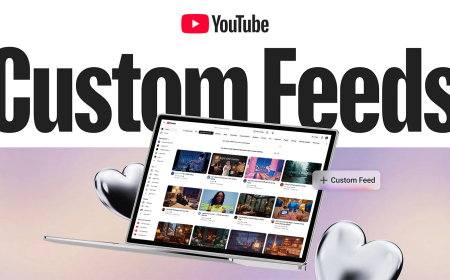
YouTube lets eligible U.S. creators tag Amazon products in videos and earn commissions from purchases through its Shopping Affiliate Program.
YouTube is expanding its creator monetization tools by allowing eligible U.S. creators to tag Amazon products directly in their videos and earn commissions when viewers make qualifying purchases.
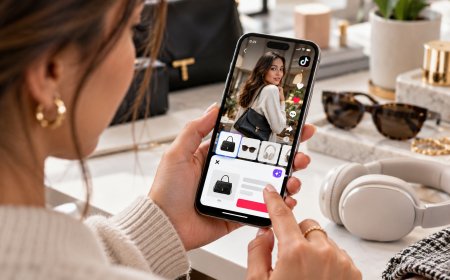
The update adds Amazon’s marketplace to YouTube’s Shopping Affiliate Program, allowing creators to feature products in Shorts, long-form videos, and livestreams without relying on manually added affiliate links in descriptions.
Previously, creators promoting Amazon products often had to share external affiliate links and rely on viewers clicking them before making purchases. With the new integration, YouTube says creators can tag products directly within their content, creating a more seamless shopping experience.
Through the program, Amazon will provide YouTube with a curated catalogue of popular and frequently requested products that creators can tag. If a creator cannot find a specific item, they can request its addition through YouTube Support.
The feature also includes an optional auto-tagging system. When enabled, YouTube can review a creator’s recent uploads and automatically tag eligible Amazon products.
Creators will see their overall daily earnings in YouTube Studio but will not receive detailed breakdowns for individual products or specific videos. If a viewer returns a purchased item, the related commission will be deducted from the creator’s balance.
Currently, only eligible creators in the U.S. can add Amazon product tags, but viewers worldwide can see those tags. YouTube says it may link tagged products to trusted local merchants’ offers for eligible international purchases, while purchases directed to Amazon’s U.S. website can still generate commissions.
To access the feature, creators must be enrolled in YouTube’s Partner Program and Shopping Affiliate Program, maintain an active Amazon Influencer or Associates account, and connect that account to their YouTube channel.
What's Your Reaction?
 Like
0
Like
0
 Dislike
0
Dislike
0
 Love
0
Love
0
 Funny
0
Funny
0
 Angry
0
Angry
0
 Sad
0
Sad
0
 Wow
0
Wow
0