

































Best Free AI Tools for Students With No Credit Card Required
Discover the best free AI tools for students with no credit card required, covering research, writing, studying, summaries, homework help and productivity.
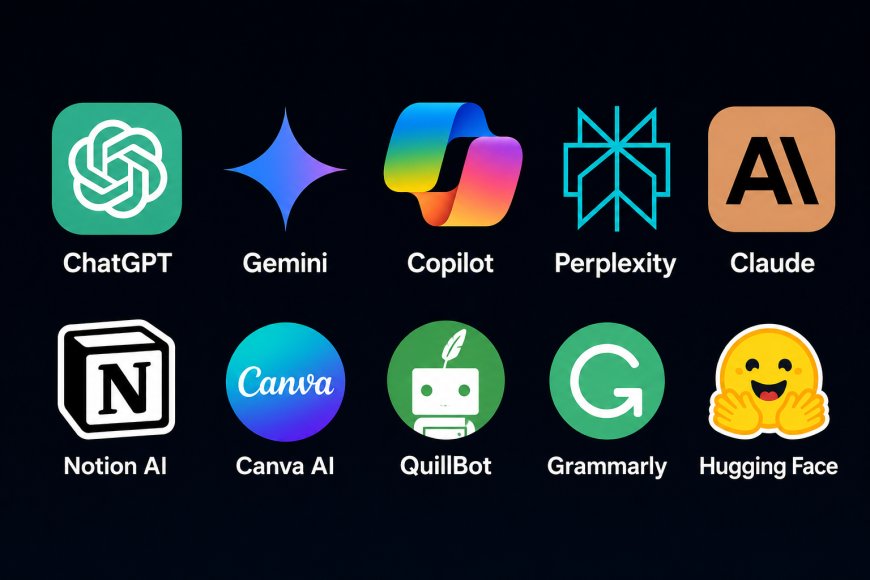
Students do not need an expensive AI subscription to get useful help with studying, research, writing, note-taking and exam preparation. Several major AI platforms offer genuinely usable free versions, allowing students to start without paying for a monthly plan.
That matters because the best student AI tool is not necessarily the one with the longest feature list. A research assistant, writing checker or study tool that can be used regularly for free may be more useful than a premium service that becomes inaccessible after a short trial.
The tools below all have a free access option. Paid upgrades are available on most of them, but students can use the core free service without buying a subscription.
1. ChatGPT: Best All-Around Free AI Assistant
ChatGPT is one of the easiest places for students to start. OpenAI continues to offer a Free plan that is available to everyone, although free accounts have lower usage limits than paid plans.
For students, its biggest strength is versatility. The same conversation can be used to break down a difficult concept, generate practice questions, explain an equation, summarise uploaded material, brainstorm an essay structure or review a draft.
A useful approach is to treat ChatGPT as a tutor rather than simply asking it to produce an answer. A student studying economics, for example, can ask for an explanation of inflation at three difficulty levels and then request a short quiz based on the explanation.
It is also useful for turning rough notes into a study plan or identifying concepts that need additional revision.
Best for: General studying, explanations, brainstorming, practice questions and academic organisation.
Free access: Yes. OpenAI offers a dedicated ChatGPT Free tier.
2. Google NotebookLM: Best for Studying Your Own Course Material
NotebookLM has a different approach from a normal chatbot. Instead of beginning with a blank conversation, students can give it their own source material and work from those documents.
Google describes NotebookLM as an AI-powered research assistant that can work with material including PDFs, websites and documents. It can answer questions based on those sources and help users organise information.
This makes it particularly useful before exams. Students can place lecture material, reading notes, and other course sources in a notebook and use them to create a more focused study environment.
NotebookLM can also generate flashcards and quizzes from documents. Google has added Learning Guide features designed to help users explore subjects more deeply rather than simply receiving a finished answer.
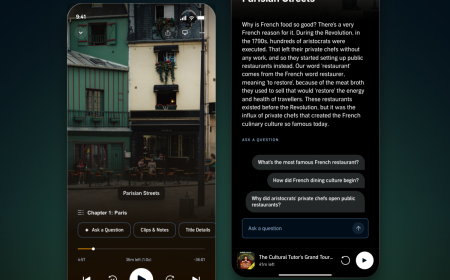
Another useful feature is Audio Overviews, which can turn source material into an audio discussion. Google has expanded Audio Overviews to more than 50 languages.
There are higher-limit paid versions, but Google maintains standard NotebookLM access separately from its upgraded plans.
Best for: Lecture notes, PDFs, exam revision, flashcards, quizzes and source-based studying.
3. Perplexity: Best Free AI Tool for Research
Perplexity is particularly useful when a student needs to research information rather than rely solely on uploaded notes.
The service describes itself as a free, AI-powered answer engine and offers a Standard free plan alongside its paid subscriptions.
Its main advantage for academic research is the discovery of sources. Instead of returning only a block of generated text, Perplexity can surface references connected to its responses.
That does not mean students should automatically cite Perplexity itself in an academic paper. A better workflow is to use it to locate potentially useful sources, open those sources, check the original material and cite the actual publication, research paper or official document.
It can be especially helpful at the beginning of a project when a student is trying to understand an unfamiliar topic and identify the terminology needed for deeper research.
Best for: Web research, source discovery, current information and building an initial reading list.
Free access: Perplexity offers a Standard Free plan.
4. Claude: Best for Reading and Explaining Complex Material
Claude is another strong general-purpose assistant for students, particularly when the task involves explaining information or working through lengthy material.
Anthropic currently offers Claude Free for $0, with lower usage capacity than its paid plans. Its own support documentation describes the Free plan as suitable for occasional use.
For students, Claude can be useful for breaking down a complicated reading into clearer language, discussing arguments in an essay, creating study questions, or helping organise an outline.
It can also be useful when a student understands individual facts but is struggling to see how they connect. Asking the model to compare two theories or explain the relationship between several concepts can make revision more interactive.
Anthropic confirms that users can continue using the free version of Claude without subscribing to a paid plan.
Best for: Reading assistance, explanations, long-form material, brainstorming and structured writing help.
5. Google Gemini: Best for Students Already Using Google
Students who already rely heavily on Google’s ecosystem may find Gemini convenient because it uses the same Google account they already have.
Google currently lists a $0-per-month Gemini option with a Google Account, while higher-limit and more advanced access is available through paid Google AI plans.
The free Gemini app can help with writing, planning, brainstorming and other general AI tasks.
For study use, this can include generating revision questions, simplifying technical language, planning a research project, or creating an outline for a topic.
Gemini and NotebookLM should not necessarily be viewed as replacements for each other. Gemini is better suited to open-ended conversations and general assistance, while NotebookLM is particularly useful when a student wants answers grounded in a selected set of study sources.
Best for: General assistance, brainstorming, writing, study planning, and students already using Google services.
6. Microsoft Copilot: Best Free Option Without Even Signing In
Microsoft Copilot has one particularly useful advantage for students who want quick AI access: Microsoft says the basic Copilot service is available at no cost and does not require users to sign in for basic use.
Signing in with a personal Microsoft account adds features such as chat history, longer conversations, image creation and voice interactions, according to Microsoft.
For students working on a shared or temporary computer, being able to ask basic questions without immediately setting up another subscription can be convenient.
Copilot can assist with explanations, brainstorming, writing and general questions. Students who already use Windows or Microsoft services may also find its interface familiar.
The free Copilot service should not be confused with the paid Copilot features included in some Microsoft 365 subscriptions.
Best for: Quick questions, explanations, brainstorming and students who prefer Microsoft’s ecosystem.
Free access: Yes. Microsoft says Copilot is available at no cost, and basic use does not require sign-in.
7. Grammarly Free: Best for Improving Student Writing
Generative chatbots can help develop ideas, but students still need tools that focus specifically on the quality of their own writing.
Grammarly continues to provide a Free plan priced at $0. Its free service includes writing assistance such as mistake detection and tone feedback, while the current free plan also includes a limited number of AI prompts.
That makes it useful for essays, reports, emails to professors, scholarship applications and other writing where students want to catch obvious language problems before submitting their work.
The important distinction is that Grammarly does not have to write an assignment for the student. It can instead act as an editing layer over something the student has already written.
For academic work, that is often the more valuable use of AI because the student remains responsible for the argument, research and final wording.
Best for: Grammar, clarity, tone and proofreading student writing.
Free access: Grammarly lists an individual Free plan at $0.
8. QuillBot Free: Best for Paraphrasing and Summarising Short Text
QuillBot can be useful when a student is editing awkward wording or trying to understand how to express the same idea more clearly.
Its current free account includes Standard and Fluency paraphrasing modes, several synonym settings and limited paraphrasing and summarisation. QuillBot also currently includes a limited number of AI Chat queries in free accounts.
The free version is intentionally restricted compared with the Premium version, but it can still handle many small, everyday editing tasks.
Students should be careful with paraphrasing tools when working with academic sources. Changing the wording of another author’s argument does not remove the need to cite that source. QuillBot is better used to improve a student’s own sentences or experiment with clarity than to disguise copied material.
Best for: Sentence rewriting, short summaries, clarity and editing.
Free access: QuillBot offers a Free plan that users can sign up for.
Which Free AI Tool Is Best for Students?
There is little reason to choose only one.
A practical student setup can use different tools for different stages of an assignment.
Use Perplexity to locate information and potential sources.
Use NotebookLM to study course documents and create revision material.
Use ChatGPT, Claude or Gemini when a concept needs a clearer explanation or when you want to brainstorm ideas.
Use Grammarly to check the final draft for writing problems.
Use QuillBot selectively when a sentence needs to be rewritten more clearly.
Students who want an AI assistant without immediately creating another account can also use Microsoft Copilot, since Microsoft allows basic free access without signing in.
Free Does Not Mean Unlimited
The main limitation of free AI tools is usage.
Companies generally reserve higher message limits, additional models, larger uploads or advanced features for paying customers. ChatGPT’s Free tier has usage restrictions, Claude describes its free plan as having limited capacity, and Google offers paid upgrades that increase access beyond its free services.
For many students, those limits are manageable if AI is being used for specific study tasks rather than continuously throughout the day.
Free-plan limits can also change. Students should check the current plan page before relying on a particular feature for an important project.
Use AI as a Study Tool, Not a Substitute for Studying
AI is most useful when it increases understanding.
Ask it to explain why an answer is correct. Request another example when a concept is unclear. Generate practice questions and answer them yourself before checking the solution. Compare an AI explanation with your textbook, lecture material and primary sources.
For research assignments, verify factual claims against the source. AI systems can make mistakes, misinterpret context or provide information that is no longer current.
Students should also follow their school or university’s rules on AI-assisted work. A tool that is acceptable for brainstorming or grammar checking may not be permitted to generate text submitted as a student’s own work.
Used carefully, free AI tools can provide a useful combination of tutoring, research assistance, revision support and writing feedback without requiring students to commit to another paid subscription.
What's Your Reaction?
 Like
0
Like
0
 Dislike
0
Dislike
0
 Love
0
Love
0
 Funny
0
Funny
0
 Angry
0
Angry
0
 Sad
0
Sad
0
 Wow
0
Wow
0