




































Best AI Agents That Can Control a Web Browser in 2026
Compare the best AI browser agents in 2026, including ChatGPT, Claude, Comet and Browser Use, for web automation, research and multi-step online tasks.
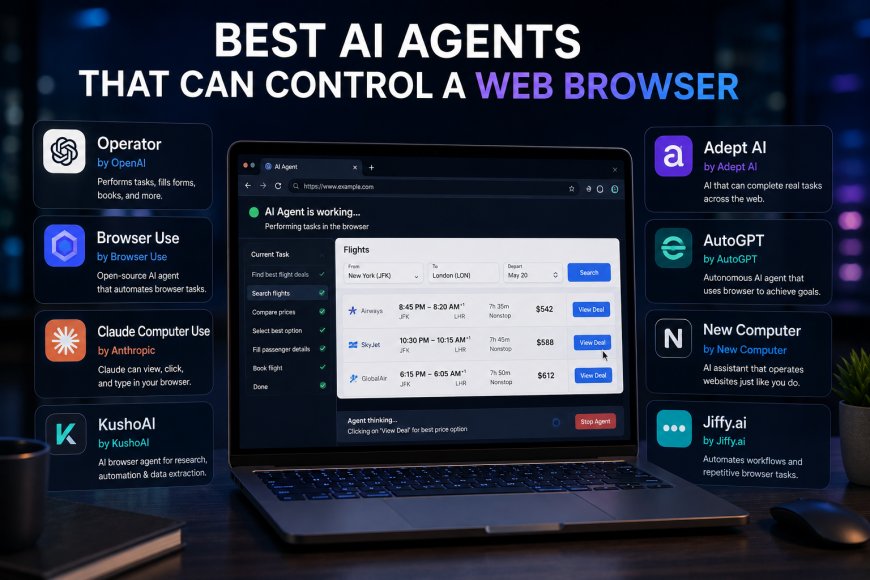
AI assistants are moving beyond answering questions. The newest generation of AI agents can now open websites, navigate pages, click buttons, fill forms, work across tabs and complete multi-step web tasks with far less manual input.
That shift is turning the web browser into one of the most important environments for AI agents.
Instead of asking an AI how to complete something online, users can increasingly ask the agent to do the browsing itself.
The category is evolving quickly, however, and not every browser agent works the same way. Some are built for everyday consumers, while others target developers who want to automate websites programmatically.
Among the strongest options in 2026 are ChatGPT’s browser capabilities, Claude in Chrome, Perplexity Comet and developer-focused browser automation platforms.
1. ChatGPT: Best Overall for Browser Tasks
ChatGPT has become one of the most capable options for users who want an AI assistant to perform web tasks rather than explain them.
OpenAI originally introduced Operator, a standalone browser agent capable of visually interacting with websites by clicking, typing, and scrolling. Operator was later integrated into ChatGPT rather than continuing as a separate product.
OpenAI has continued expanding those capabilities.
ChatGPT now offers browser workflows through both remote cloud browsing and a built-in browser in its desktop experience. The desktop browser can work across tabs, interact with pages and download files while allowing the user to watch what is happening.
That makes it useful for tasks such as researching products, collecting information from multiple websites, navigating web tools, entering information into supported fields, and completing repetitive browser tasks.
Why ChatGPT Stands Out
The biggest advantage is that browser interaction can be combined with ChatGPT’s broader reasoning and productivity capabilities.
An agent does not necessarily have to stop after finding information. It can potentially use that information as part of a larger workflow.
OpenAI’s built-in desktop browser can also work across multiple tabs. For tasks that require an existing Chrome profile, OpenAI directs users to its Chrome integration rather than the browser’s separate internal session.
The cloud browser has tighter restrictions. OpenAI says it currently works on supported public pages and does not accept credentials, sign in to websites, or complete payments.
Best for: General browser automation and multi-step AI workflows
2. Claude in Chrome: Best for Working Inside Your Existing Browser
Anthropic takes a particularly direct approach with Claude in Chrome.
Instead of sending every browsing job to a completely separate browser environment, Claude can operate alongside the pages already open in Chrome.
Anthropic says Claude in Chrome can read, click, type, navigate and fill forms on websites. It is available across Claude’s paid plans, although the Chrome extension itself remains in beta.
This creates an interesting advantage for professional workflows.
Claude can work with several tabs, pull information from pages and interact with websites that require the user’s existing logged-in browser session.
It can also integrate with Claude Code.
A developer can build an application using Claude Code and then allow Claude to inspect the running website, examine console errors, monitor network requests, and verify the interface in Chrome.
Where Claude in Chrome Is Particularly Strong
Claude is well-suited to browser tasks that involve substantial reasoning.
For example, a user could ask it to gather information across several pages, compare what it finds and then use that material in another Claude workflow.
Anthropic also connects Chrome with Claude Cowork, allowing browser research to feed into deliverables such as reports, spreadsheets and presentations.
That makes Claude particularly interesting for research, administrative work and developer workflows.
There is an important security trade-off. Anthropic explicitly warns that allowing an AI to interact directly with websites carries risk and recommends reviewing its browser-safety guidance before using the feature.
Best for: Chrome users, research and browser-assisted development
3. Perplexity Comet: Best AI-First Browser for Research
Perplexity has approached the problem from the opposite direction.
Instead of adding an agent to a traditional AI chat interface, it built an AI-focused browser called Comet.
Comet is based on Chromium and combines normal web browsing with Perplexity’s AI capabilities. It supports conventional browser features including bookmarks, page translation and most Chrome extensions.
The important difference is that AI is built into the browsing experience.
This makes Comet especially attractive for users who spend much of their day researching information online.
Rather than constantly moving between a search engine, browser tabs, and an AI assistant, users can perform more of the research process in a single environment.
Where Comet Makes Sense
Comet is particularly suited to:
- web research
- comparing information across pages
- summarizing website
- organizing browsing sessions
- AI-assisted navigation
- research-heavy productivity
For people primarily interested in discovering and understanding information rather than automating developer workflows, that approach can be more natural than using a standalone automation agent.
Best for: Research-heavy everyday browsing
4. Browser Use: Best for Developers Building Their Own Agents
Consumer browser agents are only one side of this market.
Developers increasingly want infrastructure that lets them build their own browser-controlling AI agents.
Browser Use is one of the prominent projects targeting that need.
Instead of giving users a finished consumer browser, tools in this category enable developers to integrate AI models with browser automation and create agents tailored to specific workflows.
That can be useful for tasks such as:
- website testing
- repetitive administrative workflows
- structured web research
- data collection
- internal business systems
- custom autonomous agents
The biggest advantage is control.
Businesses can decide which models their agents use, which websites they interact with,h and how the surrounding automation system operates.
The trade-off is complexity: a typical consumer can start using ChatGPT or Claude without having to build infrastructure. Developer-oriented browser agents require considerably more technical work.
Best for: Developers and custom browser automation
Browser Agents Are Different From AI Browsers
One distinction is becoming increasingly important.
An AI browser and an AI browser agent are not necessarily the same thing.
An AI browser might summarise the current page, answer questions about tabs or help users search.
A true browser agent can take actions.
That means navigating from one page to another, clicking interface elements, entering information and working through multiple steps toward a goal.
The distinction matters because many products marketed as AI browsers remain primarily assistants rather than autonomous agents.
What Browser Agents Can Actually Do
The best browser agents can already handle surprisingly useful workflows.
A user might ask an agent to research several products, compare their specifications and organize the findings.
A developer could ask an agent to open a locally running application, test a workflow and inspect errors.
An office worker could have an agent collect information from several pages and use it as input for another document.
These workflows are fundamentally different from ordinary chatbot interactions.
The user describes the desired outcome rather than every individual click.
But Browser Agents Still Need Supervision
Browser control also creates one of the biggest security challenges in consumer AI.
Web pages contain instructions, advertisements, malicious content and potentially sensitive information.
An AI agent capable of clicking and typing can make consequential mistakes if it misunderstands either the user’s intention or something displayed on a webpage.
Prompt injection is particularly important.
A malicious webpage could contain content designed to manipulate an AI agent into following instructions that did not come from the user.
This is why leading browser agents continue to include permission systems, confirmations and restrictions around sensitive actions.
OpenAI, for example, advises users to treat website content as untrusted and verify the active account before granting browser access.
Anthropic similarly warns that direct website interaction through Claude in Chrome remains risky despite additional safety classifiers.
Full autonomy therefore remains something users should approach cautiously.
Which Browser AI Agent Is Best?
For most users, the choice depends more on workflow than raw AI performance.
| AI Browser Agent | Best For | Key Advantage |
|---|---|---|
| ChatGPT | Overall browser tasks | Combines browsing with broader AI workflows |
| Claude in Chrome | Chrome productivity | Works directly alongside browser tabs |
| Perplexity Comet | Research | AI-first browsing and information discovery |
| Browser Use | Developers | Customizable browser-agent infrastructure |
There is no credible reason to declare one agent universally superior.
Someone who already spends the day working in Chrome may find Claude’s approach particularly convenient.
A user who wants browser activity to be integrated into larger AI workflows may prefer ChatGPT.
Someone whose main requirement is research may find Comet more natural.
Developers building specialized agents need something entirely different and may prefer Browser Use or similar automation infrastructure.
Browser Control Could Be the Next Big AI Interface
The significance of browser agents goes beyond saving a few clicks.
Much of modern work already happens through websites.
Banking, shopping, research, travel, customer support, business software, government services and workplace tools increasingly operate through browser interfaces.
Traditional AI assistants can explain how to use those services.
Browser agents can potentially interact with them.
That changes the role of the AI from adviser to Operator. Technology is not reliable enough to hand unrestricted control of every online account to an autonomous agent, and users should remain particularly cautious with financial, identity and other sensitive workflows.
But the direction is becoming clear.
The next major competition between AI assistants may not be about which one gives the best answer.
It may be about which one can safely turn that answer into action on the web
What's Your Reaction?
 Like
0
Like
0
 Dislike
0
Dislike
0
 Love
0
Love
0
 Funny
0
Funny
0
 Angry
0
Angry
0
 Sad
0
Sad
0
 Wow
0
Wow
0